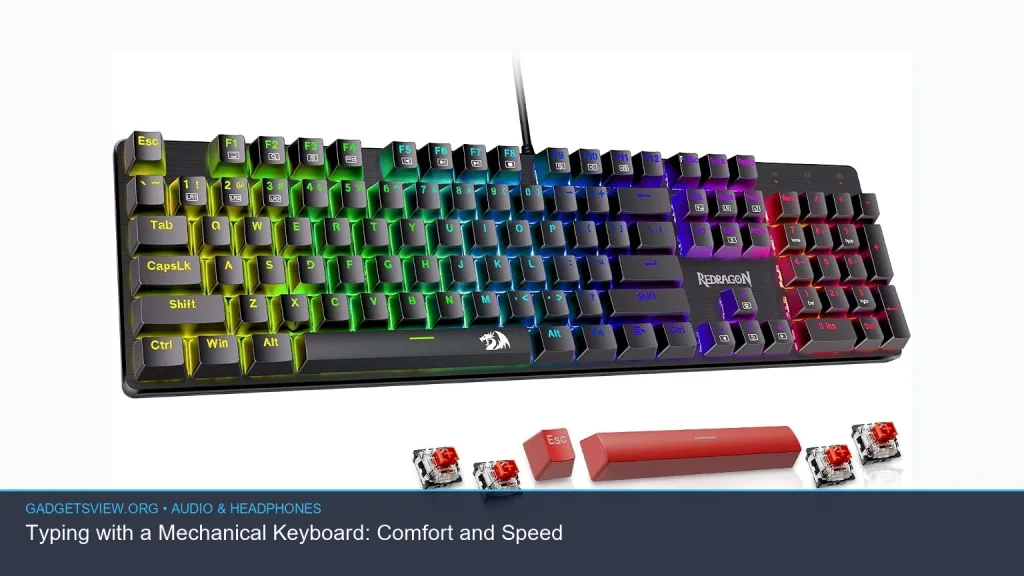
If you are comparing keyboards for work, gaming, or long typing sessions, typing with a mechanical keyboard can feel faster, more precise, and less tiring than a typical membrane board. The right switch type, layout, and build can also make a big difference in comfort. This guide breaks down what matters most, which mechanical keyboard styles fit different users, and how to choose one that matches your desk setup and noise tolerance.
📖 Table of Contents
- Why Typing with a Mechanical Keyboard Feels Different
- How Mechanical Switches Influence Speed and Feel
- Choosing the Right Layout for Comfort and Desk Space
- What Features Matter Most When Buying
- Who Should Choose What
- Noise, Desk Setup, and Daily Use Tips
- Mechanical Keyboard Alternatives and Related Gear
- FAQ
- Conclusion
Products mentioned
- Kisnt KN85 Wireless Mechanical Keyboard, 75% Layout, Bluetooth/2.4GHz/USB-C, Custom RGB Backlit, Hot-Swappable Linear Switch, Creamy Sound for Gaming/Typing (Re
View current product details
Availability, specifications, and prices can change; verify them on the product page.
📌 Key Takeaways
- Typing with a mechanical keyboard can improve comfort and speed if you choose the right switch feel, layout, and key spacing.
- For offices or shared spaces, a quiet mechanical keyboard is often the best choice, especially with linear or damped switches.
- Compact boards like a tkl mechanical keyboard or ultra slim mechanical keyboard save desk space without giving up too much typing comfort.
- Build quality, switch hot-swap support, and connection options matter more than flashy lighting for most buyers.
Why Typing with a Mechanical Keyboard Feels Different
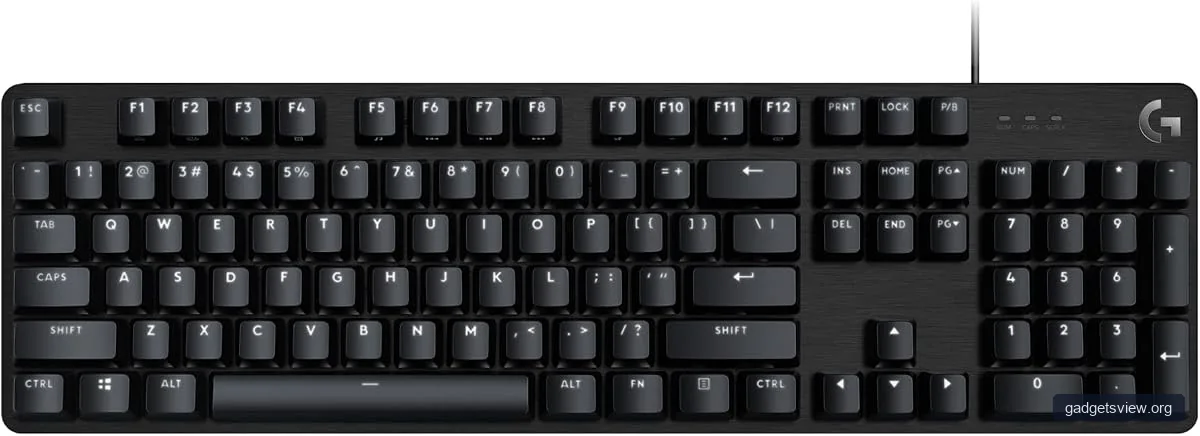
The biggest difference is the switch under each key. Mechanical keyboards use individual switches, which can give clearer feedback and a more consistent feel than many laptop-style or membrane keyboards. That consistency can help your fingers settle into a rhythm, which is one reason many people feel more accurate and faster over time.
Comfort also improves because you can choose a keyboard that matches how you type. Some people prefer a light, smooth press. Others want a firmer feel with a clear bump. The best board is the one that lets you type without forcing extra effort from your hands.
What affects comfort the most?
Several small details add up. Key travel, actuation force, key shape, keyboard angle, and layout all affect how your hands feel after an hour or after a full day. A good wrist position and a sensible desk height matter too.
If you are moving from a laptop keyboard, the change can feel dramatic at first. After a short adjustment period, many users find the added feedback makes typing easier to control.
How Mechanical Switches Influence Speed and Feel
Switch choice is the core of the typing experience. Linear switches feel smooth from top to bottom. Tactile switches add a small bump. Clicky switches add a bump and an audible click. Each style can support speed, but comfort depends on what feels natural to your hands.
For long typing sessions, many people prefer linear or tactile switches because they can be easier to live with for hours. Clicky switches are fun and expressive, but they are not always ideal in shared spaces.
| Keyboard Type | Best For | Strengths | Limitations |
|---|---|---|---|
| Linear | Smooth typing, quiet use, gaming | Easy to press, fast key return, low fatigue for some users | Can feel too light or slippery without practice |
| Tactile | Typing focus, mixed work and play | Clear feedback helps many users avoid mistakes | May feel distracting if you prefer a smooth press |
| Clicky | Users who like audio feedback | Very noticeable actuation and satisfying feel | Often too loud for shared spaces |
Choosing the Right Layout for Comfort and Desk Space
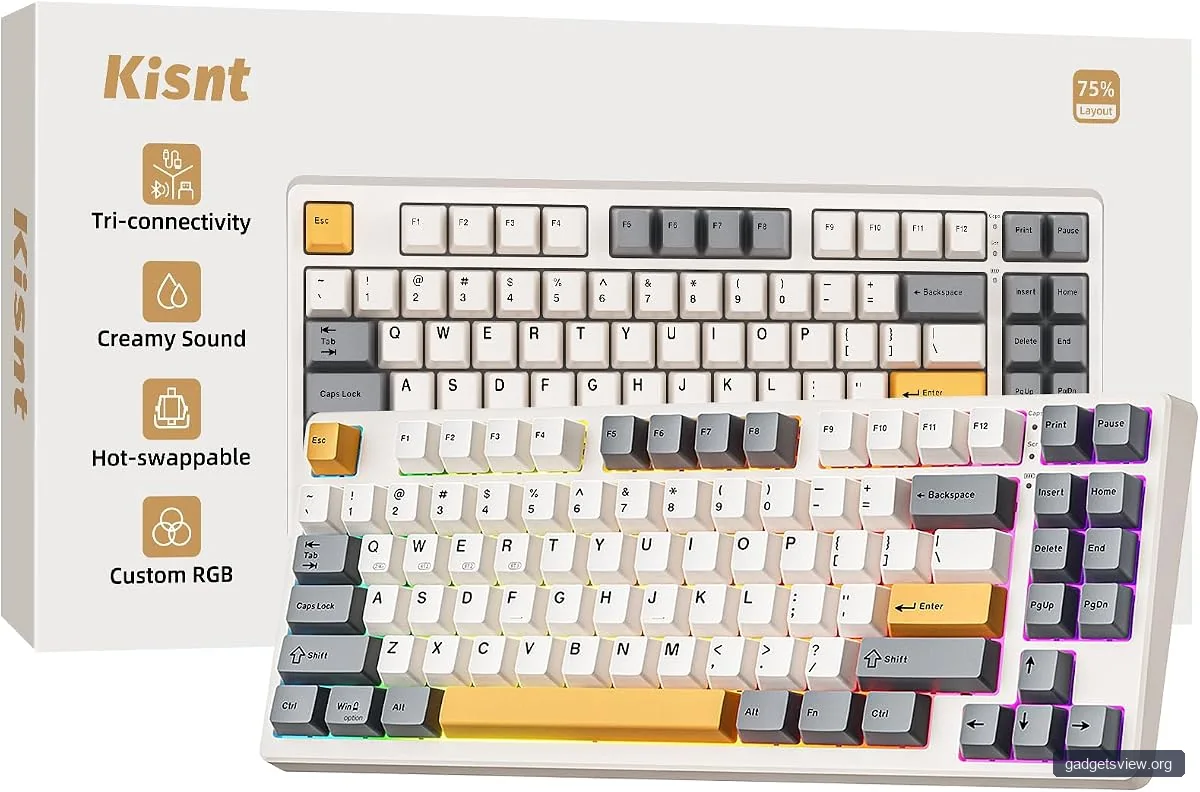
Layout matters almost as much as switches. A full-size board includes the number pad, which is useful for spreadsheets and data entry. A tkl mechanical keyboard, or tenkeyless board, removes the numpad and gives your mouse more room. That can improve ergonomics for users who keep their mouse close to the keyboard.
Smaller layouts are worth considering if your desk is tight or you travel with your gear. A 75% board keeps most of the core keys in a compact frame, while an ultra slim mechanical keyboard can suit people who want a smaller profile with a cleaner look.
When compact is better
Compact boards are practical for apartments, dorm rooms, and mobile setups. They also reduce reach, which can be helpful if you spend hours typing each day. The tradeoff is that shortcuts and secondary functions may take more time to learn.
If you work in a shared room, compact boards can also help keep the setup tidy. That matters if you are pairing your keyboard with lightweight wireless headphones, a small monitor, or a laptop dock.
What Features Matter Most When Buying
The best mechanical keyboard for typing is not always the most expensive or the most colorful. Focus on the features that change daily use. Build feel, stabilizers, keycap quality, connection options, and noise control are usually more important than RGB effects.
One product discovered in research, the Kisnt KN85 Wireless Mechanical Keyboard, shows the kind of feature mix many buyers now want: compact 75% sizing, Bluetooth, 2.4GHz, USB-C, hot-swap support, and RGB lighting. That does not make it automatically right for everyone, but it reflects the modern features people often compare.
| Selection Criteria | Why It Matters | What to Look For |
|---|---|---|
| Switch type | Defines feel and sound | Linear for smoothness, tactile for feedback, quiet switches for shared spaces |
| Layout | Affects comfort and desk space | Full-size for numeric entry, tkl for balance, 75% for compactness |
| Noise level | Important in offices and home shared spaces | Quiet switches, dampened stabilizers, sound-absorbing case design |
| Connectivity | Affects desk setup and portability | USB-C for wired use, Bluetooth or 2.4GHz for flexibility |
Who Should Choose What
If you want the best all-around typing experience, a tactile or smooth linear board in a TKL or 75% layout is a smart place to start. It balances comfort, speed, and space. If you work around other people, a quiet mechanical keyboard should be near the top of your list.
If you need full productivity features, a full-size keyboard still makes sense. If you prefer portability, a compact model is easier to carry and fit on small desks. And if you like a custom feel, hot-swap support makes it easier to change switches later without replacing the whole board.
Simple buyer guidance
- Choose full-size if you use the numpad often for finance, data entry, or spreadsheets.
- Choose a tkl mechanical keyboard if you want a strong balance of comfort and desk space.
- Choose 75% or ultra slim mechanical keyboard if you want compactness and a cleaner desk.
- Choose quiet switches if you share space or type late at night.
- Choose hot-swap support if you want to experiment with feel later.
Noise, Desk Setup, and Daily Use Tips
Sound is a major part of the mechanical keyboard experience. Some users love the crisp echo of a clicky board. Others want less distraction. If you are trying to keep things quiet, look for a quiet mechanical keyboard with linear switches, dampened stabilizers, and a case that does not rattle.
Desk accessories matter too. A wrist rest can help reduce strain. A stable chair and monitor height can improve posture. If your desk is shared with audio gear, many users pair a quieter board with usb headphones or tv headphones for private listening during calls, movies, or gaming.
How to make typing feel better fast
- Pick a switch that matches your noise tolerance.
- Use a layout that fits your desk and hand position.
- Keep your wrists neutral, not bent upward.
- Test your keyboard for wobble, rattle, or overly stiff keys.
- Give yourself a week to adapt before judging the feel.
Mechanical Keyboard Alternatives and Related Gear
While keyboards affect typing speed, your broader setup can affect focus. Some buyers compare keyboard purchases alongside hi res headphones, neckband headphones, or lightweight wireless headphones because they want a quiet, efficient workspace for calls, music, and media. That can make sense if you work from home and need one clean desk ecosystem.
Some also look at a wooden mechanical keyboard for a warmer visual style, though the appeal is mostly about aesthetics and feel rather than a universal typing advantage. If your goal is pure typing comfort, focus on switches, layout, and build quality first.
FAQ
Are mechanical keyboards better for typing than laptop keyboards?
Often yes, especially for users who want more feedback and consistency. The keys usually feel more distinct, which can improve control and reduce missed presses. The best result depends on switch type and layout.
What is the quietest mechanical keyboard style?
A quiet mechanical keyboard usually uses linear or dampened switches, plus a case and stabilizers that reduce rattle. Keycaps and desk surface can also affect sound. If silence matters, avoid clicky switches.
Is a tkl mechanical keyboard good for office use?
Yes. A TKL board is one of the best office-friendly choices because it keeps the main typing area while saving desk space. It also leaves more room for mouse movement.
Should I buy a wireless or wired mechanical keyboard?
Wireless is useful if you want a cleaner desk or need portability. Wired USB-C is often the simplest option for reliability and charging. If you switch between devices, Bluetooth can be helpful.
Are ultra slim mechanical keyboard models less comfortable?
Not always, but they can feel different from standard-height boards. Some people like the lower profile because it reduces hand lift. Others prefer the deeper feel of a standard mechanical keyboard.
Conclusion
Typing with a mechanical keyboard is often about finding the right balance of feel, speed, comfort, and noise. For most buyers, the best path is simple: choose a switch style you can live with, pick a layout that fits your space, and prioritize build quality over gimmicks.
If you are ready to shop, start with a TKL or 75% board, consider a quiet switch option for daily use, and decide whether wired or wireless fits your setup best. From there, it becomes much easier to choose a keyboard that supports your work instead of getting in the way.