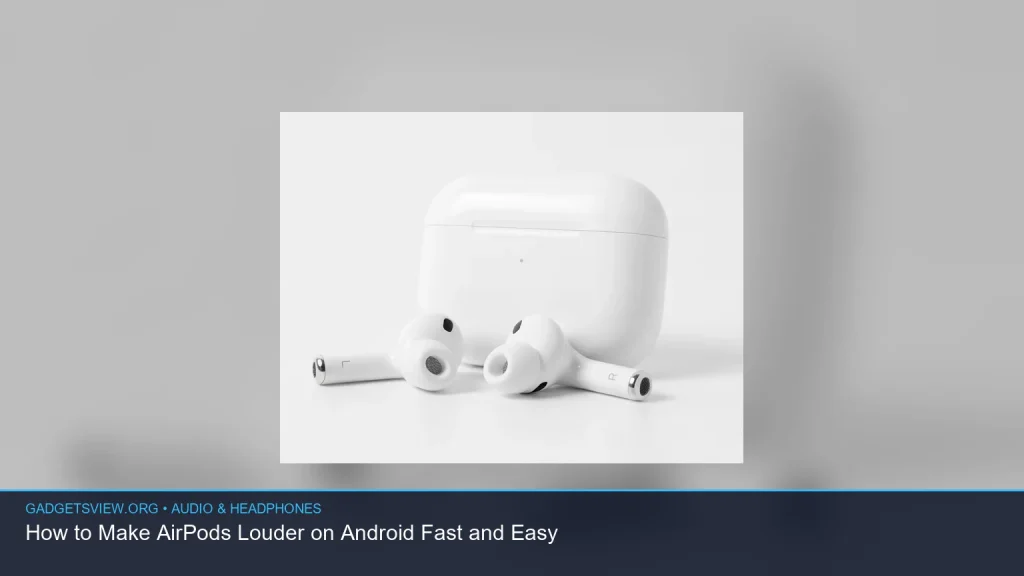
If your AirPods sound too quiet on Android, the fix is usually fast. In most cases, you just need to raise the phone’s media volume, check the AirPods’ fit, and turn off any Android settings that limit Bluetooth audio. This guide shows you how to make AirPods louder on Android with simple steps, plus a few deeper fixes for weak volume, poor Bluetooth sound, and connection issues. It also explains when the problem is your phone, your AirPods, or the app you’re using.
📖 Table of Contents
- Why AirPods Can Sound Quiet on Android
- How to Make AirPods Louder on Android: Fast Fixes First
- Check Fit, Clean the AirPods, and Test the Sound Path
- Android Settings That May Be Limiting AirPods Volume
- How to Make AirPods Louder on Android Without Losing Sound Quality
- Troubleshooting Table: When the Volume Still Feels Too Low
- AirPods Pro 1st Gen vs 2nd Gen: Does It Matter for Android?
- FAQ
- Conclusion
📌 Key Takeaways
- Start with the simple fixes: raise media volume, clean the earbuds, and check the seal in your ears.
- Android Bluetooth settings, app volume, and phone sound limits can all make AirPods seem quieter than they should be.
- You can use AirPods with Android, but you may lose some Apple-only features and advanced controls.
- If volume is still low, reset the AirPods, test a different app, and check for balance or hearing-safe limits on your phone.
Why AirPods Can Sound Quiet on Android
AirPods can work with Android, but they are not built as a full Android accessory. That means some features that fine-tune sound on Apple devices may not be available, and the default Android audio setup can behave differently.
Low volume often comes from one of four things: the phone’s media volume, the app’s own volume, Bluetooth audio settings, or a poor fit in your ears. If the seal is weak, bass drops and the whole sound can feel thin or quiet.
Quick reality check: can AirPods connect to Android?
Yes, can AirPods connect to Android is a common question, and the answer is yes. They connect like standard Bluetooth earbuds. What you usually lose is tight Apple integration, not basic playback.
How to Make AirPods Louder on Android: Fast Fixes First

Start here before changing deeper settings. These steps solve most volume complaints in a few minutes.
- Turn up media volume on the phone. Use the volume buttons while audio is playing, then check that the media slider is at a strong level.
- Raise volume inside the app. Some apps have their own volume controls that sit below the system level.
- Disable any Bluetooth absolute volume quirks. On some Android phones, this can help the phone and earbuds stay in sync better. If your phone has developer options, test this setting carefully and restart after changing it.
- Check for volume limits. Some phones include hearing protection or media limit settings that cap output.
- Wear the AirPods correctly. A bad seal can make them seem much quieter than they are.
If these quick steps help a little but not enough, move to the next section. The issue may be fit, cleaning, or a phone setting that is muting sound more than you think.
Check Fit, Clean the AirPods, and Test the Sound Path
AirPods can lose volume when earwax blocks the speaker mesh or when the earbuds do not sit securely in the ear. Even a small blockage can reduce detail and make dialogue hard to hear.
Clean the mesh gently with a dry, soft brush or microfiber cloth. Avoid liquids, sharp tools, and anything that could push debris deeper into the grille.
Fit matters more than many people think
Standard AirPods and AirPods Pro fit differently. If you use AirPods Pro, try a different ear tip size, since a stronger seal usually improves both loudness and clarity. If you use regular AirPods, reposition them and test both ears to see whether one side is sitting loosely.
Also test a second audio source. Try music, a podcast, and a YouTube video. If only one app sounds quiet, the issue is likely in that app rather than in the AirPods.
Android Settings That May Be Limiting AirPods Volume
Some Android settings can make Bluetooth audio sound weaker than expected. These controls may vary by phone brand, but the ideas are the same.
| Setting to Check | What It Can Do | What to Look For |
|---|---|---|
| Media volume | Controls app playback loudness | Raise it while audio is playing |
| Volume limit / hearing protection | Caps maximum output | Turn off or raise the limit if appropriate |
| Bluetooth absolute volume | Links phone and accessory volume levels | Test with it on, then off, if your phone allows it |
| Accessibility balance | Can shift sound left or right | Make sure balance is centered |
If your sound is loud in one ear but weak in the other, check balance first. A center-setting problem can feel like low volume when it is really a left-right mismatch.
How to Make AirPods Louder on Android Without Losing Sound Quality
It is tempting to push every slider to the top, but that does not always give you the best sound. A cleaner result usually comes from fixing the source of the loss instead of forcing more volume.
For music, try these practical steps:
- Use a better-fit ear tip if you have AirPods Pro.
- Play a higher-quality version of the track if the app offers one.
- Close other audio apps that may be taking over volume control.
- Disconnect and reconnect the AirPods to refresh the Bluetooth link.
If the sound becomes distorted at high volume, back off a little. Very loud output can stress the tiny speakers and reduce clarity. It is better to get clean, balanced volume than harsh sound that only seems louder.
Troubleshooting Table: When the Volume Still Feels Too Low
If the easy fixes did not solve it, use this checklist to narrow down the cause. This is often the fastest way to find the real problem.
| Symptom | Likely Cause | Best Fix |
|---|---|---|
| Both AirPods are quiet | Phone volume limit, app volume, or Bluetooth issue | Check system volume, app settings, then reconnect AirPods |
| One AirPod is much quieter | Earwax, fit, or balance setting | Clean the mesh and check audio balance |
| Sound changes when moving around | Loose connection or interference | Move closer to the phone and re-pair the earbuds |
| Only one app sounds low | App-specific volume control | Check that app’s own volume and audio settings |
If nothing improves after these checks, forget the AirPods on your phone, then pair them again from scratch. A fresh pairing often clears odd Bluetooth behavior.
AirPods Pro 1st Gen vs 2nd Gen: Does It Matter for Android?
The question of airpods pro 1st gen vs 2nd gen matters less on Android than on iPhone, because some Apple-only features will not carry over in the same way. Still, the hardware can affect how loud and clean they sound.
In general, newer AirPods Pro models may handle noise and fit better, which can make them feel louder in real use. But if your fit is poor, even a newer model can sound weak. So the best choice is often the one that seals well in your ears and works reliably with your Android phone.
| Choice | Strengths | Limitations on Android | Who Should Choose It |
|---|---|---|---|
| AirPods Pro 1st gen | Good in-ear fit, solid everyday wireless use | Some advanced Apple features are limited on Android | Android users who already own them and want simple listening |
| AirPods Pro 2nd gen | Potentially better fit and noise handling | Still not a full Android-native experience | Users who want the strongest fit and best day-to-day comfort |
Verdict: if you already own either model, keep using it and optimize fit, volume, and Android settings. If you are deciding between them for Android use only, prioritize comfort, seal, and reliable pairing over Apple-specific features.
FAQ
Why are my AirPods so quiet on Android but fine on iPhone?
Android and iPhone handle Bluetooth audio differently. On iPhone, AirPods get tighter system support and more direct control. On Android, a phone setting, app volume, or Bluetooth quirk can make them seem much quieter than they really are.
Can I use Find My AirPods Android to locate lost earbuds?
The phrase find my airpods android is a tricky one because Android does not offer full native AirPods tracking like Apple devices do. You may still see the last known Bluetooth connection or use third-party tools in some cases, but availability and accuracy vary. If you need current guidance, verify the latest app support and phone compatibility before relying on it.
Do AirPods lose features on Android?
Yes. Basic listening works, but some AirPods features are limited or unavailable on Android. That can include tighter battery display integration, easy device switching, and certain advanced controls.
What is the safest way to make AirPods louder without distortion?
Use the highest clean volume your phone and app can provide, then improve the ear seal and check for obstructions. If distortion starts, lower the volume a little. Clean sound is better than forced loudness.
Should I reset my AirPods if the volume stays low?
Yes. If volume remains low after checking settings, cleaning the earbuds, and testing another app, a reset is a smart next step. It can clear pairing glitches that affect sound levels.
Conclusion
If you want to know how to make AirPods louder on Android, start with the easy wins: raise media volume, check app settings, clean the earbuds, and verify a good fit. Then move to Android audio limits, balance settings, and a fresh Bluetooth pairing if needed.
Most quiet-AirPods problems are fixable without special tools. If the sound is still weak after these steps, the issue is likely a phone setting, a worn seal, or a hardware problem that needs closer inspection.