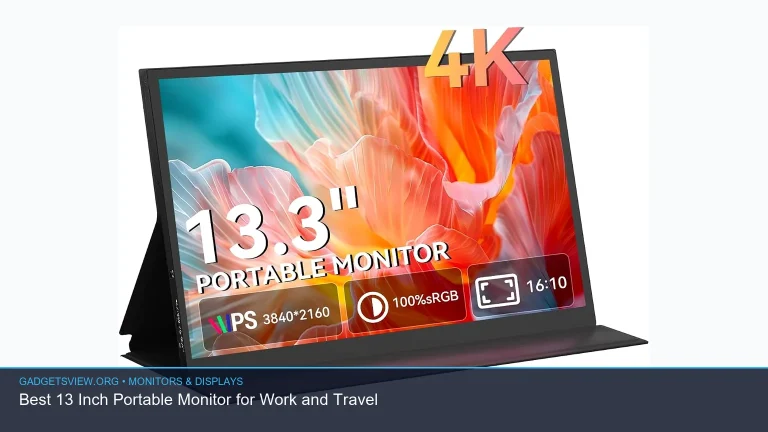
If you want a screen that looks sharp, travels well, and makes text, photos, and video pop, an oled portable monitor is hard to beat. The best choice depends on how you plan to use it: for laptop work, gaming, creative tasks, or a simple second screen on the go. Because OLED panels can deliver deep blacks and vivid contrast, they often feel more premium than standard portable displays. Below, you’ll find what to look for, where OLED shines, where it can fall short, and how to choose the right monitor for your needs without overpaying for features you may not use.
📖 Table of Contents
- Why an OLED Portable Monitor Stands Out
- How to Choose the Right OLED Portable Monitor
- OLED vs IPS: Which Portable Monitor Type Fits You Better?
- Strengths and Limitations to Know Before You Buy
- Who Should Choose an OLED Portable Monitor?
- Setup Tips for Better Portable Use
- FAQ: OLED Portable Monitor Buying Questions
- Final Thoughts
📌 Key Takeaways
- OLED is best for image quality when you want rich contrast, deep blacks, and punchy color in a portable display.
- Portability and connectivity matter as much as panel quality, so look at size, weight, USB-C support, and power needs before buying.
- Not every user needs OLED; if your work is mostly spreadsheets or static windows, a good IPS portable monitor may be a better value.
- The right choice depends on use case: creators, frequent travelers, and entertainment fans usually benefit most from OLED.
Why an OLED Portable Monitor Stands Out
An OLED portable monitor is built for people who want better image quality without giving up mobility. Unlike many LCD panels, OLED pixels can switch off individually, which helps create true black levels and strong contrast. That often makes small text, dark scenes, and mixed-light images look cleaner and more detailed.
This matters if you use your second screen for photo review, video editing, gaming, or streaming content. It also helps in dim rooms, airports, hotels, and coffee shops where harsh glare is not always the main issue. The screen may still need careful brightness management outdoors, but for indoor use, OLED usually offers a more premium viewing experience.
Where OLED makes the biggest difference
OLED is most noticeable when a screen shows both bright and dark elements at the same time. That includes movies, creative timelines, and modern games with shadow detail. The contrast can make the image feel more lifelike than what many typical portable displays can deliver.
For a US buyer, this often means the best value is not just about raw specs. It is about how often you will actually benefit from OLED’s strengths during travel, remote work, or entertainment use.
How to Choose the Right OLED Portable Monitor
Choosing the right model starts with your main use. A business traveler may want easy USB-C setup and a light carry weight, while a gamer may care more about response and refresh behavior. A creative user may want color accuracy and strong panel consistency above everything else.
Because product availability changes quickly, verify current models, port layouts, and panel details before buying. The best way to compare options is to focus on the features that affect your daily use, not just the headline display type.
Selection criteria that matter most
- Screen size: Choose a size that fits your bag and your laptop. Larger screens are more comfortable, but less travel-friendly.
- Resolution: Higher resolution usually means sharper text and better detail, especially on smaller panels.
- Connectivity: USB-C with display and power support is the easiest setup for most laptop users.
- Brightness: Higher brightness helps in brighter rooms, though OLED performance can still vary by model.
- Color quality: Creators should look for strong color coverage and accurate factory tuning when available.
- Portability: Weight, thickness, and included cover or stand can matter more than many buyers expect.
- Power needs: Some portable monitors can run from one cable, while others may need extra power.
| What to Compare | Why It Matters | Best For |
|---|---|---|
| Panel type and contrast | OLED improves black levels and image depth | Media, creative work, gaming |
| USB-C compatibility | One-cable setups reduce clutter | Travel and remote work |
| Resolution and size | Affects sharpness and screen space | Productivity and editing |
| Stand and cover design | A stable setup is easier to use anywhere | Frequent travelers |
OLED vs IPS: Which Portable Monitor Type Fits You Better?
Many shoppers compare OLED portable monitors with IPS models because both can be thin, light, and easy to use. The decision often comes down to image quality versus value. OLED usually wins on contrast and visual punch, while IPS often wins on price and long-term comfort for static work.
If you spend hours in documents, dashboards, or code, an IPS monitor may be the practical choice. If you switch often between work and media, or you care deeply about rich visuals, OLED may feel worth the premium. There is no single best option for everyone.
| Category | OLED Portable Monitor | IPS Portable Monitor |
|---|---|---|
| Contrast | Excellent | Good |
| Black levels | Very strong | Limited |
| Value | Usually higher cost | Often better budget value |
| Best use | Media, design, gaming | Productivity, general travel use |
Strengths and Limitations to Know Before You Buy
OLED portable monitors bring real advantages, but they are not perfect for every situation. Knowing the tradeoffs helps you avoid buyer’s regret and choose a display that fits your habits. This is especially important for US shoppers who may use one screen for work during the day and entertainment at night.
Strengths
- Deep blacks and high contrast: Great for movies, games, and mixed dark/light content.
- Vivid color: Makes photos, streaming, and presentation visuals look more dynamic.
- Thin and travel-friendly designs: Many portable OLED screens stay compact and easy to pack.
- Premium feel: The image often looks more polished than standard portable LCDs.
Limitations
- Burn-in concerns: Static UI elements can be a consideration, especially with long display sessions.
- Price premium: OLED usually costs more than a comparable IPS portable monitor.
- Brightness tradeoffs: Some OLED portable displays may not match top LCD brightness in every use case.
- Availability varies: Specs, port options, and bundled accessories can change by model and region.
If your work involves static toolbars, long spreadsheets, or always-on dashboards, it is worth thinking carefully about how you will use the screen. For mixed media and travel use, OLED’s benefits often outweigh the downsides. For mostly office tasks, the added cost may not bring enough value.
Who Should Choose an OLED Portable Monitor?
The best buyer is not just someone who wants the “best” screen. It is someone whose daily use will actually benefit from the strengths of OLED. If the monitor will travel often and handle both work and entertainment, OLED can be a smart upgrade.
| User Type | Best Choice | Why |
|---|---|---|
| Frequent traveler | OLED portable monitor | Strong visuals in a compact second screen |
| Creative professional | OLED portable monitor | Better contrast and color depth for visual work |
| Office worker | IPS may be enough | Often a better value for documents and spreadsheets |
| Gamer | OLED portable monitor | More immersive contrast and vivid scenes |
Verdict: choose OLED if you care most about image quality, media, and premium travel use. Choose IPS if your top priority is value, office productivity, or avoiding the OLED premium. For many people, OLED is the more exciting pick, but not always the more practical one.
Setup Tips for Better Portable Use
Once you choose a monitor, the setup can make a big difference in daily comfort. A portable screen should feel simple, stable, and quick to use. If the stand is awkward or the cable setup is messy, even a great display can become annoying.
- Check your laptop ports first. Confirm whether USB-C can carry both video and power.
- Use the shortest practical cable. This helps reduce clutter and makes travel setup easier.
- Test the stand angle at a desk and on the go. A flexible but stable position matters more than many buyers expect.
- Adjust brightness for the environment. Lower settings help in dark rooms and may improve comfort.
- Keep static content in mind. If you use the same apps for long hours, vary layouts when possible.
It is also wise to confirm compatibility with your main devices before ordering. Some laptops, tablets, and handheld systems support portable displays more smoothly than others. A quick compatibility check can save you from cable or power surprises later.
FAQ: OLED Portable Monitor Buying Questions
Is an OLED portable monitor good for work?
Yes, if your work includes design, presentations, video, or other visual tasks. For mostly text-based work, it is still a good screen, but an IPS model may offer better value if you do not need OLED’s stronger contrast.
Do OLED portable monitors have burn-in risk?
OLED panels can have burn-in risk if static images stay on screen for long periods. That does not mean you should avoid OLED entirely, but it does mean you should think about how long you keep toolbars, taskbars, or dashboards visible.
What connection is best for an OLED portable monitor?
USB-C is usually the most convenient option because it can often handle video and power in one cable. Still, you should verify whether the specific monitor and your device both support the needed USB-C mode.
Are OLED portable monitors worth it for travel?
They can be, especially if you want a better viewing experience in a compact setup. Travelers who use a monitor for both work and streaming often get the most value from OLED.
Should I pick OLED over IPS every time?
No. IPS is often the better pick for budget-conscious buyers and people who mostly use spreadsheets, documents, or static apps. OLED makes the most sense when visual quality is a top priority.
Final Thoughts
The best OLED portable monitor is the one that matches your real routine, not just the one with the flashiest screen tech. If you want deep contrast, rich color, and a more premium viewing experience on the road, OLED is an excellent place to start. If your needs are simpler, an IPS model may deliver better value.
Before you buy, compare current models for USB-C support, portability, brightness, and stand design. Then choose the display that fits your laptop, your travel habits, and the kind of work or media you do most often.