If you use a laptop, tablet, handheld console, or portable screen, portable monitor speakers can make a big difference in daily listening. They are a simple way to get clearer voice, better volume, and fuller sound without carrying a bulky desktop setup. The best choice depends on where you use it, how you power it, and whether you need wired convenience or wireless flexibility. This guide explains what to look for, what trade-offs matter most, and how to choose the right option for clear sound in 2026.
📖 Table of Contents
- What portable monitor speakers are and why they matter
- How to choose portable monitor speakers that sound clear
- Portable monitor speakers comparison: what matters most
- Key features to compare before you buy
- Who should choose what: the best fit by use case
- Setup tips for better sound from portable monitor speakers
- Troubleshooting common portable speaker problems
- FAQ about portable monitor speakers
- Conclusion
📌 Key Takeaways
- Portable monitor speakers are best when you want clearer dialogue and easy setup without a full desktop speaker system.
- Look first at power source, connection type, size, and whether the speakers fit your monitor or travel bag.
- For most people, the right choice is the one that balances sound quality, portability, and simple cable management.
- If you need the cleanest desk setup, compare compact wired options first; if you move often, prioritize lightweight and battery-friendly designs.
What portable monitor speakers are and why they matter
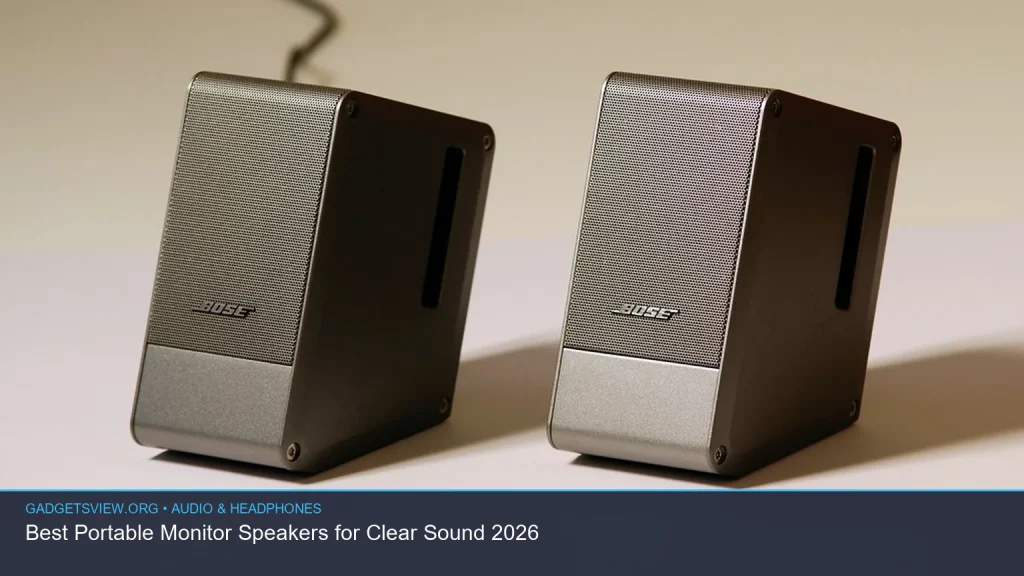
Portable monitor speakers are compact speakers designed to sit near or attach to a monitor, laptop, or portable display. They are usually smaller than full desktop speakers and are built for easy transport, quick setup, and minimal clutter. Many people use them for work, streaming, gaming, online classes, and travel.
They matter because built-in monitor speakers are often weak. Sound can feel thin, quiet, or hard to hear in a busy room. A good portable speaker setup can improve speech clarity and make music and video sound less flat.
These speakers are not meant to replace a full home audio system. Their job is to deliver practical sound in a compact form. That makes them a smart fit for small desks, shared spaces, and mobile setups.
How to choose portable monitor speakers that sound clear

Clear sound depends on more than loudness. You want a model that handles voices well, keeps distortion low, and works smoothly with your devices. Since no product list was provided, the best approach is to compare key features before buying.
1. Check the connection type
Most portable monitor speakers connect through USB, 3.5mm aux, Bluetooth, or a mix of these. USB is often the simplest for power and audio in one cable. Aux can be reliable for basic wired use, while Bluetooth offers flexibility but may add delay in some cases.
2. Decide how portable you need them to be
If the speakers will stay on one desk, a slightly larger design may be fine. If you travel often, choose a lighter, smaller pair that is easy to pack. Pay attention to cable length, shape, and whether the speakers can fit beside a monitor without taking over the desk.
3. Focus on voice clarity first
For work calls, classes, and videos, midrange clarity matters more than deep bass. A speaker that sounds balanced will usually be easier to listen to than one that only pushes low-end sound. If you often watch spoken content, this is one of the most important checks.
4. Match the power source to your setup
Some portable monitor speakers draw power through USB, while others use wall power or batteries. USB-powered models are convenient for laptops and small desks. Battery-powered models may suit travel, but they need charging and can be less ideal for long sessions if you forget to top them up.
5. Think about latency if you game or watch video
If you play games or watch lip-synced content, audio delay can be annoying. Wired connections usually reduce this risk. Bluetooth can still be useful, but it is worth checking whether the model is designed for low-latency use.
Portable monitor speakers comparison: what matters most
Use the table below as a buying guide. It is not a product ranking. Instead, it shows which speaker type tends to fit different needs best.
| Speaker type | Best for | Strengths | Limitations |
|---|---|---|---|
| USB-powered compact speakers | Desk setups, office use, simple plug-and-play needs | Easy setup, fewer cables, good for everyday use | May depend on the device for power, often modest bass |
| 3.5mm wired speakers | Simple laptop and monitor setups | Reliable audio, broad compatibility, low delay | Needs a compatible audio output, cable clutter possible |
| Bluetooth portable speakers | Travel, flexible placement, quick pairing | Wireless freedom, easy to move, works with many devices | May need charging, possible audio delay, can be less consistent |
| Battery-powered mini speakers | Portable workspaces and on-the-go listening | Highly portable, no constant cable need | Battery life matters, sound may be limited by size |
Key features to compare before you buy
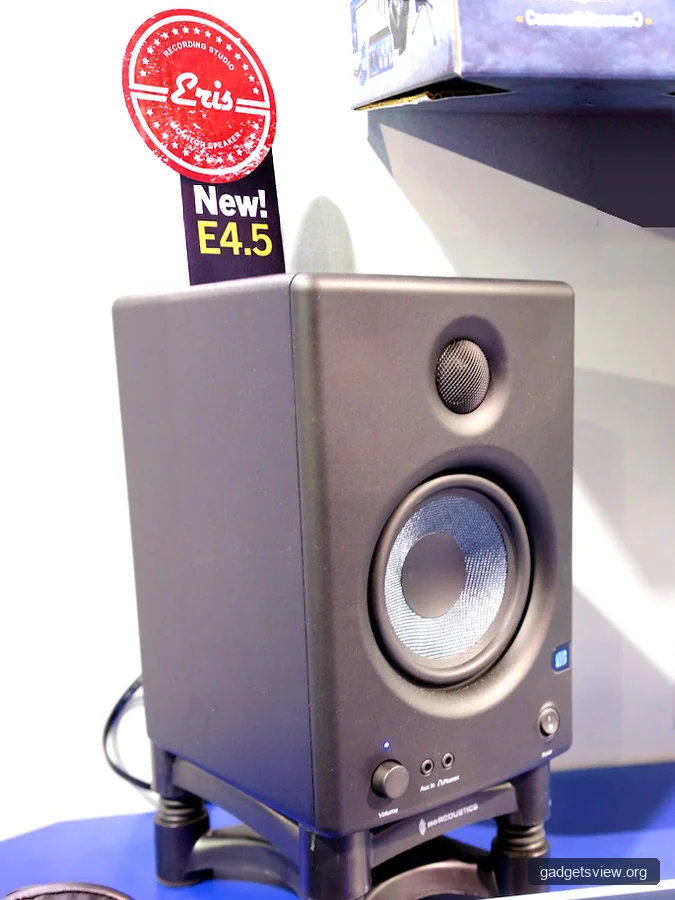
Since brands and specs change often, it helps to use a checklist rather than chase the loudest claims. The best portable monitor speakers are the ones that suit your room, your device, and your listening habits.
Sound profile
Look for balanced sound if you want more natural voices and less harshness. Strong treble can make speech clearer, but too much can feel tiring. If you mainly watch movies or listen to music, a little extra warmth may be welcome.
Size and fit
Measure the space around your monitor. Some speakers are slim enough to sit under or beside a screen, while others need more room. A model that fits well will look cleaner and be easier to use every day.
Controls and ease of use
Simple volume knobs, mute buttons, and accessible power switches matter more than many buyers expect. If controls are awkward, you may end up using them less. Easy access is especially useful for work-from-home setups.
Durability and travel readiness
If you plan to move the speakers often, check build quality, cable strain relief, and whether the finish seems likely to collect scratches. Travel-friendly speakers should feel sturdy enough for packing and unpacking. A carrying pouch can be a nice bonus, but not every model includes one.
Compatibility
Confirm that the speakers work with your main device types, such as Windows laptops, Macs, tablets, or portable monitors. Some setups need adapter cables or separate power. Checking compatibility first can save time and frustration.
Who should choose what: the best fit by use case
Different buyers need different trade-offs. The right portable monitor speakers for a student are not always the right choice for a frequent traveler or a gamer. Use the guide below to narrow your choice.
| User type | Best choice | Why it fits |
|---|---|---|
| Office worker | USB or wired compact speakers | Easy setup, clean desk, reliable voice clarity for calls and meetings |
| Student | Small, simple speakers with clear mids | Good for classes, study videos, and shared rooms |
| Traveler | Lightweight Bluetooth or battery-powered speakers | Easy to carry and use in different spaces |
| Casual gamer | Low-latency wired speakers | Less delay and more predictable sound sync |
| Minimalist desk user | Slim USB speakers | Small footprint and fewer cables |
Setup tips for better sound from portable monitor speakers
Even a good speaker can sound disappointing if it is placed badly or connected poorly. A few small changes can improve clarity right away. These tips work for most portable monitor speaker setups.
- Place the speakers at ear level when possible. Sound is usually clearer when it reaches you directly instead of bouncing off the desk.
- Keep them away from corners. Corners can make bass sound boomy and muddy.
- Use the shortest practical cable run. Shorter cables often reduce clutter and make your desk easier to manage.
- Test volume at medium levels first. Very high volume can cause distortion, especially in smaller speakers.
- Adjust source settings. Check your device’s sound output, balance, and enhancement settings if audio seems weak or uneven.
If your speakers support both wired and wireless use, test both. In some setups, wired sound will be more stable, while wireless is more convenient. The best option is the one that stays clear during your normal use.
Troubleshooting common portable speaker problems
If sound is weak or distorted, the fix is often simple. Start with the source device, then move to the speaker itself. This saves time and helps you avoid replacing gear that is not actually the problem.
| Problem | Likely cause | What to try |
|---|---|---|
| No sound | Wrong output selected, loose cable, muted volume | Check device output settings, reconnect cables, raise volume slowly |
| Sound is tinny | Small speaker design or poor placement | Move speakers closer to ear level and lower harsh EQ settings |
| Audio delay | Bluetooth latency or device processing | Try wired mode or reduce wireless interference |
| Buzzing or distortion | Cable issue, interference, volume too high | Swap cables, lower volume, move away from power adapters |
FAQ about portable monitor speakers
Are portable monitor speakers better than built-in monitor speakers?
Usually, yes. Built-in monitor speakers are often small and limited by the monitor’s thin design. Portable monitor speakers can offer clearer voices, better volume, and a more usable listening experience.
Should I choose wired or wireless portable monitor speakers?
Choose wired if you want stable sound, simple setup, and less delay. Choose wireless if you need flexibility, travel use, or a cleaner desk. If you game or watch a lot of video, wired is often the safer pick.
Do portable monitor speakers work with laptops and tablets?
Many do, but compatibility depends on the connection type. USB, aux, and Bluetooth all work differently, so check what your device supports before buying. If you use multiple devices, a model with more than one input can be useful.
What matters more for clear sound: bass or voice clarity?
For most portable monitor use, voice clarity matters more. That is especially true for calls, lessons, and streaming. Strong bass can be nice, but it should not make speech harder to understand.
Can portable monitor speakers be used for gaming?
Yes, especially for casual gaming. For the best experience, look for low-latency wired options. If you play fast-paced games, sound delay is something to watch closely.
Conclusion
The best portable monitor speakers are the ones that fit your space, your devices, and the way you listen. Start with connection type, size, power source, and voice clarity, then decide whether wired or wireless makes more sense for your routine. If you need the cleanest setup, prioritize compact wired models. If you move often, give extra weight to portability and battery convenience. Before you buy, verify current compatibility and specifications from the manufacturer so your choice matches your setup.
Featured image: Photo: Ben Stassen / CC BY 2.0 via flickr