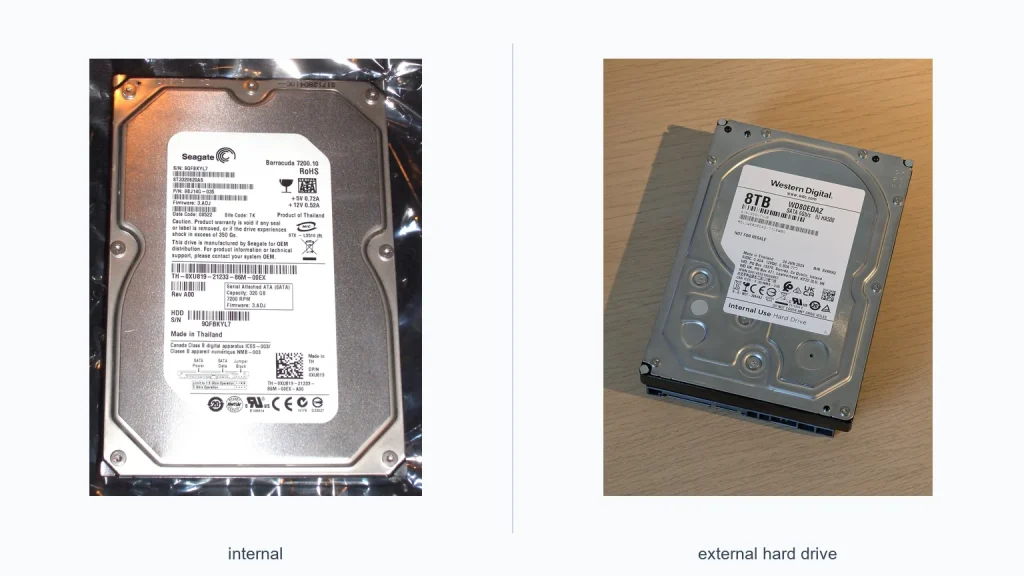
If you’re trying to decide between an internal vs external hard drive, the best choice depends on how you use your PC or laptop. Internal drives are usually better for speed, system storage, and long-term daily use. External drives are easier to move, simpler to install, and ideal for backup or extra space. In this guide, we’ll compare both options by speed, convenience, cost, and use case so you can choose the right one for your setup.
📖 Table of Contents
- What Is the Difference Between Internal and External Hard Drives?
- Internal vs External Hard Drive: Side-by-Side Comparison
- Why Choose an Internal Hard Drive?
- Why Choose an External Hard Drive?
- Which One Is Better for Speed, Backup, and Everyday Use?
- How to Choose the Right Drive for Your Needs
- Who Should Choose Internal vs External Hard Drive?
- FAQ: Internal vs External Hard Drive
- Conclusion: Which Is Better for You?
Products mentioned
- 500GB External Hard Drive USB 3.0 and USB-C Mobile HDD
View current product details - WD 6TB Elements Portable External Hard Drive for Windows, USB 3.2 Gen 1/USB 3.0 for PC & Mac, Plug and Play Ready
View current product details - WD 2TB Elements Portable External Hard Drive for Windows, USB 3.2 Gen 1/USB 3.0 for PC & Mac, Plug and Play Ready
View current product details - Sandisk 2TB Extreme Portable SSD, Up to 1050MB/s, USB-C, USB 3.2 Gen 2, IP65 Water and Dust Resistance, Updated Firmware, External Solid State Drive, SDSSDE61-2
View current product details - Dogfish 256GB Portable External SSD, Up to 500MB/s, USB 3.2 Gen1,Plug&Play
View current product details
Availability, specifications, and prices can change; verify them on the product page.
📌 Key Takeaways
- Internal hard drives are best for primary storage, OS installs, and faster everyday access.
- External hard drives are better for backups, file transfers, travel, and easy plug-and-play use.
- If speed matters most, an internal SSD usually beats both, while portable SSDs can also be a strong external option.
- The right choice depends on your device, how often you move data, and whether you need storage you can swap or carry.
What Is the Difference Between Internal and External Hard Drives?

An internal hard drive sits inside your computer and connects directly to the motherboard. It is usually used for your operating system, apps, games, and everyday files. Because it is built into the machine, it is always ready and does not need a cable hanging outside your device.
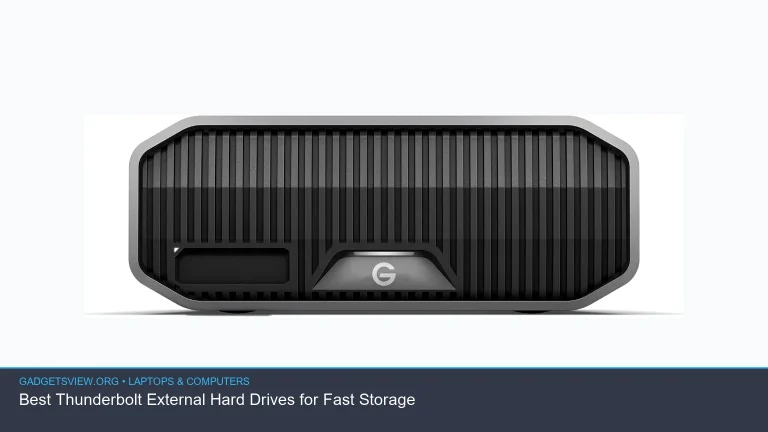
An external hard drive is a separate device that connects through USB, USB-C, or another external port. You can plug it in when needed and unplug it when you are done. That makes it a practical choice for storage you want to move between computers or keep off your main drive.
Internal vs External Hard Drive: Side-by-Side Comparison
Here is a simple look at how the two options compare for most home and office users.
| Factor | Internal Hard Drive | External Hard Drive |
|---|---|---|
| Speed | Often faster, especially when directly connected inside the system | Usually limited by USB or USB-C connection speed |
| Ease of use | Requires installation inside the computer | Simple plug-and-play setup |
| Portability | Not portable | Easy to carry and move between devices |
| Best use | Primary storage, apps, games, operating system | Backups, extra files, transfers, shared storage |
| Upgrade effort | More effort, may require opening the device | Very easy to add or replace |
Why Choose an Internal Hard Drive?
Internal storage makes the most sense when you want the drive to act like part of the computer. It is the better fit for an operating system, software, and files you use every day. If you want one drive to handle your main workload, internal storage is usually the cleaner choice.
Strengths of internal storage
- Better for system use: It is the standard place for Windows, macOS, and installed programs.
- Less clutter: No extra cable or device sits on your desk.
- Reliable for always-on storage: It stays connected all the time, so your files are always there.
Limitations to keep in mind
- Harder to install: Some laptops are easy to open, but many are not.
- Less portable: You cannot simply unplug it and move it around.
- Device compatibility matters: Not every laptop or desktop has room for a new internal drive.
If you are upgrading a desktop or a laptop with accessible storage bays, an internal drive can be a strong value. It is especially useful when your current drive is full and you want to improve the main storage in your machine. For many users, this is the most practical long-term choice.
Why Choose an External Hard Drive?
An external hard drive is ideal when convenience matters more than direct system integration. You can use it for backups, media libraries, school files, or moving large folders between computers. It is also one of the simplest ways to add storage without opening your laptop.
Many shoppers look at external options like the WD 2TB Elements Portable External Hard Drive or WD 6TB Elements Portable External Hard Drive when they want general plug-and-play storage. If portability and speed are important, portable SSD options such as the Sandisk 2TB Extreme Portable SSD may be worth considering as well, while smaller drives like a 500GB External Hard Drive USB 3.0 and USB-C Mobile HDD can suit lighter storage needs.
Strengths of external storage
- Easy to use: Usually works with a simple cable connection.
- Portable: Great for travel, work, school, and moving files between devices.
- Flexible: You can use it only when needed and keep your internal drive uncluttered.
Limitations to keep in mind
- Depends on the connection: USB version and cable quality can affect performance.
- Less seamless for daily use: It is not as convenient as built-in storage for apps and system files.
- Easy to misplace or damage: Because it is separate, it can be lost or knocked off a desk.
External drives are often the better answer for backup. That is because a backup device should be separate from your main computer. If something happens to your system, your backup stays safe and easy to access.
Which One Is Better for Speed, Backup, and Everyday Use?
The best choice changes depending on your goal. Some buyers need the fastest storage possible, while others want a simple place to store backups or transfer files. Here is a practical way to think about it.
| Need | Better Choice | Why |
|---|---|---|
| Primary storage for your computer | Internal hard drive | Best for OS, apps, and constant use |
| Simple backup storage | External hard drive | Keeps backup separate from your PC |
| Moving large files between devices | External hard drive or SSD | Easy to unplug and carry |
| Best long-term value for a desktop | Internal drive | Usually better for permanent storage |
| Storage for travel or flexible use | External hard drive | Portable and easy to store safely |
For speed, an internal drive often has the edge. But if you are comparing external options, a portable SSD can be faster than a traditional external hard drive. Products like the Sandisk 2TB Extreme Portable SSD and Dogfish 256GB Portable External SSD show why many users now choose SSDs for quicker transfers, especially when moving photos, video, or project files.
How to Choose the Right Drive for Your Needs
Use these simple selection criteria before you buy. They will help you avoid choosing storage that looks good on paper but does not fit your setup.
- Check your device: See whether your laptop or desktop supports an internal upgrade.
- Decide the main job: Is it for your OS, backups, media, or file transfer?
- Think about mobility: If you will carry it often, external storage makes more sense.
- Look at connection type: USB-C and USB 3.x can improve external drive convenience and speed.
- Choose capacity for your real use: Small needs may fit a 500GB drive, while large media collections may need 2TB or more.
If you mainly need a backup drive, focus on ease of use and enough space. If you want storage for your operating system or installed software, internal is usually the better fit. If you want both speed and portability, a portable SSD can be a smart middle ground.
Who Should Choose Internal vs External Hard Drive?
Choose an internal hard drive if you want the best fit for a desktop or laptop upgrade, plan to store an operating system or everyday programs, and want storage that stays built into the machine. It is the better option for users who want a cleaner, more permanent setup.
Choose an external hard drive if you need easy backup storage, want to move files between computers, or do not want to open your device. It is also a strong pick for students, remote workers, and anyone who values portability.
Choose an external SSD if you want the convenience of portable storage but need better speed than a standard external hard drive can offer. This can be a strong choice for large photo libraries, video files, and active project work.
FAQ: Internal vs External Hard Drive
Can I use both an internal and external hard drive?
Yes. Many people use an internal drive for the system and programs, then add an external drive for backups or extra files. This is often the most balanced setup.
Is an external hard drive good for gaming?
It can work for storage, but performance may vary by connection type and game size. For faster loading and smoother use, many gamers prefer an internal SSD or an external SSD over a traditional external hard drive.
Which is safer for files, internal or external?
Neither is fully safe on its own. Internal drives can fail, and external drives can be lost or damaged. The safest approach is to keep at least one separate backup copy of important files.
Do external hard drives work with both Windows and Mac?
Some do, but compatibility can depend on formatting. Product listings may mention Windows and Mac support, but you should still check current setup requirements and whether reformatting is needed for your device.
Should I buy a hard drive or an SSD?
If speed matters most, SSDs are usually the better choice. If you want lower-cost bulk storage, traditional hard drives can still make sense. The right pick depends on your budget and how you plan to use the drive.
Conclusion: Which Is Better for You?
The best internal vs external hard drive choice comes down to use case. Internal drives are better for primary storage and everyday system performance. External drives are better for backup, portability, and simple expansion.
If you want one clear rule, choose internal for your main computer storage and external for everything you want to carry, copy, or protect. If speed and mobility both matter, consider an external SSD as a strong middle option. Before buying, check your device’s storage support and choose the drive that fits how you actually work.