If you need a usb c ethernet hub, the best choice is usually the one that matches your setup, not the one with the longest spec sheet. The right hub can give you a steadier wired connection, add useful ports, and cut down on Wi‑Fi drops during work, streaming, or video calls. Below, you’ll find what matters most, which features to prioritize, and a practical comparison of the kinds of hubs that make sense for different users. The goal is simple: help you pick a hub that improves speed and reliability without paying for ports you will never use.
📖 Table of Contents
- Why a USB C Ethernet Hub Is Worth It
- What to Look For Before You Buy a USB C Ethernet Hub
- Top Hub Styles That Fit Different Needs
- How to Choose the Right USB C Ethernet Hub for Your Setup
- Strengths and Limitations of Ethernet Hubs
- Common Setup Problems and Quick Fixes
- FAQ About USB C Ethernet Hubs
- Final Verdict
Products mentioned
- UGREEN Revodok 6 in 1 USB C Hub Gigabit Ethernet Adapter with 4K HDMI
View current product details - UGREEN Revodok Pro 9 in 1 USB C Hub Gigabit Ethernet Adapter 4K@60Hz HDMI
View current product details - Hiearcool USB C Hub, USB C Dock, 4K@60Hz HDMI, 1Gbps Ethernet, Space Gray
View current product details - UGREEN Revodok Pro 6 in 1 USB C Hub Gigabit Ethernet Adapter 4K 60Hz HDMI
View current product details - UtechSmart USB C Hub, Ethernet Multiport Adapter 6 in 1 USB C to HDMI Dock
View current product details - USB C Hub Multiport Adapter, 8 in 1 USBC Dongle with 4K HDMI, RJ45 Ethernet, 100W PD Charging, USB 3.0, SD/TF Card Reader, USB-C Docking Station for MacBook Pro
View current product details
Availability, specifications, and prices can change; verify them on the product page.
📌 Key Takeaways
- A usb c ethernet hub is best for stable internet, especially when Wi‑Fi is crowded, weak, or inconsistent.
- Choose a hub based on your real needs: Ethernet speed, HDMI output, charging passthrough, and the number of USB ports.
- For many users, a simple 6-in-1 hub is enough; power users may want a 9-in-1 or 8-in-1 dock-style model.
- Check compatibility with your laptop or tablet before buying, since some hubs work better with certain USB-C devices than others.
Why a USB C Ethernet Hub Is Worth It
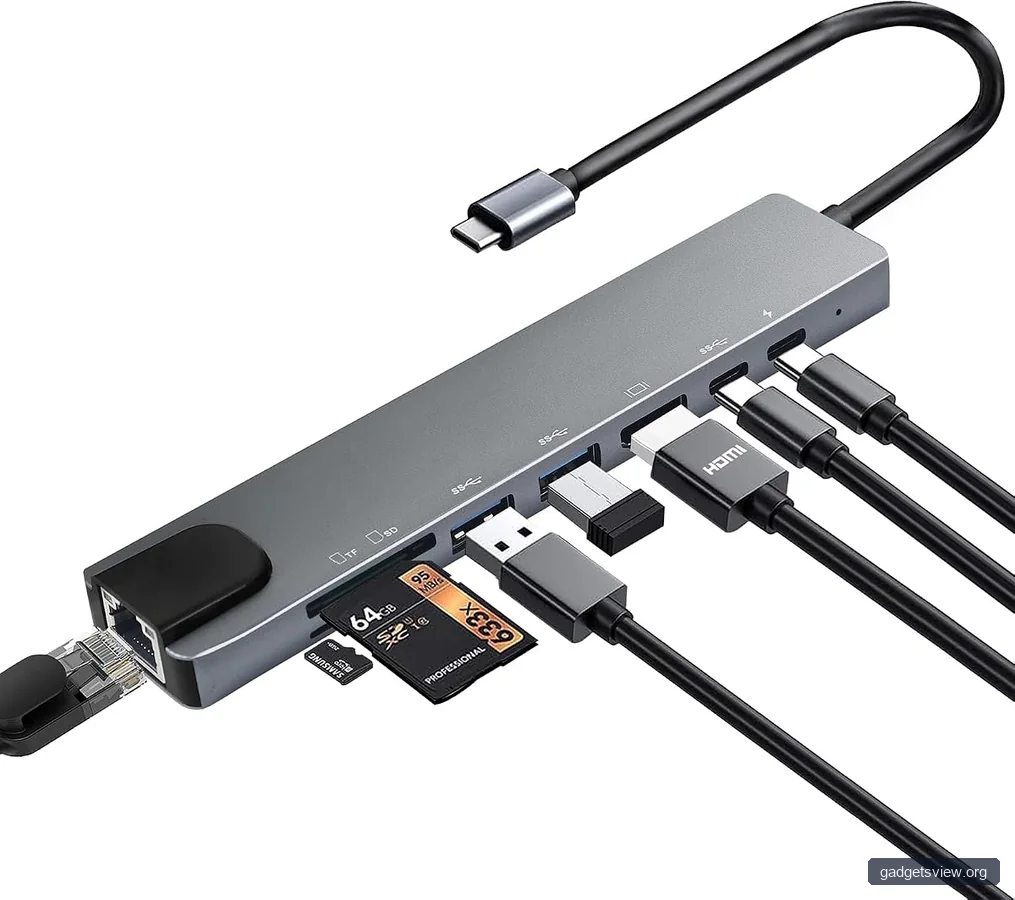
Wi‑Fi is convenient, but it is not always the most reliable option. Thick walls, crowded networks, and interference from other devices can all hurt your connection. A wired Ethernet link often gives you a more stable path for work calls, cloud apps, file transfers, and gaming.
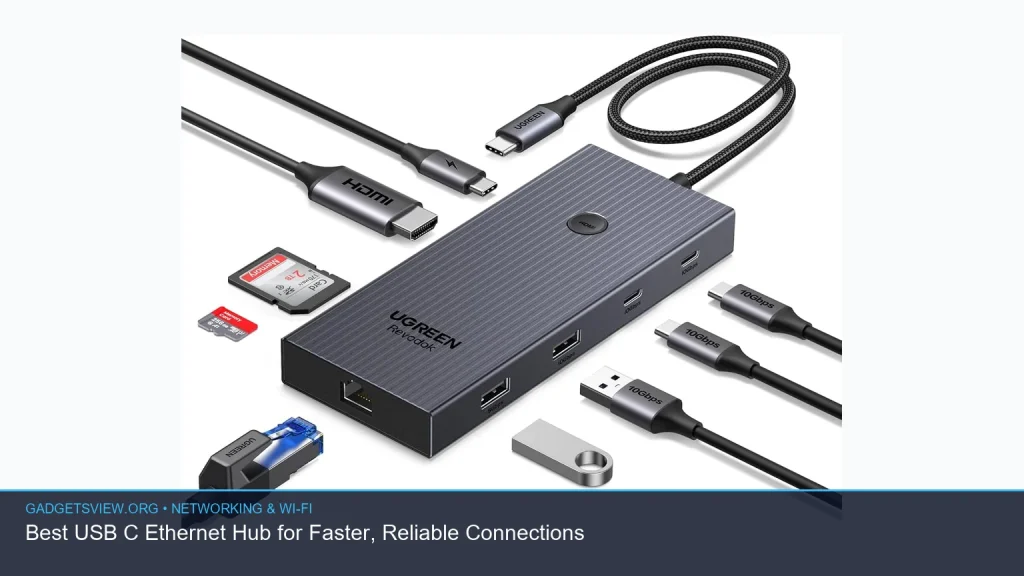
A usb c ethernet hub does more than add internet access. It can also give you extra USB ports, HDMI output for a monitor or TV, SD card slots, and charging support through one compact adapter. That makes it a practical upgrade for laptops, tablets, and even some phones that support USB-C accessories.
The biggest advantage is simplicity. Instead of carrying separate adapters for Ethernet, video, and storage, you can often use one hub for all of them.
What to Look For Before You Buy a USB C Ethernet Hub
Not every hub is built for the same job. Some are best for travel, while others are better as a desk dock. Before choosing, focus on the features that affect daily use, not just the product title.
Ethernet speed and stability
Most buyers are looking for Gigabit Ethernet support, since that is the most common sweet spot for home and office use. If your internet plan or network gear supports more, you may still need a different class of adapter, but Gigabit is enough for many people. The key benefit is consistency, not just raw speed.
Power delivery passthrough
If your laptop has only one or two USB-C ports, charging passthrough matters. It lets you charge while using Ethernet and other peripherals at the same time. This is especially useful for MacBook users and ultrabook owners with limited ports.
Video output and extra ports
If you want to connect a monitor, look for HDMI support and check the resolution and refresh rate the hub supports. If you only need internet, a smaller Ethernet adapter may be enough. If you also need flash drives, keyboards, mice, or memory cards, then a multiport hub is the smarter buy.
Device compatibility
Make sure the hub works with your operating system and device type. Most are designed for laptops, but support can vary for tablets, Chromebooks, and phones. Before buying, verify that the hub’s listed compatibility matches your setup.
| What to Check | Why It Matters | Best For |
|---|---|---|
| Gigabit Ethernet | Improves wired stability and supports fast connections | Work, streaming, gaming |
| Charging passthrough | Keeps your laptop powered while ports are in use | Ultrabooks, MacBooks |
| HDMI output | Lets you add an external display | Desk setups, presentations |
| USB-A and card slots | Supports older accessories and media cards | Creators, office users |
Top Hub Styles That Fit Different Needs
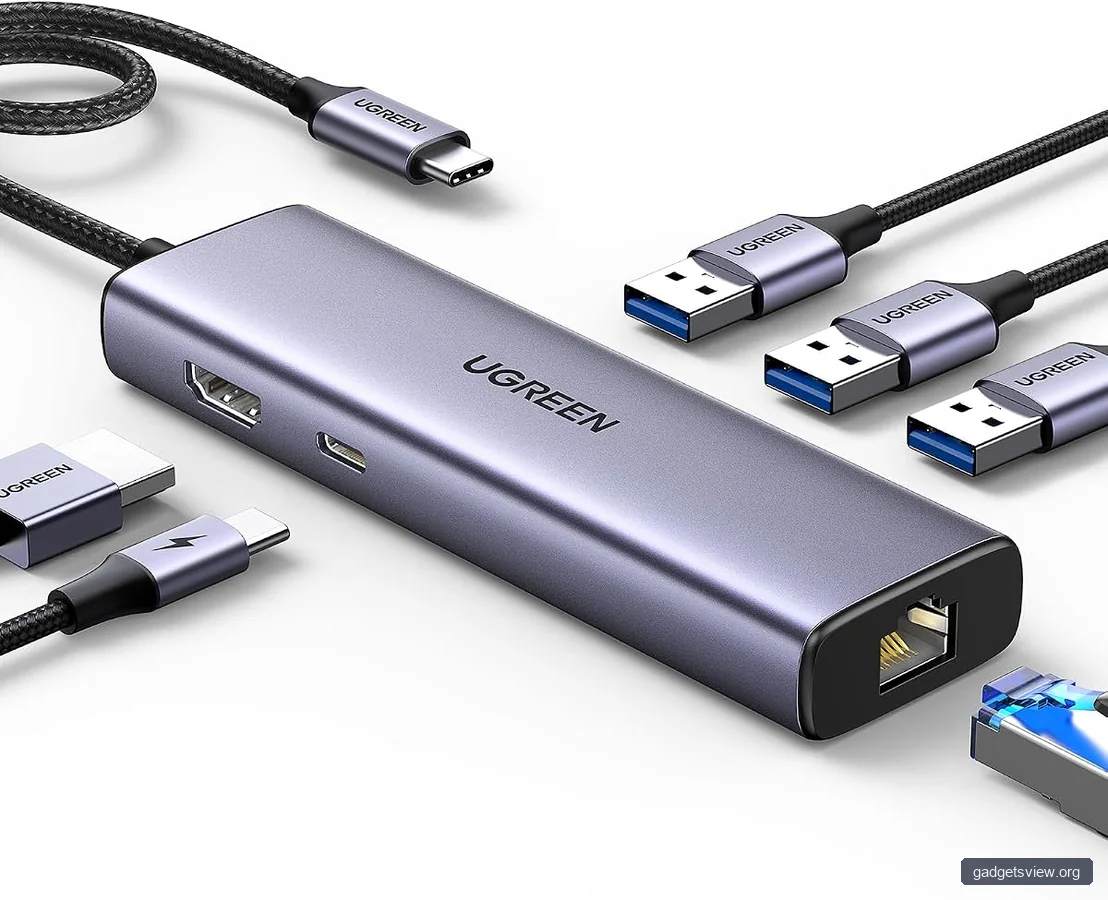
Based on commonly discovered product listings, a few hub styles stand out for shoppers comparing a usb c ethernet hub. The best option depends on whether you want something compact, desktop-friendly, or built for a full workstation setup.
| Hub Type | Example Listing Title | Strengths | Limitations |
|---|---|---|---|
| Compact 6-in-1 hub | UGREEN Revodok 6 in 1 USB C Hub Gigabit Ethernet Adapter with 4K HDMI | Good balance of Ethernet, display, and basic ports | Fewer ports for power users |
| Expanded 6-in-1 dock | UGREEN Revodok Pro 6 in 1 USB C Hub Gigabit Ethernet Adapter 4K 60Hz HDMI | Useful if HDMI and Ethernet matter most | Still limited compared with larger hubs |
| 9-in-1 hub | UGREEN Revodok Pro 9 in 1 USB C Hub Gigabit Ethernet Adapter 4K@60Hz HDMI | Best for fuller desk setups and more accessories | Bigger and may be more than casual users need |
| Portable 1Gbps dock | Hiearcool USB C Hub, USB C Dock, 4K@60Hz HDMI, 1Gbps Ethernet, Space Gray | Strong fit for portable work setups | May not replace a full desktop dock |
| Value-oriented multiport hub | UtechSmart USB C Hub, Ethernet Multiport Adapter 6 in 1 USB C to HDMI Dock | Practical for basic expansion needs | Feature set may be more limited than premium hubs |
| 8-in-1 dock with charging | USB C Hub Multiport Adapter, 8 in 1 USBC Dongle with 4K HDMI, RJ45 Ethernet, 100W PD Charging | Good for users who need power, data, and display in one unit | Can be unnecessary if you only need Ethernet |
How to Choose the Right USB C Ethernet Hub for Your Setup
The best choice comes down to how you work. A good hub should solve a specific problem, not just add features you may never use. Start with your main need, then match the hub to it.
- If you only need better internet, choose a simple Ethernet-focused adapter or a small hub with Gigabit Ethernet.
- If you also use an external monitor, pick a hub with HDMI and check that it supports the display mode you need.
- If your laptop has few ports, look for a model with USB-A, USB-C data, and charging passthrough.
- If you move between home and office, prioritize compact size and a durable cable or shell.
- If you run a desk setup, a 9-in-1 or 8-in-1 hub can reduce cable clutter and simplify your workflow.
For many shoppers, the sweet spot is a 6-in-1 hub with Ethernet and HDMI. It offers enough flexibility for most people without becoming bulky. If you use multiple accessories every day, the larger 8-in-1 or 9-in-1 models are usually the better long-term fit.
Who should choose what
Choose a compact 6-in-1 hub if you want a light, simple setup and mainly care about wired internet plus a few extras.
Choose a 9-in-1 or 8-in-1 hub if you want a more complete desk dock with charging and several peripherals connected at once.
Choose a smaller Ethernet-first adapter if your only goal is a more stable network connection and you do not need HDMI or card readers.
Strengths and Limitations of Ethernet Hubs
USB-C hubs solve a lot of problems, but they are not perfect. Knowing the trade-offs helps you buy the right one and avoid disappointment.
Strengths: A hub can reduce lag from weak Wi‑Fi, simplify your desk, and cut down on dongle clutter. It also makes it easier to connect older USB accessories to newer laptops with fewer ports.
Limitations: Not every hub is built the same, and some are more focused on port count than build quality. Also, your real network speed still depends on your router, Ethernet cable, internet plan, and device support. A hub cannot fix a weak network by itself.
It also helps to keep expectations realistic. If a product title says “4K” or “Gigabit,” that tells you what it aims to support, but not how it performs in every setup. Always verify compatibility and current product details before buying.
Common Setup Problems and Quick Fixes
If your new hub does not work as expected, the problem is often simple. These quick checks can save time before you assume the hub is defective.
| Problem | Likely Cause | What to Try |
|---|---|---|
| No internet through Ethernet | Loose cable, adapter issue, or network settings | Reconnect the cable, restart the device, and test another port or cable |
| HDMI not detected | Display mode or compatibility problem | Check display settings and confirm your device supports video over USB-C |
| Charging is slow | Power adapter may be underpowered | Use a charger that meets your laptop’s needs and the hub’s passthrough support |
| Hub feels warm | Normal heat from multiport use | Keep it in a ventilated area and avoid stacking it under other hot devices |
One helpful habit is to test the hub with only one function at a time first. Start with Ethernet, then add HDMI, then connect charging and USB accessories. That makes it easier to find out which part of the setup needs attention.
FAQ About USB C Ethernet Hubs
Do USB C Ethernet hubs really improve internet speed?
They can improve your experience by giving you a more stable wired connection, which often feels faster and more consistent than Wi‑Fi. Your actual speed still depends on your internet plan, router, cable quality, and device support.
Will a USB C Ethernet hub work with a MacBook?
Many do, but you should check the product’s compatibility notes before buying. Pay close attention to charging passthrough and HDMI support, since those are common reasons people buy a hub for a MacBook in the first place.
Is Gigabit Ethernet enough for most users?
Yes, Gigabit Ethernet is enough for many homes, offices, and travel setups. It is a practical standard for streaming, video calls, gaming, and everyday work. If your network is faster than that, you may need a more specialized adapter.
Should I buy a hub with HDMI if I only need Ethernet?
Only if you think you will use the display output later. If you want the simplest setup, a smaller Ethernet adapter may be the better buy. If you need a second screen or plan to dock at a desk, HDMI adds useful flexibility.
What is the best USB C Ethernet hub for most people?
For most shoppers, a compact 6-in-1 hub with Gigabit Ethernet, HDMI, and charging passthrough is the best starting point. If you need more ports for a full workstation, a 9-in-1 or 8-in-1 model is the stronger fit.
Final Verdict
The best usb c ethernet hub is the one that matches your daily setup. If you want a clean, reliable solution for internet and a few extra ports, a 6-in-1 hub is often enough. If you need a fuller desk dock with more connections, move up to an 8-in-1 or 9-in-1 model.
Before you buy, confirm Ethernet speed, charging support, HDMI needs, and device compatibility. That simple checklist will help you choose a hub that improves your connection and keeps your workspace easy to use.