If you want reliable hotel internet without fighting captive portals, weak signals, or device limits, the right travel router for hotel wifi can make a big difference. The best choice is usually a compact dual-band router that can join the hotel network, create your own private Wi‑Fi, and keep your phone, laptop, tablet, and streaming device on one secure connection. In this guide, you’ll learn what features matter most, how to compare options, and which type of traveler should choose which setup.
📖 Table of Contents
📌 Key Takeaways
- A travel router can turn one hotel connection into a private Wi‑Fi network for all your devices.
- For most travelers, the best pick is a compact dual-band model with repeater, client, or hotel mode support.
- Strong security, easy setup, and stable band support matter more than flashy specs for hotel use.
- Choose based on your trip style: light packing, remote work, family travel, or frequent international travel.
What a Travel Router Does in a Hotel
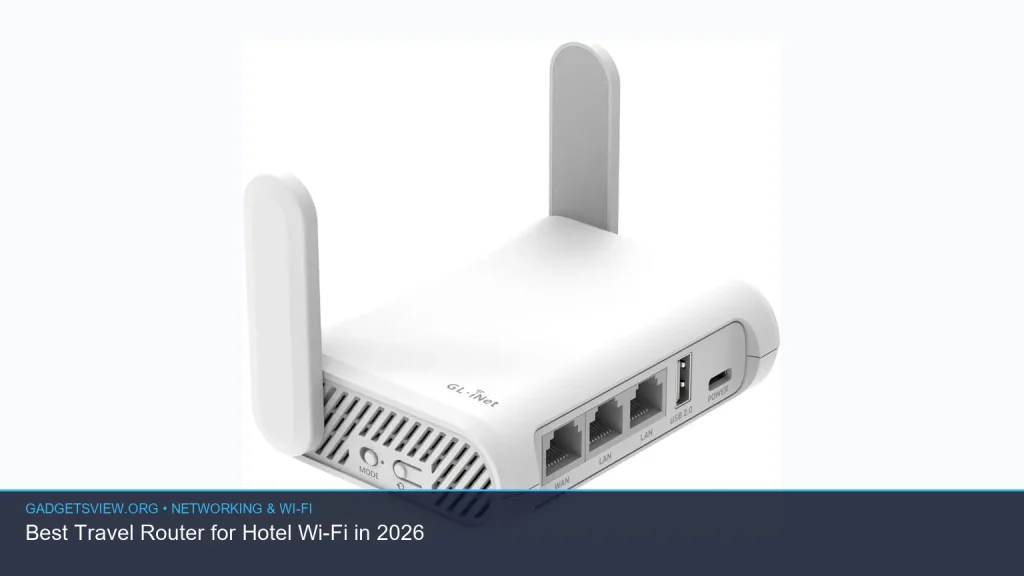
A travel router is a small networking device that connects to the hotel’s internet and then shares that connection with your own devices. Instead of logging each phone, tablet, or laptop into the hotel Wi‑Fi separately, you connect them to your private network. That can make sign-in easier, keep your devices more organized, and reduce exposure on a shared hotel network.
It can also help when hotel Wi‑Fi is awkward to use. Many properties limit the number of connected devices, use weak room coverage, or require repeated logins through a browser page. A travel router for hotel wifi can reduce those headaches by handling the login once and then sharing the connection locally.
Common hotel use cases
- Remote work: Keep a laptop, phone, and tablet on one stable network.
- Family travel: Share one login across multiple devices.
- Streaming: Connect a streaming stick or smart TV box more easily.
- Privacy: Use your own local network instead of joining the hotel network directly.
Best Travel Router for Hotel Wi-Fi: What to Look For
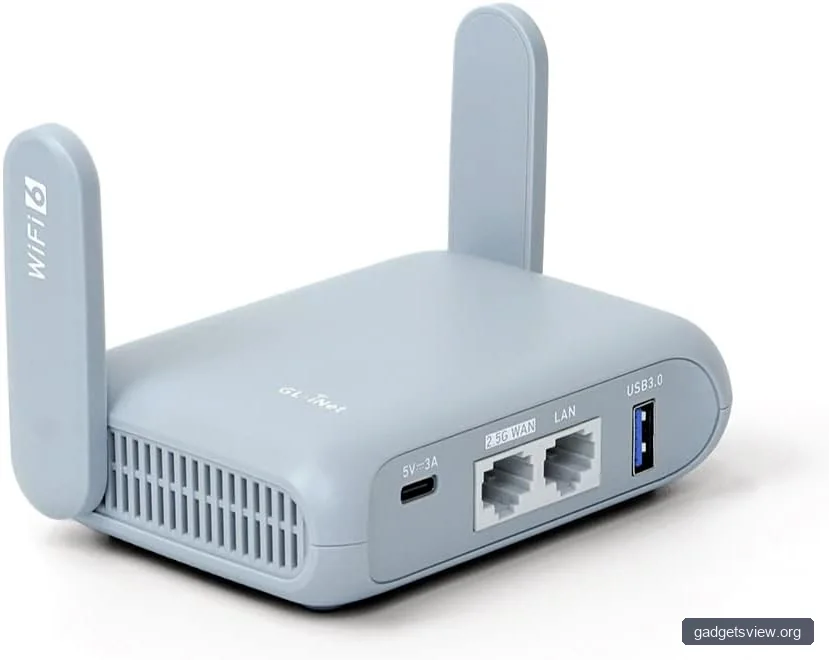
The best travel router is not the one with the longest spec sheet. It is the one that works smoothly in real hotel conditions. That means easy setup, flexible connection modes, and enough performance to handle basic browsing, video calls, and streaming without constant drops.
Because product availability changes often, check current manufacturer pages and retailer listings before buying. If you see “hotel mode,” “client mode,” “repeater mode,” or “WISP mode,” those are useful signs for hotel use.
Selection criteria that matter most
- Connection modes: Look for client, repeater, bridge, or WISP support.
- Dual-band support: 2.4 GHz and 5 GHz help with compatibility and speed.
- Captive portal handling: Easy browser login support is important in hotels.
- Portability: Small size and USB power help in travel bags.
- Security features: WPA2 or WPA3 support, guest network controls, and basic firewall tools.
- Ethernet ports: Useful for laptops, game consoles, streaming devices, or wired room connections.
| Feature | Why It Matters in Hotels | What to Prefer |
|---|---|---|
| Wi‑Fi bands | More compatibility and better performance options | Dual-band support |
| Connection mode | Needed for hotel login and network sharing | Client / repeater / WISP / bridge |
| Size and power | Easier packing and use on the road | Compact, USB-powered design |
| Security | Protects your devices on shared networks | WPA2/WPA3 and guest controls |
How to Decide Based on Your Travel Style
The right choice depends on how you travel and how many devices you carry. A solo traveler who mainly checks email has different needs than a family trying to stream video on three devices at once. Start with your real use case, then match the router features to it.
| Traveler Type | Best Fit | Why |
|---|---|---|
| Solo business traveler | Small dual-band router with easy captive portal support | Fast setup and stable basic productivity use |
| Family traveler | Router with multiple device support and simple sharing | One login can cover many devices |
| Digital nomad | Router with flexible modes and strong security tools | Works better across different hotels and layouts |
| Light packer | Ultra-compact, USB-powered travel router | Smaller footprint and easier cable management |
Strengths and limitations to expect
- Strength: Easier device sharing in hotels with login limits.
- Strength: Better local network control than connecting each device directly.
- Limitation: Performance still depends on the hotel’s internet quality.
- Limitation: Some captive portals are more finicky than others.
- Limitation: Setup can be simple or frustrating depending on the hotel network and router firmware.
How to Set Up a Travel Router in a Hotel
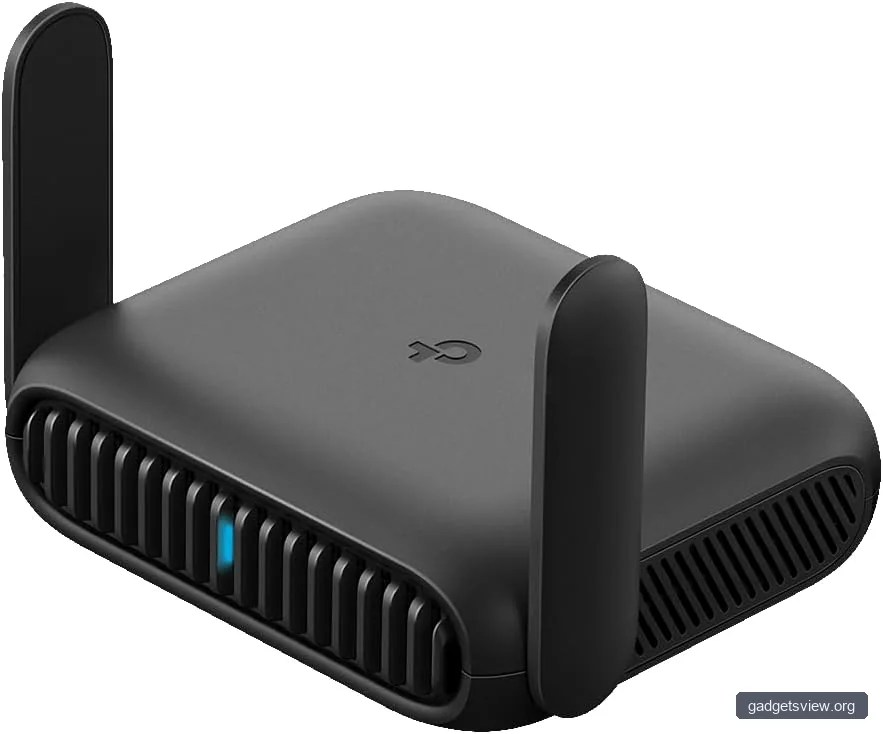
Most travel routers follow the same basic process, though menus vary by brand. Before your trip, update the router firmware, save your Wi‑Fi name and password preferences, and pack the right cable or adapter. That makes check-in faster when you arrive.
- Power on the router using USB, battery pack, or wall power, depending on the model.
- Connect the router to the hotel network using Wi‑Fi or Ethernet if available.
- Open the hotel login page on your phone or laptop if a captive portal appears.
- Authenticate once using the room number, last name, or access code the hotel requires.
- Connect your devices to your own router’s Wi‑Fi network.
- Test browsing and video calls before you need the connection for work or streaming.
If the login page does not appear, open a browser and try a non-HTTPS site to trigger the portal. If that still fails, reconnect the router, restart the hotel link, or ask the front desk whether the property uses device registration or MAC address limits.
Quick troubleshooting table
| Problem | Likely Cause | What to Try |
|---|---|---|
| No internet after setup | Hotel login not completed | Reconnect and trigger the captive portal again |
| Devices cannot join router Wi‑Fi | Wrong SSID or password | Check router label or saved setup details |
| Slow speeds | Hotel network congestion | Move closer to the room access point or try 5 GHz if supported |
| Login keeps expiring | Hotel session timeout | Log in again and keep the router powered on |
Security and Privacy Benefits You Should Not Ignore
Hotel Wi‑Fi is shared by many guests, so it is smart to reduce unnecessary exposure. A travel router can keep your personal devices on a private local network, which adds a useful layer between them and the hotel connection. That is not the same as full VPN protection, but it can still help reduce casual device discovery on the local network.
For better security, use strong router admin credentials, update firmware before trips, and enable the highest supported wireless security standard. If your router supports a guest network, that can be useful for separating a work laptop from entertainment devices. For especially sensitive work, combine the router with your company VPN or a trusted personal VPN after confirming policy compliance.
Who Should Choose What: Clear Verdict
If you want the simplest answer, choose a compact dual-band travel router with hotel login support if you travel a few times a year and need an easier way to share hotel Wi‑Fi across multiple devices. That is the best fit for most readers.
If you are a frequent traveler, prioritize stronger management features, wired ports, and flexible modes like client or repeater mode. If you pack light above all else, choose the smallest USB-powered model that still supports your hotel login needs. If you travel with family or multiple devices, focus on ease of setup and stable sharing rather than the lowest possible size.
Strengths by scenario
- Best for ease: Simple setup and captive portal support.
- Best for work trips: Stable private network and wired option.
- Best for families: Multiple-device sharing and low-friction login.
- Best for packing light: Tiny footprint and USB power.
FAQ
Do travel routers work with every hotel Wi‑Fi network?
No. Most work with many hotel networks, but not every captive portal or authentication system behaves the same way. Before you buy, look for support for hotel mode, client mode, repeater mode, or WISP mode, and verify current compatibility details with the manufacturer.
Is a travel router better than just sharing my phone hotspot?
It depends on the situation. A hotspot is simple and useful when hotel Wi‑Fi is weak or unavailable, but a travel router can be better when you want one shared network for several devices or need a more stable room setup. The right choice comes down to signal quality, data limits, and how many devices you want online.
Can I use a travel router for streaming in a hotel room?
Often yes, if the hotel internet is strong enough and the property allows it. A travel router can make it easier to connect a streaming stick, smart TV box, or laptop. Still, streaming quality depends on the hotel network itself, so results will vary.
Will a travel router improve slow hotel Wi‑Fi?
Not always. A travel router cannot create faster internet than the hotel provides. It can improve convenience, help with signal placement in some rooms, and simplify device management, but it cannot fix a congested or weak hotel backbone.
Is it safe to use a travel router on public hotel Wi‑Fi?
It is generally safer than connecting every device directly to the hotel network, especially if you use strong passwords and current security settings. For sensitive work, combine the router with a trusted VPN and follow your employer’s security rules.
Conclusion
The best travel router for hotel wifi is the one that makes hotel internet easier, safer, and less annoying for your specific trip style. Focus on dual-band support, hotel login compatibility, portability, and security before chasing features you will never use. If you compare those basics carefully, you can choose a router that fits work trips, family travel, or light packing with much less guesswork.
Before buying, confirm the current feature set on the manufacturer’s site, then match it to your devices and travel habits. That simple step will help you pick a travel router that earns its place in your bag.