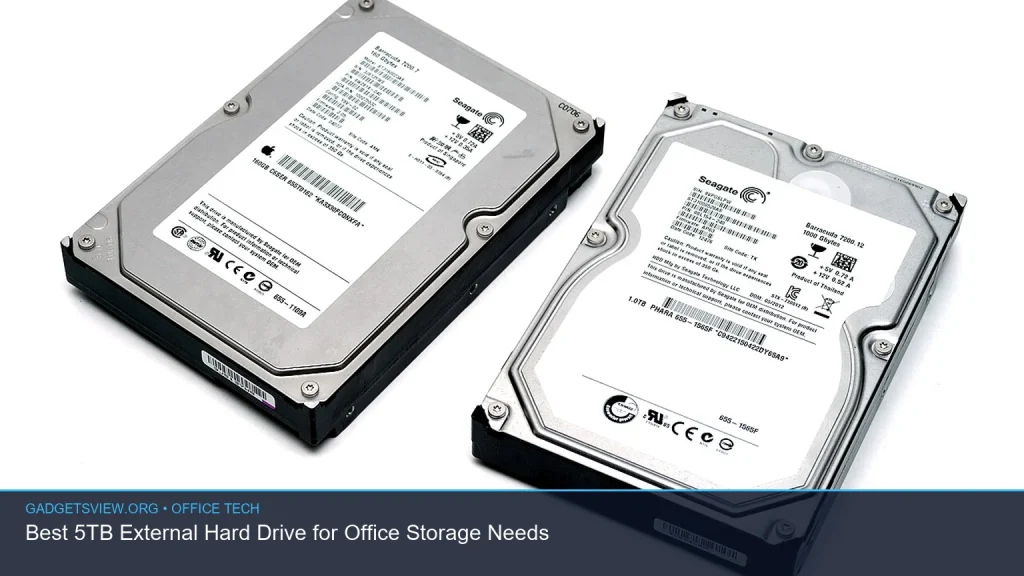
Choosing the right 5tb external hard drive for office storage is about more than capacity. For most teams, it comes down to how much data you need to keep, how often you move files, and whether speed, durability, or portability matters most. A 5TB drive is a smart middle ground for backups, shared documents, media libraries, and long-term archiving without jumping to higher-capacity options that cost more than many offices need. This guide breaks down what to look for, how to compare options, and when a 10TB external hard drive may make more sense.
📖 Table of Contents
- Why a 5TB External Hard Drive Fits Most Office Needs
- How to Choose the Right 5TB External Hard Drive
- 5TB vs. 10TB External Hard Drive: Which One Should You Buy?
- Key Selection Criteria for Office Storage
- Strengths and Limitations of a 5TB Office Drive
- Who Should Choose 5TB, and Who Should Move to 10TB?
- Buying Tips That Help You Avoid Regret
- FAQ
- Conclusion
📌 Key Takeaways
- A 5TB external hard drive is a practical choice for office backups, file archives, and shared work folders.
- Pick based on connection type, portability, data protection features, and whether you need fast transfers or simple storage.
- For larger teams or heavier backup needs, a 10TB external hard drive may be the better long-term buy.
- Look for a drive that matches your workflow, not just one with the biggest label capacity.
Why a 5TB External Hard Drive Fits Most Office Needs
A 5TB external hard drive is often the sweet spot for small offices, remote teams, and home office setups. It gives you enough room for file backups, scanned records, project folders, and media assets without taking up much desk space. For many users, that makes it easier to organize data without moving straight to network storage or cloud-only plans.
This capacity also works well when you want a dedicated backup drive for one computer or a small group of workstations. It is large enough to keep a full local backup history, yet still small enough to remain simple to manage. If your office handles mostly documents, spreadsheets, and occasional media files, 5TB is usually plenty.
How to Choose the Right 5TB External Hard Drive

The best drive is not always the fastest or the most expensive. It is the one that fits your office routine. Start by thinking about how the drive will be used, where it will sit, and how often people will plug it in and move files.
1. Match the drive to the job
If you need a backup target, reliability and compatibility matter most. If you plan to carry the drive between locations, size and shock resistance become more important. If the drive will stay on a desk, a desktop-style model with steady performance may be better than a compact portable one.
2. Check the connection type
Most office users should pay close attention to USB compatibility. A newer port can help with transfer speed and ease of use, while older ports may slow down large backups. Before buying, verify that the drive works with your computers and docking setup.
3. Decide on portability versus stability
Portable drives are easier to move and usually draw power from the USB connection. Desktop external drives may need a separate power adapter, but they can be a better fit for stationary office storage. If several employees will access the same drive in one place, desktop models often make more sense.
4. Look for data protection features
Some drives include software tools for backup scheduling, password protection, or hardware encryption. These features can be useful for offices handling client files or internal records. Still, software extras should support your workflow, not complicate it.
5TB vs. 10TB External Hard Drive: Which One Should You Buy?
The choice between a 5TB and a 10TB external hard drive depends on how much growth you expect. A 5TB model is usually enough for single-user backups, moderate file storage, and office archives that are updated regularly. A 10TB drive is better when you expect larger media files, multiple backup sets, or longer retention periods.
If your team creates a lot of design files, video assets, or client archives, a 10TB external hard drive may reduce the need to constantly manage space. But if you only need local storage for working documents and routine backups, 5TB is often the more efficient purchase. In short, buy for your real usage, not for a hypothetical future that may never arrive.
| Factor | 5TB External Hard Drive | 10TB External Hard Drive |
|---|---|---|
| Best for | Small office backups, general file storage, moderate archives | Larger archives, media libraries, multi-user storage needs |
| Space efficiency | Usually enough for one system or a small team | Better for expanding data sets and long-term retention |
| Ease of use | Simple and practical for everyday office tasks | More room, but can be more than many offices need |
| Purchase logic | Best if your current needs are clear and moderate | Best if growth is likely and storage demand is rising |
Key Selection Criteria for Office Storage
When comparing external storage for office use, focus on a few core factors. These matter more than marketing language or extra features that you may never use. A good choice should be easy to deploy, dependable over time, and simple for staff to understand.
Performance
Transfer speed affects how long backups take and how smoothly large folders move between devices. For offices that handle lots of images, PDFs, or project files, a faster drive can save time every week. Just remember that the real-world speed also depends on the computer, cable, and USB port.
Reliability
External drives are not the same as cloud backup, and they should be treated as one part of a broader storage plan. For important office data, keep at least one backup copy in a separate place. That way, a single hardware failure does not take down your records.
Security
If your files include client records, employee data, or financial documents, security should matter. Password protection and encryption can add a useful layer of defense. Even then, good folder habits and restricted access still matter.
Compatibility
Before you buy, check that the drive works with your operating system and existing backup software. Some businesses use Windows-only tools, while others need cross-platform support. A quick compatibility check can prevent setup problems later.
Strengths and Limitations of a 5TB Office Drive
A 5TB external hard drive offers a lot of value, but it is not perfect for every office. Understanding both sides helps you buy with realistic expectations.
| Strengths | Limitations |
|---|---|
| Enough space for many small to medium office backup needs | May fill up quickly if you store large media or many backup versions |
| Simple to manage and easy to deploy | Not always enough for growing teams with heavy data output |
| Often a balanced option for cost and capacity | May not be ideal if you want to keep many years of archives on one device |
| Useful for both backups and active file storage | Still needs a separate backup strategy for critical data |
Who Should Choose 5TB, and Who Should Move to 10TB?
If you are a solo professional, a small office, or a remote team with modest storage needs, a 5TB external hard drive is usually the smarter choice. It is enough for regular backups, document archives, and project files without overbuying. It also tends to be easier to keep organized.
Choose a 10TB external hard drive if your data needs are growing fast or you are storing large media files, multiple machines, or long-term archives. That extra headroom can be valuable when you do not want to monitor storage space constantly. If you are unsure, think about how much you stored in the last year and whether that pace is likely to continue.
Buying Tips That Help You Avoid Regret
Before you choose a drive, make sure the basics are covered. A little planning now can save time, hassle, and future replacements. It is often better to buy the right fit once than to swap drives later.
- Estimate your current data load and add room for growth.
- Confirm the drive works with your office devices and backup setup.
- Decide whether the drive will stay in one place or move often.
- Look for useful security and backup tools, not just extra software.
- Keep a second backup of critical files somewhere separate.
Also, remember that external storage is best used as part of a larger data plan. Many offices use a mix of local backup, cloud storage, and access controls. That approach reduces risk and helps keep work moving if one system fails.
FAQ
Is a 5TB external hard drive enough for office backups?
For many small offices, yes. A 5TB external hard drive is often enough for one main computer, a shared file archive, or a moderate backup history. If your team handles large videos, design files, or multiple systems, you may need more space.
Should I choose a 5TB or 10TB external hard drive?
Choose 5TB if your needs are stable and moderate. Choose 10TB if you expect fast data growth, large files, or longer backup retention. If you are unsure, compare your current storage use and think about how quickly it is growing.
Is an external hard drive good for long-term office storage?
It can be, but it should not be your only copy of important data. External drives are useful for archiving and backups, but critical files should also exist in another location. That could be cloud storage, a second drive, or a network backup system.
What matters more: speed or capacity?
For office storage, both matter, but capacity usually comes first. If you are mostly saving documents and backups, a reliable 5TB external hard drive may be enough. If you move large files often, faster transfer performance becomes more important.
Can one external drive work for multiple office computers?
Yes, but it depends on how you plan to use it. A shared external drive can work for rotating backups or manual file transfers, but it is not a full network storage solution. If multiple people need constant access, a NAS or cloud system may be a better fit.
Conclusion
The best 5tb external hard drive for office storage needs is the one that matches your real workflow. For many U.S. offices, 5TB offers the right mix of capacity, simplicity, and value. If your storage demand is growing quickly, though, a 10TB external hard drive may be the better long-term option. Review your current files, check compatibility, and choose the drive that fits your backup plan today and your growth plans tomorrow.