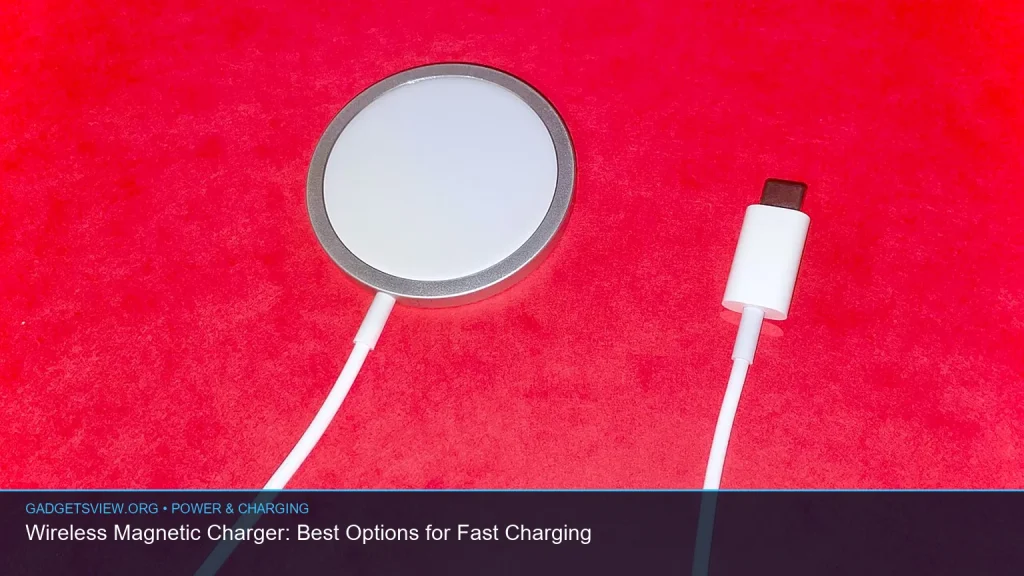
If you want the best wireless magnetic charger, the right pick depends on your phone, your desk setup, and whether you also want to charge earbuds, a watch, or even a tablet. Magnetic charging is simple: snap your device into place, keep the coil aligned, and avoid the hassle of cables. But not every charger is built the same, and some are better for speed, travel, or multi-device use. Below, you’ll find the best options to consider, what each type does well, and how to choose the right one for your needs.
📖 Table of Contents
Products mentioned
- MagSafe 25W Wireless Charger for Apple Magnetic Fast Charging Pad
View current product details - MagSafe Charger 2 Pack Magnetic Wireless Charger Fast Charging Pad
View current product details - ClikDock Cell Phone Magnetic Wireless Charger Stand, 360° Spin, Aluminum Construction, Compatible with MagSafe Phones for iPhone & Andriod (Space Grey)
View current product details - [Apple MFi Certified]Magnetic Wireless iPhone Charger Magsafe Charger,6FT 15W Fast Phone Charging Pad Wireless Magnetic Charge for iPhone 17/17Air/16 Pro Max/16
View current product details - Belkin Qi2 15W Wireless Charging Station, 3 in 1 iPhone Charger
View current product details - 3 in 1 Mag-Safe Wireless Charger Stand for iPhone Apple Watch AirPods
View current product details
Availability, specifications, and prices can change; verify them on the product page.
📌 Key Takeaways
- A wireless magnetic charger is best when you want easy alignment, fast top-ups, and less cable clutter.
- If you own several devices, a 3 in 1 wireless charger can be the smartest desk or nightstand choice.
- Look for compatibility first, then choose based on speed, stand vs pad design, portability, and whether you need room for wireless charging earbuds or a watch.
- For Apple users, MagSafe and Qi2 options are the most natural fit; for mixed-device homes, a broader magnetic pad or stand may be better.
What a Wireless Magnetic Charger Does Best
A wireless magnetic charger uses magnets to help your phone or accessory sit in the right spot on the charging coil. That matters because alignment can affect charging stability and convenience. Instead of placing your device “close enough,” the charger helps it lock into place.
For many US shoppers, the biggest benefit is ease. You can pick up the phone, set it back down, and know it is charging again without fiddling with a cable. That makes it a strong everyday choice for desks, bedside tables, and travel bags.
Magnetic wireless charging is especially useful for compatible phones and accessories that support the magnetic attachment system. If your device does not support magnets natively, you may still be able to use a compatible case or adapter, but you should verify fit and charging behavior before buying.
Best Wireless Magnetic Charger Options to Consider
There is no single best charger for everyone. Some people want a simple pad. Others want a stand. Some need a full charging station for a phone, watch, and earbuds. The products below match the most common use cases based on their listing titles and likely form factor.
| Option | Best for | Strengths | Limitations |
|---|---|---|---|
| MagSafe 25W Wireless Charger for Apple Magnetic Fast Charging Pad | Users who want a simple fast-charging pad | Straightforward, compact, likely easy to travel with | Pad-only design may not suit multi-device setups |
| MagSafe Charger 2 Pack Magnetic Wireless Charger Fast Charging Pad | Homes or offices needing more than one charger | Good value for multiple rooms or backup use | Still a basic pad, not a multi-device dock |
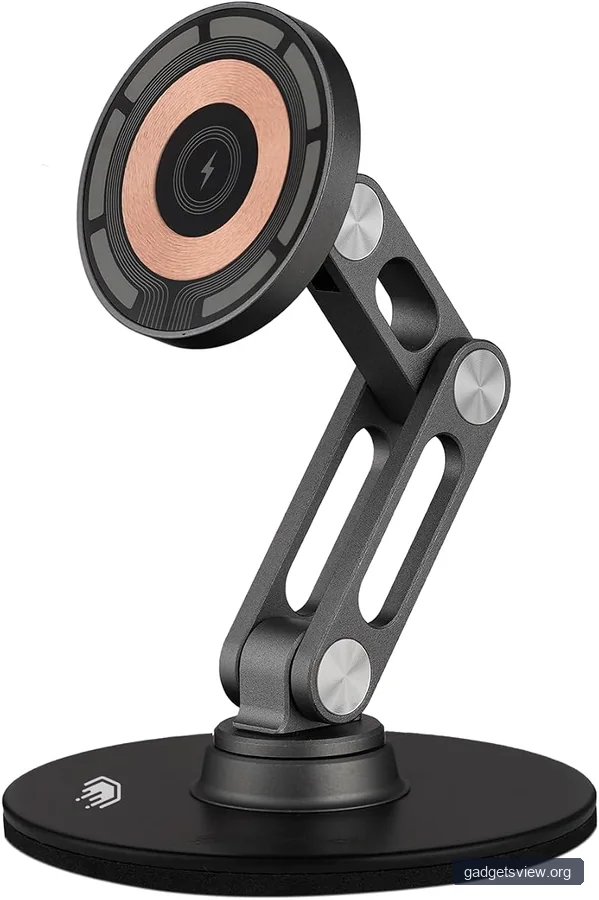
| ClikDock Cell Phone Magnetic Wireless Charger Stand, 360° Spin, Aluminum Construction | Desk users and video callers | Stand format, adjustable viewing angle, sturdy build | May take up more space than a flat pad |
| [Apple MFi Certified] Magnetic Wireless iPhone Charger, 6FT 15W Fast Phone Charging Pad | Buyers who want a longer cable and certification-focused option | 6-foot reach, 15W class, certification is a trust signal | May still be best for Apple-focused setups |
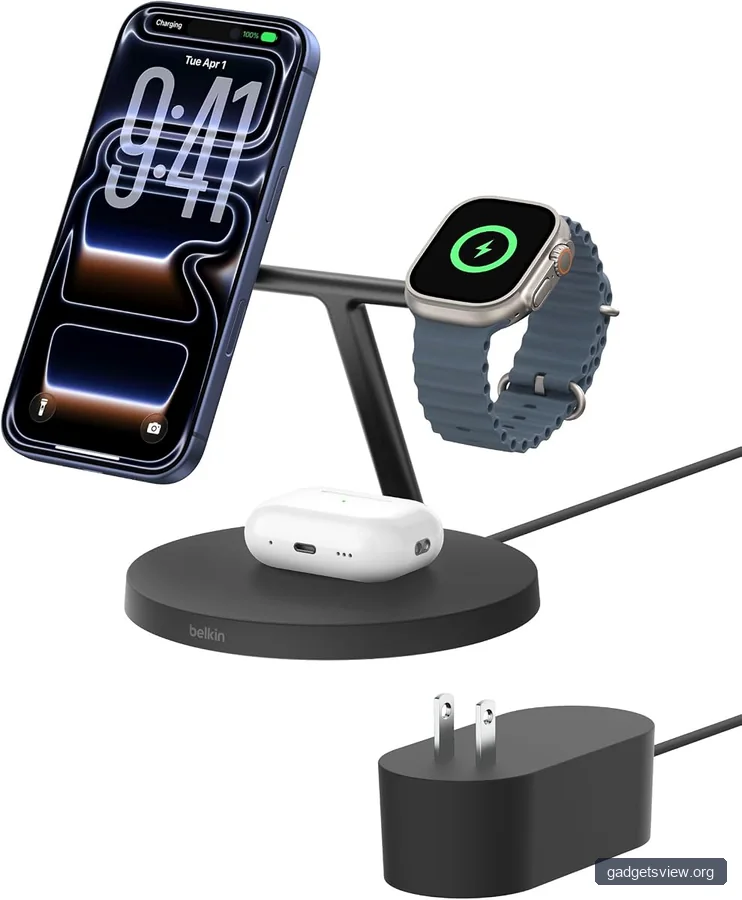
| Belkin Qi2 15W Wireless Charging Station, 3 in 1 iPhone Charger | People who want a premium 3-device hub | Qi2, organized charging station, strong desk/nightstand fit | Best when you own multiple compatible devices |
| 3 in 1 Mag-Safe Wireless Charger Stand for iPhone Apple Watch AirPods | Apple ecosystem users | Charges phone, watch, and earbuds in one place | Most useful only if you own all three device types |
Who should choose what?
If you want the simplest setup, choose a magnetic pad like the MagSafe 25W Wireless Charger. If you want your phone upright while it charges, a stand like the ClikDock makes more sense. If you need to charge multiple devices at once, the Belkin Qi2 15W Wireless Charging Station or the 3 in 1 Mag-Safe Wireless Charger Stand is the better fit.
If you own more than one room-worthy setup, a two-pack can be practical. The MagSafe Charger 2 Pack is useful for a desk and a nightstand, or for sharing between home and office. For buyers who care about certification and a longer cord, the Apple MFi certified option is worth a close look.
How to Pick the Right Wireless Magnetic Charger
Start with compatibility. A charger can look great and still be the wrong fit if your phone, case, or accessory does not support magnetic alignment the way you expect. Check your device model, case thickness, and whether you need a MagSafe-style connection or a standard Qi-based magnetic charger.
Next, think about charging needs. A phone-only pad is fine for many people, but a household with earbuds and a watch may save time with a 3 in 1 wireless charger. If you travel often, a compact pad may be easier to pack than a larger stand or station.
Selection criteria that matter most
- Compatibility: Confirm support for your phone and accessories before you buy.
- Charging layout: Pad for minimalists, stand for viewing, station for multiple devices.
- Speed claims: Look for the charging standard used, but verify the device-specific limits.
- Cable length: A longer cable can help at desks, nightstands, and outlets that sit far away.
- Build quality: A stable base and solid magnet feel can make daily use easier.
Also think about your habits. If you stream videos while your phone charges, a stand is often better than a pad. If you charge overnight, a flat charger may be all you need. If you move between home and office, a second charger can be more useful than upgrading to a more complex dock.
Best Use Cases: Desk, Bedside, Travel, and Multi-Device Homes
A wireless magnetic charger can solve different problems depending on where you use it. On a desk, it can keep your phone visible for calls, alerts, and timers. On a nightstand, it can make bedtime charging feel cleaner and less cluttered.
For travel, a compact magnetic pad is usually easiest. For a family room or shared workspace, a station can reduce cable sprawl and keep several devices ready at once. That is where products designed as a hub or dock tend to stand out.
When a stand beats a pad
A stand is the better choice if you check notifications often, use FaceTime or video calls, or want to watch content while charging. The ClikDock Cell Phone Magnetic Wireless Charger Stand fits that role well because its 360° spin and upright position are useful on a desk.
A pad is better when you want low-profile charging and fewer moving parts. It is often simpler, easier to pack, and better for a clean nightstand look.
What about earbuds, watches, and tablets?
If you use wireless charging earbuds, a 3-in-1 station can be much more convenient than separate chargers. The same is true if you wear a cellular watch and want to charge it beside your phone. Products like the Belkin Qi2 15W Wireless Charging Station and the 3 in 1 Mag-Safe Wireless Charger Stand are built for this kind of routine.
For a wireless charger for ipad, a magnetic phone charger is usually not the right tool. iPads generally need a cable or a tablet-specific stand with the correct power and connector support, so check the device requirements carefully before expecting a magnetic pad to work.
Common Mistakes to Avoid Before Buying
One common mistake is assuming every magnetic charger works the same way. Some are optimized for Apple-style magnetic alignment, while others are more general-purpose wireless chargers with magnetic support. That difference matters when you want a secure snap-on feel and predictable placement.
Another mistake is ignoring the case. Thick cases, metal plates, or incompatible accessories can interfere with charging strength or alignment. If your case adds bulk, look for a charger that is known to work with case-on charging or use a compatible magnetic case.
Quick troubleshooting table
| Problem | Likely cause | What to do |
|---|---|---|
| Phone slips or disconnects | Weak alignment or case interference | Remove the case, check magnet fit, or switch to a stronger stand |
| Charging seems slow | Power adapter mismatch or device limit | Verify the wall adapter and confirm your device’s supported charging speed |
| Won’t charge all accessories | Not a true multi-device station | Choose a 3-in-1 charger with dedicated spots for phone, watch, and earbuds |
| Laptop does not charge | Wireless pads are not built for most laptops | Use the laptop’s supported charging port and power adapter; a wireless laptop charger is uncommon and device-specific |
Best Overall Picks by Buyer Type
If you want the most straightforward option, the MagSafe 25W Wireless Charger for Apple Magnetic Fast Charging Pad is a strong place to start. It suits buyers who want a clean, no-frills magnetic pad for everyday use. The MagSafe Charger 2 Pack is better if you want one charger in more than one room.
If you want a desk-ready stand, the ClikDock Cell Phone Magnetic Wireless Charger Stand is the most natural fit from the listed options. If your priority is a certified, longer-cable charging pad, the [Apple MFi Certified] Magnetic Wireless iPhone Charger is worth considering. For the most complete charging setup, the Belkin Qi2 15W Wireless Charging Station and the 3 in 1 Mag-Safe Wireless Charger Stand are the best candidates.
Clear verdict
Choose a pad if you want portability and simplicity. Choose a stand if you want to see your screen while charging. Choose a 3-in-1 station if you own an iPhone, a watch, and earbuds and want one tidy charging spot. That is the quickest way to decide which wireless magnetic charger fits your routine.
FAQ
Does a wireless magnetic charger work with any phone?
Not always. Magnetic alignment works best with phones and cases built for that system. Some phones may charge wirelessly but will not snap on magnetically unless they use a compatible case or accessory.
Is a 3 in 1 wireless charger worth it?
Yes, if you regularly charge a phone, a watch, and earbuds in the same place. It saves space and reduces cable clutter. If you only charge one device, a simple pad or stand may be enough.
Can I charge wireless charging earbuds on a magnetic charger?
Sometimes, yes, if the charging case supports wireless charging and the charger design includes a suitable charging area. A 3-in-1 station is often the easiest choice because it is made to handle earbuds along with a phone and watch.
What is better for a desk: a pad or a stand?
A stand is usually better for a desk because you can glance at notifications, take calls, and see the screen without picking up the phone. A pad is better if you want a lower-profile setup and do not need the display visible.
Can a wireless laptop charger replace my regular laptop cable?
Usually no. Most laptops still rely on a dedicated power adapter or USB-C charging. A wireless laptop charger is not a common replacement, so check your laptop’s exact charging requirements before assuming magnetic charging will work.
Conclusion
The best wireless magnetic charger is the one that fits your devices and your daily routine. If you want the simplest answer, start with a pad. If you want visibility and easy access, choose a stand. If you charge multiple devices, a 3-in-1 station is often the smartest buy. Before ordering, confirm compatibility, check the charger type, and decide whether you need speed, portability, or a full charging hub.