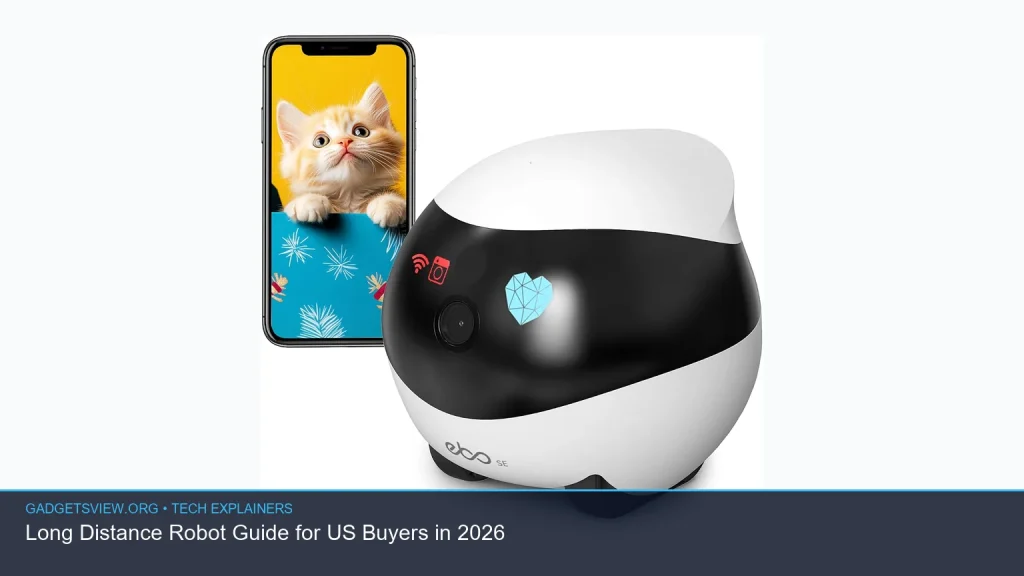
If you’re shopping for a long distance robot in 2026, the big question is not just “what is it?” but “what can it really do for me?” These robots are usually remote-controlled or network-connected machines built to travel farther than toy-grade bots, often with a camera, strong wireless control, and enough range for inspection, exploration, or recreation. This guide explains how they work, what features matter most, and how US buyers can choose the right type without getting lost in marketing hype.
📖 Table of Contents
📌 Key Takeaways
- A long distance robot is usually defined by control range, video link quality, and battery life more than raw speed.
- For most US buyers, the best choice depends on use case: home exploration, inspection, education, or outdoor travel.
- Camera quality, signal stability, terrain handling, and app control matter more than flashy features.
- Always check FCC compliance, battery safety, and whether the robot’s range claims are realistic in real-world conditions.
What Is a Long Distance Robot?
A long distance robot is a robot that can be driven or managed from far away while still keeping a usable connection. In most consumer cases, that means a robot on wheels with a camera, app control, and wireless transmission strong enough for rooms, yards, warehouses, or outdoor paths. Some people also use the phrase for robots that can travel far on their own between charging stops, but the most common buyer search is for remote control and camera range.
You may also see terms like robot camera on wheels, rc robot with camera, or even rola robot used in casual searches. These often point to the same broad category: mobile robots that let you see and steer from a distance. In 2026, the main difference between models is less about novelty and more about signal strength, steering precision, and how well the robot performs in real spaces.
How Long Distance Robots Work
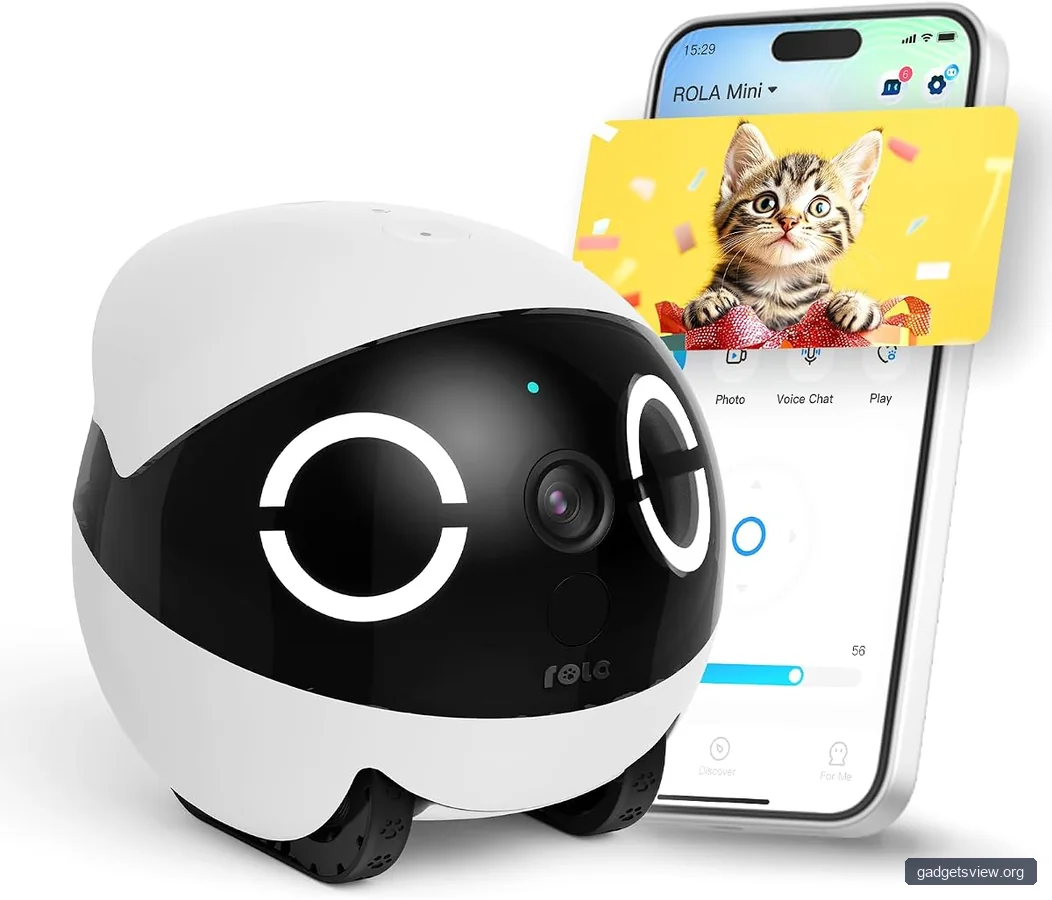
Most long distance robots use a mobile base, a control system, and one or more cameras. The base is often wheeled because wheels are efficient, simple, and easier to control over a wireless link. The camera sends live video back to your phone, tablet, or controller so you can drive with a clear view.
The connection may use Wi-Fi, Bluetooth, radio frequency, or a mix of links. In practical terms, Wi-Fi-based robots often work well indoors, while dedicated radio systems may be more stable in open areas. Some higher-end designs also include sensors for obstacle detection, but buyers should not assume autonomous navigation unless it is clearly stated.
What affects real-world range?
Advertised range is only part of the story. Walls, metal objects, trees, interference from other wireless devices, and even your phone’s signal quality can reduce usable distance. Battery life also matters because a robot that can connect far away but dies in 20 minutes is not very useful.
For US buyers, it is smart to treat range claims as best-case numbers, not guarantees. If a robot is meant for your house, garage, yard, or hobby use, think about the real path it must travel and the obstacles in that path.
Best Use Cases for US Buyers
Long distance robots are useful anywhere you want eyes, motion, or inspection without being physically next to the machine. That makes them popular for hobbyists, educators, tinkerers, and people who want to inspect hard-to-reach spaces. They can also be useful as learning tools for robotics, coding, and remote control systems.
For casual buyers, the most common use is simply exploration. A robot camera on wheels can check under furniture, move around a basement, or explore a backyard. In education, the value is different: students can learn how wireless control, sensors, and motion systems work together.
Where they help most
- Home scouting: looking into crawl spaces, garages, or under heavy furniture
- DIY and inspection: checking tight spaces before repairs
- Learning projects: coding, robotics clubs, and STEM labs
- Entertainment: remote driving and camera-based exploration
- Light utility tasks: moving small items or checking property paths, if designed for it
If your goal is serious industrial inspection, you may need a specialized platform with stronger sensors, better lighting, and a more reliable control system than consumer models provide.
Key Features to Compare Before You Buy
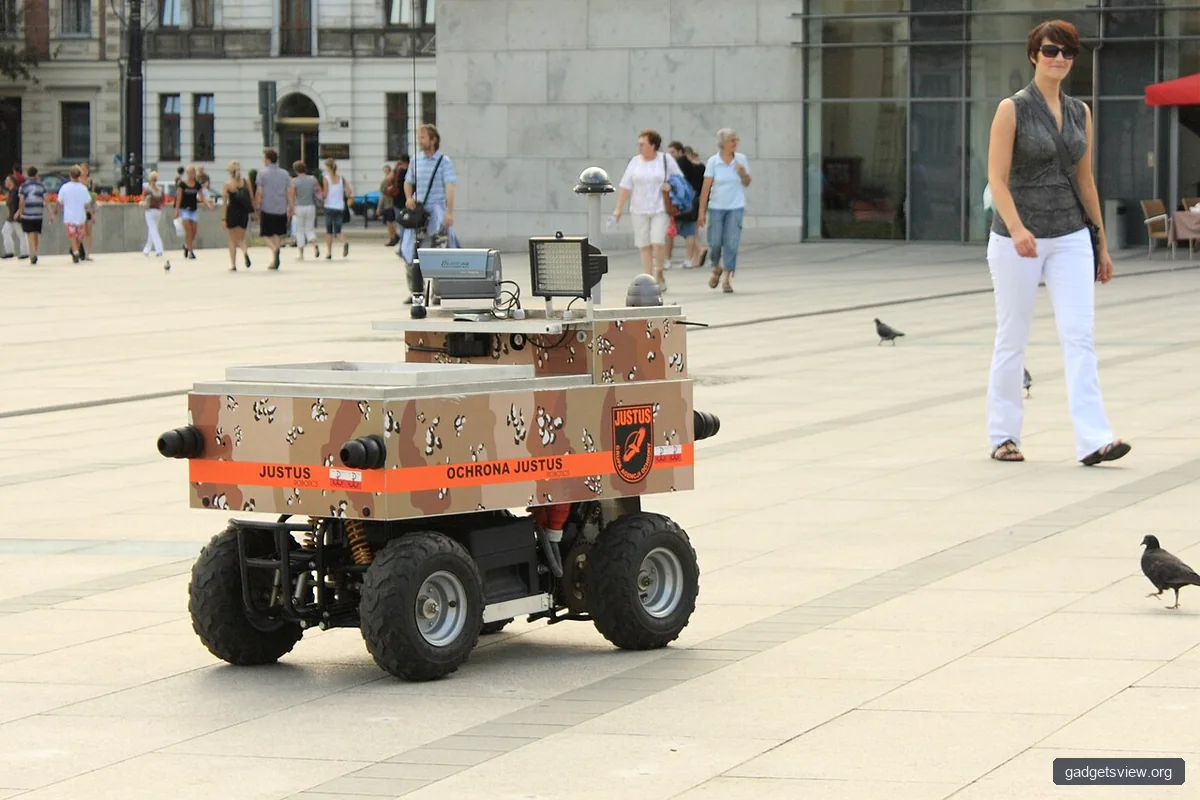
When comparing options, focus on features that affect control, visibility, and reliability. A long distance robot may look impressive online, but a weak app or laggy video feed can make it frustrating to use. Start with the connection type, then look at camera quality, battery runtime, and terrain support.
| Feature | Why It Matters | What to Look For |
|---|---|---|
| Control range | Determines how far you can drive it safely | Realistic indoor and outdoor range claims |
| Video feed | Lets you steer accurately from a distance | Low lag, clear image, good low-light performance |
| Battery life | Limits how long the robot can stay active | Enough runtime for your actual sessions |
| Terrain handling | Affects where it can move | Wheel grip, ground clearance, obstacle ability |
| App or controller | Controls ease of use | Simple layout, stable pairing, easy updates |
Also check build quality and support. A well-supported robot with basic spare parts and firmware updates is usually a better long-term choice than a flashy one with poor documentation.
How to Choose the Right Long Distance Robot
The best way to choose is to match the robot to the job. A casual user does not need the same features as a student building a robotics project or a homeowner trying to inspect a long driveway. Narrowing your goal first saves time and reduces the chance of overpaying for features you will not use.
Use this simple decision process
- Define the environment. Will it stay indoors, move outside, or do both?
- Set the distance goal. Think in real spaces, not only advertised range numbers.
- Check the camera need. If you must see clearly while driving, treat video quality as essential.
- Match the terrain. Smooth floors, carpet, gravel, and grass all demand different designs.
- Review power and charging. Look for a runtime that fits your typical session length.
- Confirm compatibility. Make sure the app works with your phone and that the product is suitable for US wireless use.
Strengths and limitations by common robot type
| Type | Strengths | Limitations | Best For |
|---|---|---|---|
| Indoor camera robot | Easy control, smooth floors, simple setup | Less useful on rough surfaces | Home use, monitoring, exploration |
| Outdoor wheeled robot | Better for driveways, yards, and paths | Needs better tires, power, and range planning | Property scouting, light utility use |
| Educational robot kit | Good for coding and customization | More setup and learning curve | Students, hobbyists, makers |
| Higher-end remote inspection bot | Better video, control, and stability | May cost more and need more setup | Advanced users and specialized tasks |
Verdict: If you want simple fun or home scouting, choose an indoor camera robot. If you need better traction and more reliable field use, go with an outdoor wheeled model. If you want to learn and build, an educational kit is the smarter pick. If your needs are more serious, look for a platform designed for inspection, not just entertainment.
Safety, Compatibility, and Buyer Checks for 2026
Before buying, make sure the robot is suitable for US use. Wireless devices should be compliant with applicable FCC rules, and the battery system should have clear charging and safety guidance. If the product uses a companion app, check whether it still receives updates and supports current iOS or Android versions.
Safety matters even for small robots. Keep fingers away from wheels and gears, avoid charging batteries unattended unless the maker explicitly allows it, and do not use the robot near stairs or drop-offs unless it has reliable edge detection. For outdoor use, think about weather limits, lighting, and visibility, since a camera robot is only useful if you can see what it is doing.
Quick troubleshooting table
| Problem | Likely Cause | What to Try |
|---|---|---|
| Video lag | Weak signal or network interference | Move closer, reduce interference, reconnect the app |
| Robot stops early | Battery depletion or power loss under load | Charge fully, check wheels for drag, reduce speed |
| Poor steering | Calibration or uneven flooring | Recalibrate, test on a flat surface, inspect tires |
| App will not connect | Compatibility or pairing issue | Check app permissions, update software, re-pair device |
FAQ
Is a long distance robot the same as a robot camera on wheels?
Often, yes. Many shoppers use robot camera on wheels to describe the same product class. The phrase usually means a mobile robot with a camera that you can drive from a distance.
What does “rola robot” mean?
Rola robot appears to be a search variant or informal phrase used by some shoppers. In most cases, it points to a rolling robot or wheeled robot, often one with remote control and camera features.
Is an rc robot with camera a good buy for beginners?
It can be a good buy if the controls are simple and the app is stable. Beginners should look for easy pairing, clear video, and basic obstacle handling rather than advanced features they may not use.
How do I know if the range claims are realistic?
Read the fine print and look for conditions behind the claim. Real-world range is usually lower than ideal lab conditions, so consider walls, furniture, weather, and interference before making a decision.
Do I need special approvals or certifications in the US?
For consumer wireless robots, buyers should check that the product is appropriate for US use and follows relevant FCC requirements. If you are using it in a school, workplace, or public area, you may also need local policy approval.
Conclusion
The best long distance robot for a US buyer in 2026 is the one that fits the job, not the one with the biggest promise. Focus on control range, video quality, battery life, terrain, and app stability. If you compare those basics carefully, you can choose a robot that is useful, safe, and worth the money.
Before you buy, verify current product details, app support, and wireless compliance. Then match the robot to your real use case, whether that is home exploration, learning, or remote inspection.