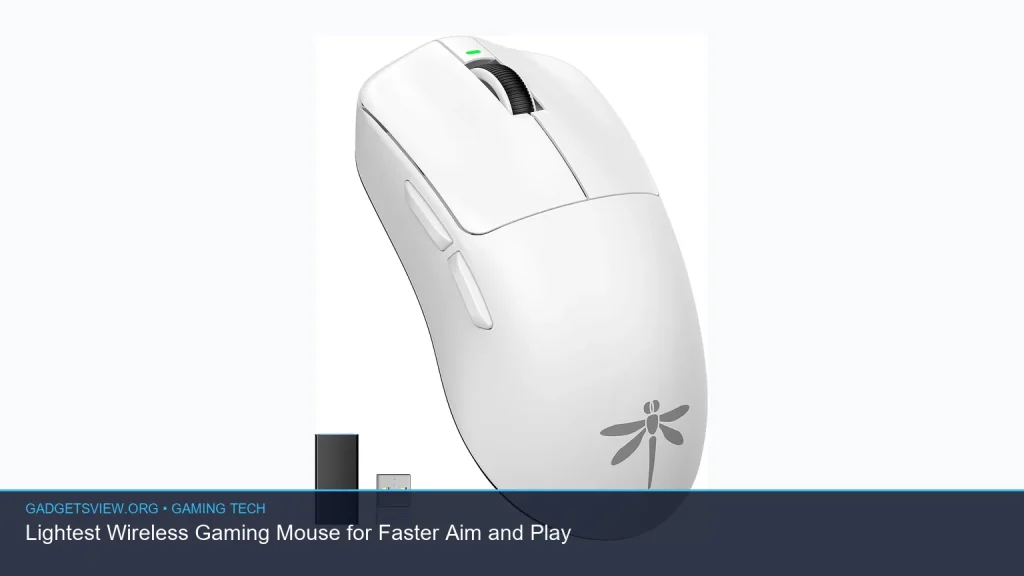
If you want faster aim, less wrist fatigue, and smoother flicks, the lightest wireless gaming mouse is a smart place to start. The best choice is not just about chasing the lowest number on the box. It is about finding a mouse that feels balanced, tracks well, and fits your grip and game style. In this guide, you will learn what “light” really means, which features matter most, and how to choose the right wireless model for competitive play without overbuying.
📖 Table of Contents
- Why the Lightest Wireless Gaming Mouse Matters
- What to Look For Before You Buy
- Lightweight Design Features That Actually Help Aim
- Comparison Table: What Type of Mouse Fits Your Play Style?
- Who Should Choose What?
- How to Narrow Your Choice Without Getting Lost in Specs
- Common Trade-Offs to Expect
- FAQ
- Conclusion: Pick for Feel, Not Just for Weight
📌 Key Takeaways
- The lightest wireless gaming mouse can help with faster micro-adjustments, less fatigue, and easier flick shots.
- Weight matters, but shape, sensor quality, and wireless stability matter just as much.
- The best choice depends on your grip style, hand size, and the games you play most.
- Always verify current product specs before buying, since weights and features can change by model revision.
Why the Lightest Wireless Gaming Mouse Matters
A lighter mouse can feel easier to move, stop, and lift. That can be a real advantage in fast games where small adjustments happen all the time. Many players notice less strain during long sessions, especially if they use low DPI settings or play with wide arm movements.
Still, lighter is not always better for everyone. If a mouse is too small, too slippery, or badly balanced, it may feel harder to control. The goal is not the lowest possible weight. The goal is the best mix of speed, comfort, and accuracy for your setup.
What to Look For Before You Buy
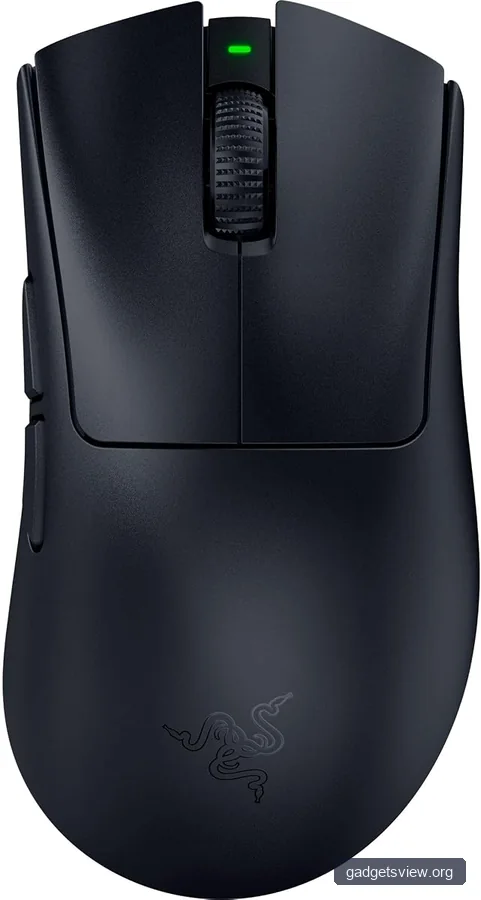
When people shop for the lightest wireless gaming mouse, they often focus only on grams. That is a mistake. A good buying decision should include grip comfort, button feel, battery life, and wireless performance as well.
1. Weight and balance
Lower weight can make quick swipes feel effortless. But balance is just as important, because a mouse that feels front-heavy or rear-heavy can reduce control. If you can, compare the shape and weight distribution, not just the headline number.
2. Shape and grip style
Your grip style should guide your choice. Palm grip users often want more support, while claw and fingertip players may prefer a smaller shell that moves fast. The best shape is the one that lets your hand relax while still giving you full control.
3. Sensor and wireless performance
A lightweight shell does not help if the sensor feels inconsistent. Look for a gaming-grade sensor with stable tracking and low latency wireless performance. If a brand publishes current performance details, verify them on the product page, since firmware and revisions can change over time.
4. Switch feel and clicks
Clicks should feel crisp and easy to repeat. Heavy click tension can slow rapid firing or quick inputs. At the same time, very light clicks may lead to accidental presses, so test feel matters here too.
5. Battery life and charging
A wireless mouse should fit your routine. Some players want long battery life for travel or long sessions, while others are fine charging more often if the mouse is extremely light. Check whether charging affects use, and whether the cable is flexible enough for play while plugged in.
Lightweight Design Features That Actually Help Aim
Not every “gaming” feature improves performance. Some features look impressive but add bulk or distraction. For aim-focused play, the most useful design choices are usually the simplest ones.
Open shell cutouts, slim internal parts, and compact batteries are common ways brands reduce weight. Those choices can improve speed, but they can also change feel and durability. That is why it helps to think beyond the spec sheet and judge how the mouse supports your hand.
- Low mass: Easier to start and stop movement.
- Good glide feet: Helps the mouse move smoothly on your pad.
- Stable wireless link: Reduces hesitation and keeps tracking reliable.
- Comfortable shell: Prevents hand tension during long play sessions.
- Consistent clicks: Improves repeatable actions in shooters and MOBAs.
Comparison Table: What Type of Mouse Fits Your Play Style?

Since product listings were not supplied, the most useful comparison here is by mouse type. Use this to narrow your search before checking current models and specs.
| Mouse Type | Best For | Strengths | Limitations |
|---|---|---|---|
| Ultra-light ambidextrous | Fingertip and claw grip players | Fast movement, easy lifting, simple shape | May feel too small for palm grip users |
| Light ergonomic mouse | Palm grip users and comfort-focused players | Hand support, less strain, natural feel | Can be slightly heavier or larger |
| Feature-rich wireless mouse | Players who want extras for all-purpose use | More buttons, software options, versatility | Often heavier than stripped-down models |
Who Should Choose What?
The right mouse depends on how you play, not just how competitive you want to be. Here is a simple way to decide.
- Choose an ultra-light ambidextrous mouse if you want the fastest possible movement and you use claw or fingertip grip.
- Choose a light ergonomic mouse if you play for long sessions and want more hand support.
- Choose a slightly heavier wireless mouse if you care more about comfort, extra buttons, or everyday use beyond gaming.
If your main goal is quicker aim, the lightest model is tempting. But the best-performing mouse is usually the one that feels natural after a few hours, not just a few minutes. Comfort helps consistency, and consistency helps aim.
How to Narrow Your Choice Without Getting Lost in Specs
Buying a gaming mouse can get confusing fast. There are many similar-looking models, and spec sheets often highlight different features. A simple checklist keeps the process focused.
- Pick your grip style: palm, claw, or fingertip.
- Choose a shape: ambidextrous or ergonomic.
- Set a comfort range: do you want maximum lightness or a little more stability?
- Check sensor and wireless details: look for stable tracking and low-latency performance.
- Review battery and charging: make sure the routine fits your use.
- Verify current specs: confirm weight, size, and software features on the brand’s current product page before buying.
Quick decision rule
If you mainly play fast shooters, lean toward the lightest shape that still feels secure in your hand. If you split time between gaming and general use, choose a mouse with a bit more comfort and flexibility. That balance often gives the best long-term value.
Common Trade-Offs to Expect
Every weight cut comes with trade-offs. A lighter shell can feel faster, but it may also feel less dense or less substantial in the hand. Some players love that. Others prefer a mouse with more body.
Battery size, shell shape, and feature count can all affect weight. Extra side buttons, RGB lighting, and larger batteries may improve convenience, but they can also add grams. That is why the ideal choice depends on whether your priority is raw speed or a broader mix of features.
- Lightest models: best for speed, but may feel minimal.
- Mid-light models: often offer the best all-around comfort.
- Feature-heavy models: better for general use, but usually not the lightest option.
FAQ
Is the lightest wireless gaming mouse always the best for aim?
No. Lower weight can help with quick movement, but shape, grip comfort, and sensor quality matter too. If a mouse feels awkward in your hand, it can hurt aim even if it is very light.
What grip style works best with ultra-light mice?
Claw and fingertip grip users often like ultra-light mice because they are easier to lift and steer. Palm grip users may still prefer a light mouse, but they often need a fuller shape for support.
Should I choose ambidextrous or ergonomic?
Ambidextrous mice usually work well for fast, simple movement and many competitive players like their uniform shape. Ergonomic mice can be more comfortable for longer sessions, especially if you rest more of your hand on the mouse.
How important is battery life in a wireless gaming mouse?
It matters, but the “best” battery life depends on your routine. If you dislike frequent charging, battery endurance is a major factor. If you do not mind charging often, you may prefer a lighter mouse with a smaller battery.
What should I verify before buying?
Check the current weight, size, wireless mode details, battery claims, and return policy. Product revisions can change over time, so it is smart to confirm the latest specifications on the seller’s or brand’s site.
Conclusion: Pick for Feel, Not Just for Weight
The lightest wireless gaming mouse can absolutely improve speed and comfort, but only if it fits your hand and play style. Start with grip, shape, and control, then use weight as the tie-breaker. If you are comparing options, verify current specs, check how the mouse supports your grip, and choose the one that feels easiest to trust in-game.
For the best result, shortlist a few current models, compare their shapes and feature sets, and pick the one that balances fast aim with long-session comfort.