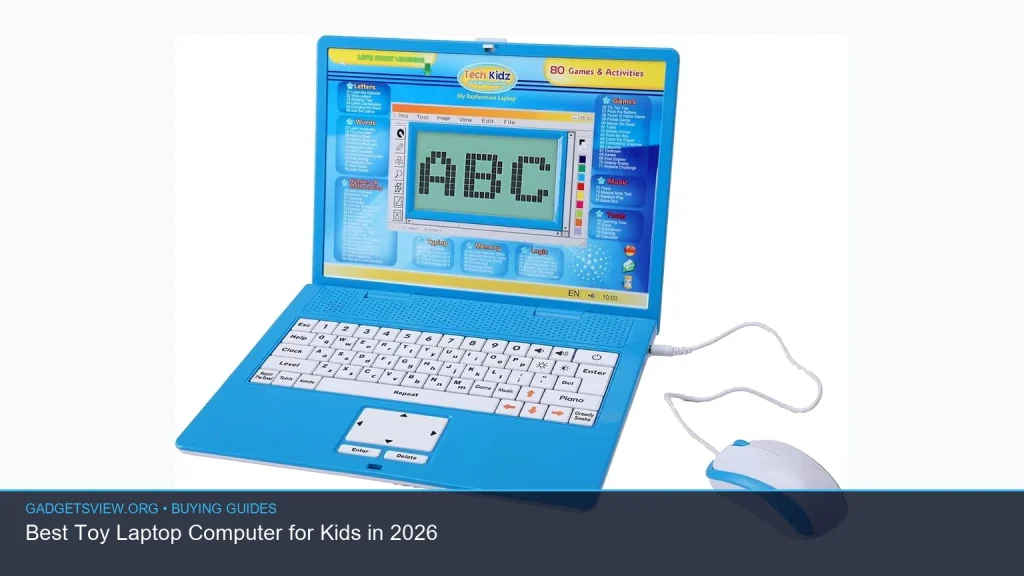
Looking for the best toy laptop computer for kids in 2026? The right choice depends on age, learning goals, durability, and how much screen time you want to allow. Some kids need a simple alphabet-and-music toy, while others do better with a more interactive learning laptop that grows with them. This guide breaks down what to look for, what features matter, and how to choose a safe, age-appropriate option without paying for extras your child will not use.
📖 Table of Contents
- What a Toy Laptop Computer Should Actually Do
- How to Choose the Right Toy Laptop Computer
- Best Features to Look For in 2026
- Toy Laptop Computer vs. Learning Tablet: Which Is Better?
- Selection Criteria: What to Prioritize Before You Buy
- Who Should Choose What
- Safety Tips and Smart Buying Cautions
- FAQ: Toy Laptop Computer for Kids
- Conclusion: The Best Choice Is the One Your Child Will Use
📌 Key Takeaways
- Choose a toy laptop computer based on age, not just appearance. Toddlers, preschoolers, and early readers need very different features.
- Look for simple controls, sturdy construction, volume control, and clear learning modes that match your child’s stage.
- Battery type, portability, and ease of cleaning matter more than flashy extras for most families.
- The best pick is the one that supports safe play, basic learning, and enough durability to handle daily use.
What a Toy Laptop Computer Should Actually Do
A good toy laptop computer should teach, entertain, and stay easy for kids to use. The best models help children practice letters, numbers, shapes, music, and simple problem-solving without overwhelming them with too many buttons or screens. For younger kids, the goal is not realism. It is engagement, repetition, and confidence.
Many parents are drawn to laptop-style toys because they feel familiar and “grown-up.” That can be useful, but only if the toy matches the child’s age and attention span. A toy that is too advanced may frustrate a toddler, while one that is too basic may bore an older preschooler quickly.
How to Choose the Right Toy Laptop Computer
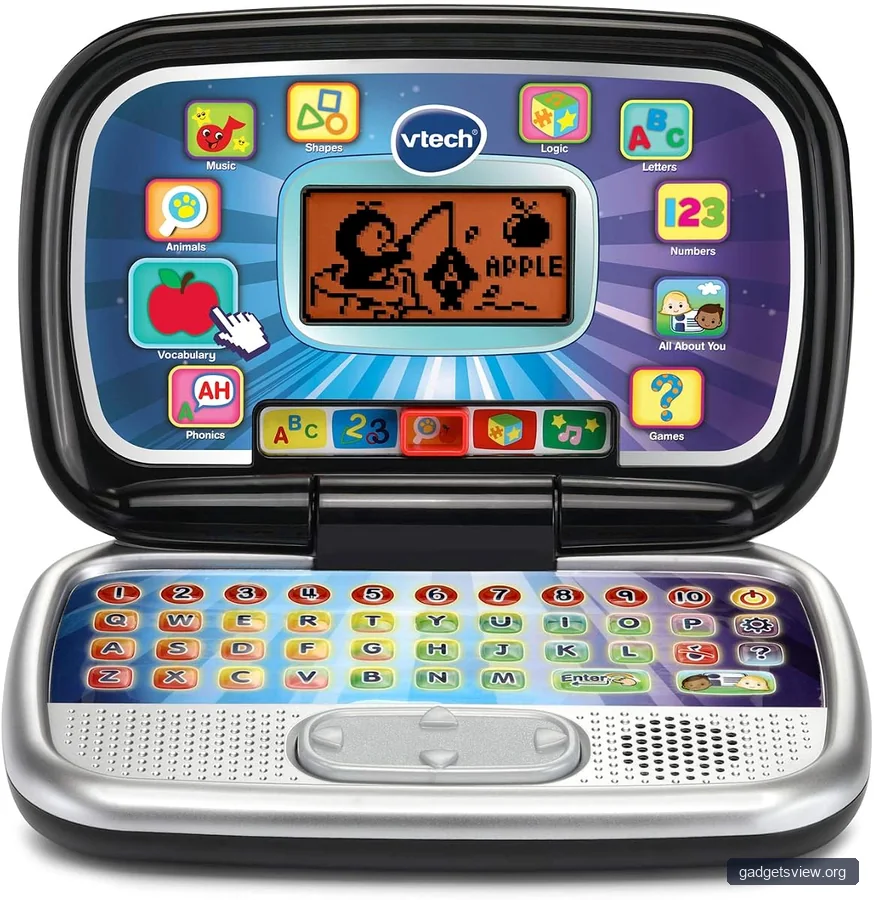
Start with the child’s age range and skill level. A 2-year-old usually needs large buttons, simple sounds, and very short activities, while a 4- to 6-year-old may enjoy quizzes, pretend typing, and more structured learning games. If you are buying for siblings, pick a model that is easy enough for the youngest child but still interesting for the older one.
1. Match the toy to the child’s stage
For toddlers, look for large keys, bright colors, and basic cause-and-effect play. For preschoolers, choose options that reinforce counting, phonics, and matching. For early elementary kids, a toy laptop computer with more word, spelling, or memory games may be a better fit.
2. Check durability and materials
Kiddie tech gets dropped, stepped on, and carried everywhere. A sturdy shell, rounded edges, and secure battery compartments are important. If the toy has moving parts or a foldable design, make sure the hinge feels solid and not flimsy.
3. Look for useful learning features
The best educational toys do not rely only on lights and sounds. They should offer repetition, clear feedback, and activities that encourage interaction. Good features often include letters, numbers, music, shape recognition, spelling prompts, and simple memory games.
4. Think about noise and volume control
Volume control is a big deal for families. A toy laptop that is too loud may become annoying quickly, and one that cannot be turned down can limit where it is used. Headphone jacks are uncommon in toy models, so built-in volume control is especially helpful.
5. Consider portability and cleanup
Lightweight toys are easier for kids to carry and for parents to store. Smooth surfaces are easier to wipe clean after sticky hands or snack time. If a toy will travel in a car or bag, look for a compact design with fewer loose pieces.
Best Features to Look For in 2026
Because no product listings were supplied, the best way to shop is by feature set. In 2026, the most useful toy laptop computer is still the one that balances learning value with simple, reliable design. Avoid paying extra for gimmicks unless they truly fit your child’s play style.
| Feature | Why It Matters | Best For |
|---|---|---|
| Large buttons | Easier for small hands to press accurately | Toddlers and young preschoolers |
| Letter and number activities | Supports early learning and repetition | Ages 3 to 6 |
| Volume control | Makes the toy easier to use at home and on the go | All ages |
| Durable case | Helps the toy survive drops and rough play | All ages |
| Simple game modes | Keeps kids engaged without making the toy hard to learn | Preschool and early readers |
Toy Laptop Computer vs. Learning Tablet: Which Is Better?
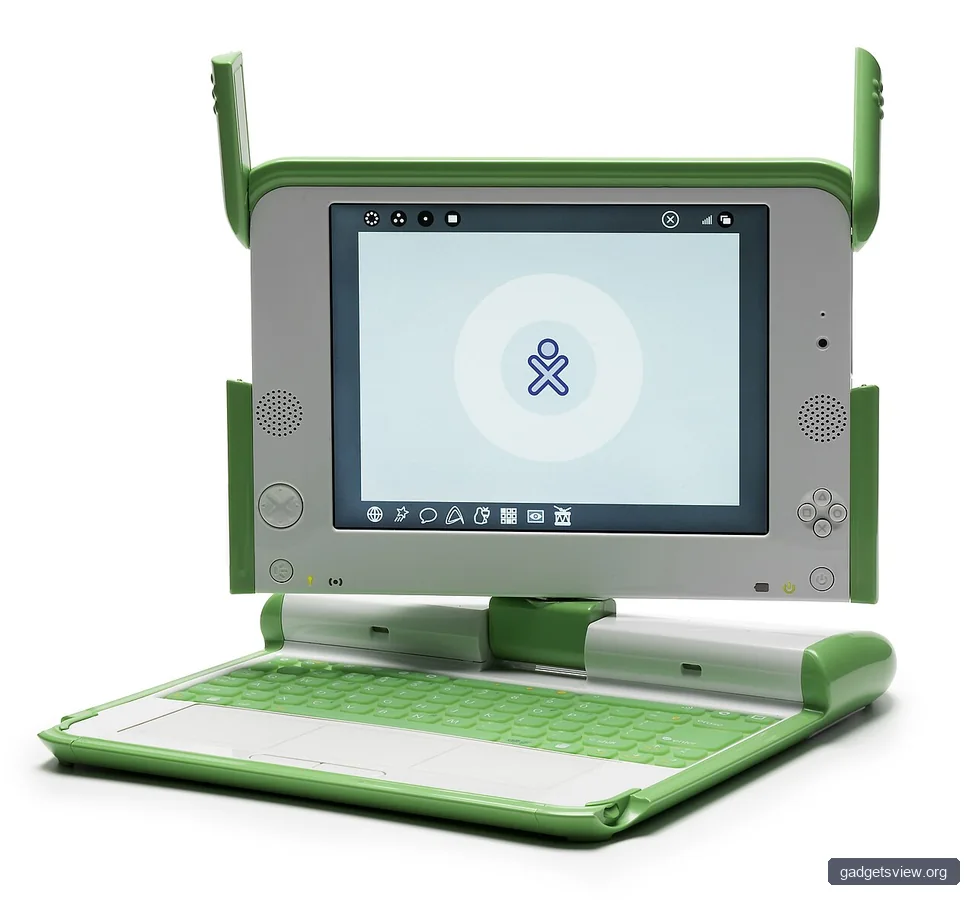
Parents often compare a toy laptop computer with a learning tablet. The right answer depends on how your child plays. A toy laptop usually gives more tactile interaction, simpler controls, and less digital distraction. A learning tablet may offer more content, but it can also be more complex and more screen-heavy.
If your child likes pressing keys, hearing sounds, and exploring simple activities, a toy laptop is often the better first choice. If your child is older and already comfortable with touchscreens, a tablet-style learning toy may make more sense. For many families, the deciding factor is not “better” overall, but “better for my child right now.”
Quick comparison
| Option | Strengths | Limitations | Best Choice For |
|---|---|---|---|
| Toy laptop computer | Simple, tactile, durable, easy to learn | Less content depth than advanced learning devices | Toddlers and preschoolers |
| Learning tablet | More activities, often more varied content | Can be more complex and screen-focused | Older preschoolers and early learners |
Selection Criteria: What to Prioritize Before You Buy
Use a simple checklist before you choose. This helps avoid impulse buys that look fun in the store but do not hold your child’s interest for long. A toy laptop computer should be age-appropriate, durable, and easy to use from day one.
- Age fit: Verify the recommended age range first.
- Learning value: Look for real educational play, not just sounds and lights.
- Build quality: Check for sturdy materials and a secure battery cover.
- Volume control: Make sure it can be adjusted for home use.
- Ease of use: Buttons and menus should be simple enough for independent play.
- Cleanup: Wipeable surfaces are a plus for everyday use.
- Power source: Battery type and replacement method should be convenient for your household.
Who Should Choose What
There is no single best toy laptop computer for every child, so the smartest choice depends on the play style and age of the child. If you want a first learning toy for a toddler, choose a model with large keys, basic sounds, and very simple lessons. If you want something for a preschooler who likes letters and counting, go with a more interactive learning laptop that adds short games and repetition.
If your child is rough on toys, durability should outrank extra features. If your child gets bored easily, choose a model with a little more variety, but avoid anything so complex that it requires adult help every time. For gift-giving, the safest pick is usually a balanced model with broad age appeal and easy controls.
Best fit by user type
- Toddlers: Simple, sturdy, noisy enough to be fun but not overwhelming
- Preschoolers: Basic learning modes, pretend typing, music, and early number or letter play
- Parents focused on low complexity: A minimal-feature toy that emphasizes hands-on interaction
- Gift buyers: A versatile option with a wide age range and clear educational value
Safety Tips and Smart Buying Cautions
Safety matters just as much as fun. Check for age labels, small parts, and secure battery doors, especially for younger children. If the toy uses replaceable batteries, make sure the compartment is difficult for a child to open on their own.
Also pay attention to volume. Loud toy electronics can be unpleasant during long play sessions, so a lower setting is often better for home use. If current safety certifications or compliance details matter to you, verify the manufacturer’s product page before buying, since those details can change by model and year.
FAQ: Toy Laptop Computer for Kids
What age is best for a toy laptop computer?
Most toy laptop computers are designed for toddlers and preschoolers, often around ages 2 to 6. The best age depends on the complexity of the toy and how much independent play your child can handle.
Are toy laptop computers actually educational?
They can be, if they focus on letters, numbers, sounds, matching, or simple problem-solving. The educational value is strongest when the toy encourages active participation instead of passive noise and flashing lights.
Should I choose a toy laptop or a real tablet for my child?
For younger children, a toy laptop is usually the better starting point because it is simpler and less distracting. A real tablet or learning tablet may make more sense later, once your child is ready for more advanced features.
What features should I avoid?
Avoid toys with too many tiny buttons, confusing menus, or very loud sound effects. Also be cautious with features that look impressive but do not support learning or simple play.
How do I know if the toy will last?
Check the build quality, hinge strength, and battery compartment before buying. Reviews can help, but when current verification is needed, it is best to confirm details on the retailer or manufacturer page.
Conclusion: The Best Choice Is the One Your Child Will Use
The best toy laptop computer in 2026 is the one that fits your child’s age, play style, and learning needs. Focus on durability, simple controls, useful educational features, and safe design. If you keep the choice practical, you are more likely to buy a toy that gets used often and stays fun over time.
Before you purchase, compare age range, learning features, volume control, and build quality. That quick check will help you choose a toy laptop that feels like a smart buy, not just a cute one.