Best Streaming Devices For 4K: A Practical Guide
Watching shows and movies in 4K has become normal. But picking the best streaming devices for 4k can still feel confusing. There are many options, each with different features, app support, and connection needs.
📖 Table of Contents
- How 4K Streaming Is Different and What to Look For
- Types of Streaming Devices and Who They Fit
- How to Choose the Best Streaming Device for 4K
- Recommended Features Checklist & Real-World Examples
- Comparison: Popular 4K Streaming Devices
- Setup and Optimization Tips for Smooth 4K Playback
- Quick Answers to Common Questions
- Frequently Asked Questions (FAQs)
- Conclusion
This guide breaks the choice down into simple steps. You’ll learn what matters for smooth 4K playback, which device types suit different users, a clear feature checklist, and practical setup tips. Use it to pick a device that fits your TV, home network, and viewing habits.
📌 Key Takeaways
- Look for support for 4K plus HDR formats you care about (HDR10, Dolby Vision) and modern codecs.
- Network quality matters: wired Ethernet or a strong Wi‑Fi connection reduces buffering.
- Choose an ecosystem with the apps and voice assistant you already use.
- Match device type to your TV and living room setup—sticks are portable; boxes offer more power and ports.
How 4K Streaming Is Different and What to Look For
Video formats and codecs
4K is about pixel count, but perceived picture quality also depends on HDR formats and codecs. HDR (high dynamic range) affects color and contrast. Common formats include HDR10 and Dolby Vision. Some services use newer codecs that reduce file size without dropping quality. Make sure the device supports the formats your favorite apps use.
Network and hardware needs
Streaming 4K requires steady bandwidth. Devices that offer wired Ethernet or support newer Wi‑Fi standards will handle large streams more reliably. Also look at processor and memory—these affect app responsiveness and menu navigation.
Types of Streaming Devices and Who They Fit
Streaming sticks
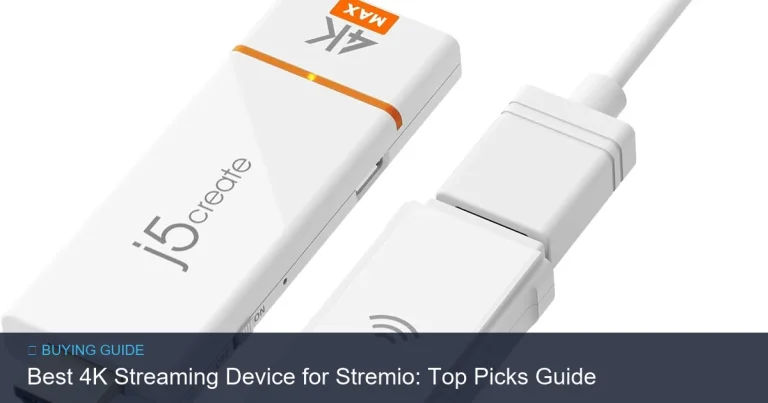
Sticks plug directly into an HDMI port. They’re compact and easy to move between rooms. Sticks are great for casual viewers or travelers who want a plug-and-play option.
Set-top boxes
Boxes sit near the TV and usually offer more ports and a stronger processor. They suit power users, home theaters, and anyone who wants built-in storage, better cooling, or wired Ethernet.
Smart TV platforms vs external devices
Many smart TVs have built-in apps. External devices still matter when your TV’s platform lacks certain apps, or when you want faster updates, better remotes, or a uniform experience across rooms.
How to Choose the Best Streaming Device for 4K
Prioritize app and format support
List the streaming services you use. Confirm the device supports those apps in 4K. Also check HDR and audio formats if those features matter to you.
Prioritize connectivity and future-proofing
Choose a device with Ethernet or the latest Wi‑Fi standard for stability. If you plan to keep the device for several years, look for broader codec and HDR support to handle future streaming updates.
Budget vs features trade-offs
Decide which features are must-haves. If you need top-tier audio or a fast interface, a box may be worth the extra cost. If you only stream occasionally, a stick will often do the job.
Recommended Features Checklist & Real-World Examples
Remote and user interface
A good remote speeds up navigation. Look for a remote with quick-access buttons for apps you use, and a reliable voice search function. A clean UI reduces time browsing and improves streaming flow.
Audio and home theater
If you use an AVR or soundbar, check for pass-through of surround formats like Dolby Atmos. Confirm the device supports bitstream or passthrough so your receiver can decode the audio correctly.
App ecosystem and voice assistants
Think about the voice assistant you prefer and whether the device integrates with your smart-home system. Integration can make searches and control easier across devices.
Comparison: Popular 4K Streaming Devices
| Device | Form Factor | 4K & HDR Support | Connectivity | Voice Remote | Best For |
|---|---|---|---|---|---|
| Roku (select models) | Stick or Box | Supports 4K and common HDR formats | Wi‑Fi; some models include Ethernet | Yes | Simple UI and broad app selection |
| Amazon Fire TV (select models) | Stick or Box | Supports 4K and HDR formats | Wi‑Fi; some models include Ethernet | Alexa remote | Users tied into Amazon ecosystem |
| Apple TV (select models) | Box | 4K with HDR support | Wi‑Fi and Ethernet | Siri remote | Apple ecosystem and premium UI |
| Google Chromecast with Google TV | Stick | 4K and HDR support | Wi‑Fi | Google Assistant | Android/Google users and simple casting |
| NVIDIA Shield | Box | 4K HDR support | Wi‑Fi and Ethernet | Voice remote | Power users and gamers |
Note: Device models and features change. Verify current specs and format support on manufacturer sites before buying.
Setup and Optimization Tips for Smooth 4K Playback
Network placement and router settings
Place your router near the streaming device when possible. If a wired connection is feasible, use Ethernet for the most reliable performance. If you must use Wi‑Fi, reduce interference and consider a dual‑band or newer router for better throughput.
HDMI and TV settings
Use a high-speed HDMI cable and plug into a port labeled for enhanced format support if the TV provides one. Enable the TV’s HDR and advanced color settings for the best picture. Turn off motion smoothing if you dislike the artificial look it can create.
App settings and data usage
Some apps let you choose streaming quality. If you have data caps, set apps to limit streaming to avoid overages. Also ensure apps are updated to get performance fixes.
Quick Answers to Common Questions
Do I need a 4K TV to use a 4K streaming device?
Yes. A 4K streaming device can send 4K content only to a 4K-capable TV. On a lower-resolution TV the device will scale down the picture.
Will 4K streaming work over Wi‑Fi?
Yes, it can, but the Wi‑Fi must be strong and relatively interference-free. Wired Ethernet is more reliable for consistent 4K playback.
Does HDR make a big difference?
HDR improves contrast and color range, making highlights brighter and shadows deeper. Its impact depends on the TV’s panel and the HDR format supported.
Can I use the streaming device with a soundbar?
Yes. Most devices support audio passthrough to soundbars or receivers. Confirm the audio formats supported match your sound system.
Frequently Asked Questions (FAQs)
How can I tell if a device supports Dolby Vision or Dolby Atmos?
Check the device’s official specifications on the manufacturer’s site. Product pages list supported HDR and audio formats. If up-to-date specs are needed, verify before purchase.
Will a streaming device speed up an older smart TV?
Often yes. An external device usually provides a faster interface, more frequent software updates, and access to apps the TV’s platform may not support.
Do streaming devices include subscriptions to streaming services?
Most devices do not include subscription fees for streaming services. They provide access to apps where you sign in or subscribe separately.
Are software updates important for streaming devices?
Yes. Updates add new app support, security patches, and performance improvements. Look for a device with a solid update history from the manufacturer.
Can I use a VPN with a streaming device?
Some devices support VPN apps or network-level VPNs. Check compatibility and the VPN provider’s setup guides. Be aware service terms and regional licensing can affect content availability.
Conclusion
Choosing the best streaming devices for 4k comes down to a few clear points: confirm app and format support, prioritize a stable network connection, and pick the form factor that suits your space. If you want simplicity and portability, a stick may be best. If you want power, ports, and the widest feature set, a set-top box is a better fit.
Make a short list of must-have features, check current model specs from manufacturers, and match a device to your TV and network. That approach will help you get reliable, great-looking 4K streaming in your living room.