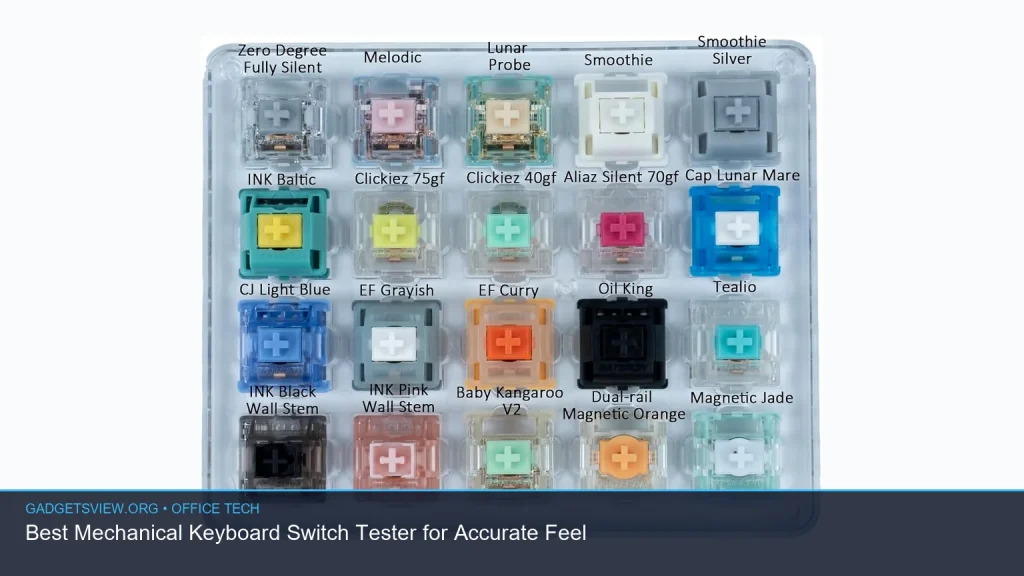
If you want the right mechanical keyboard switch tester, the goal is simple: get a clear feel for how each switch behaves before you buy a full keyboard or build. A good tester helps you compare sound, travel, resistance, and tactility without guessing. That matters because the “best” switch for you depends on how you type, game, and work. Below, you’ll find how switch testers work, what to look for, and how to choose the right one for your needs.
📖 Table of Contents
- What a Mechanical Keyboard Switch Tester Actually Does
- How to Choose the Right Mechanical Keyboard Switch Tester
- Mechanical Keyboard Switch Types: Which Feel Fits Your Use Case?
- Who Should Use a Switch Tester Before Buying a Keyboard?
- Mechanical Keyboard vs Normal Keyboard: Why Testing Matters
- How to Use a Switch Tester the Right Way
- Quick Decision Guide: Which Tester Setup Should You Choose?
- FAQ
- Conclusion
📌 Key Takeaways
- A mechanical keyboard switch tester is the easiest way to compare switch feel before buying a keyboard or kit.
- Focus on the switch type, mount style, and whether the tester includes sound-dampening or different stem materials.
- If you are choosing a hot-swappable mechanical keyboard or a mechanical keyboard kit, a tester can save time and reduce return risk.
- The best choice depends on your goal: quiet work, fast gaming, typing comfort, or a specific feel like tactile or clicky.
What a Mechanical Keyboard Switch Tester Actually Does
A mechanical keyboard switch tester is a small board or sample set that lets you press different switches by hand. It gives you a quick way to compare how each switch feels, sounds, and reacts under your fingers. That is useful because switch names alone do not tell the whole story.
For example, two switches may both be labeled “linear,” but one may feel lighter, smoother, or slightly deeper than the other. A tester helps you feel those differences in seconds. That is especially helpful if you are choosing between a quiet office setup, a gaming board, or a more expressive typing experience.
It also helps narrow down the broad world of mechanical keyboard switch types, which often includes linear, tactile, and clicky options. If you are new to mechanical boards, that first hands-on comparison can make the decision much easier.
How to Choose the Right Mechanical Keyboard Switch Tester
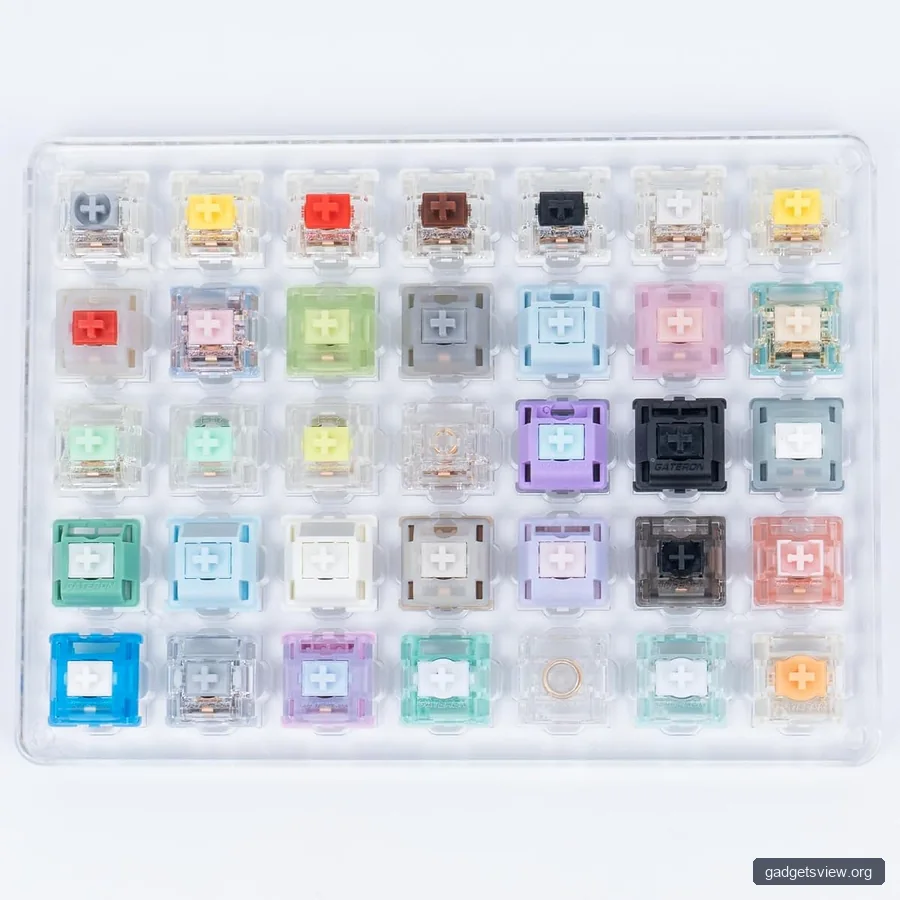
Not every tester serves the same purpose. Some are simple sample trays with a few switch types, while others are more complete and show a wider range of weights and sounds. The right one depends on how serious you are about choosing a keyboard.
| What to Compare | Why It Matters | Best For |
|---|---|---|
| Switch variety | Shows how linear, tactile, and clicky switches differ | Beginners and first-time buyers |
| Mount style | Helps confirm fit for a future board or kit | Custom builders |
| Sound profile | Important for shared offices and quiet rooms | Office users |
| Weight options | Heavier or lighter springs change fatigue and speed | Typists and gamers |
Start with the feel you want
If you like smooth and direct presses, look at linear switches. They move straight down with no bump, which many people prefer for gaming or fast repeated typing. If you want more feedback, tactile switches give a small bump that confirms the key press.
Clicky switches add both a bump and a click sound. Some people love that sharp response, while others find it too loud for shared spaces. A tester lets you decide without committing to a full board.
Check compatibility before you buy
If you plan to build a mechanical keyboard kit, the tester should match the switch mount style you want to use. That matters because not every tester reflects every board layout or housing design. If you are unsure, verify compatibility with the keyboard or kit before purchase.
This is also helpful if you are considering a hotswappable mechanical keyboard. Hot-swap boards make it easier to change switches later, but it still helps to know what you like first. A tester reduces trial and error.
Mechanical Keyboard Switch Types: Which Feel Fits Your Use Case?
Understanding mechanical keyboard switch types is the fastest way to narrow your search. The main categories behave differently enough that even small changes can affect comfort and speed. That is why switch testers are so useful.
| Switch Type | Feel | Good For | Watch For |
|---|---|---|---|
| Linear | Smooth, no bump | Gaming, fast typing, quiet preference | Can feel too light if you prefer feedback |
| Tactile | Bump during press | Typing, office work, accuracy | Bump strength varies a lot by model |
| Clicky | Bump plus click sound | People who like strong feedback | May be too loud for shared spaces |
If you are looking for linear mechanical keyboard switches, a tester is especially helpful because the differences can be subtle. Small changes in spring weight or stem smoothness can matter a lot over a full workday. A quick sample press may not reveal as much as a longer typing session, so spend time with each switch.
A tester also helps if you are considering a typewriter mechanical keyboard style. Those boards often aim for a heavy, crisp, old-school feel. Testing switches first can help you decide whether you want that dramatic feedback or a quieter, more modern feel.
Who Should Use a Switch Tester Before Buying a Keyboard?
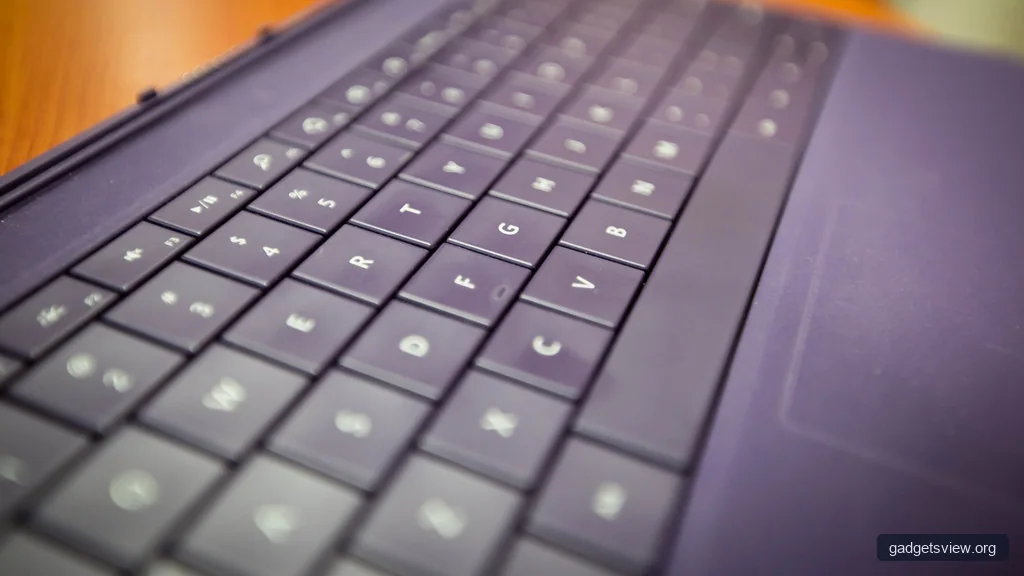
A switch tester is useful for almost anyone buying a mechanical keyboard, but it is especially smart for people with specific needs. If you type all day, work in a shared office, or want a board that matches your desk setup, a tester can prevent regret. That is true whether you want a full-size board, a compact layout, or a specialty build.
If you are comparing a mechanical keyboard for Mac use, a tester can help you focus on feel rather than branding. Many Mac users care most about comfort, quietness, and layout familiarity. A tester is a practical way to choose a switch feel that works well with long typing sessions.
Choose based on your main goal
For typing: Tactile switches are often a strong starting point because they provide feedback without requiring a loud click.
For gaming: Linear switches are popular because the press feels smooth and direct.
For shared offices: Quieter linear or soft tactile options usually make more sense than clicky switches.
For hobby building: A tester helps you narrow down the exact feel before ordering a custom board or mechanical keyboard kit.
Mechanical Keyboard vs Normal Keyboard: Why Testing Matters
The debate around mechanical keyboard vs normal often comes down to feel, feedback, and long-term comfort. A standard membrane keyboard can feel soft and quiet, while a mechanical keyboard usually offers more defined response and switch choice. That difference is why testing matters before you commit.
Many people do not need the most expensive or complex option. They need a keyboard that feels right for typing, fits their workspace, and does not create noise problems. A mechanical keyboard switch tester makes that decision more informed and less guess-based.
What about low-profile models?
A low profile keyboard mechanical option can be a good fit if you want a slimmer shape and shorter key travel. These boards often feel faster to some users, while others miss the deeper press of standard mechanical switches. If possible, compare low-profile and full-height switches side by side so you can feel the difference.
How to Use a Switch Tester the Right Way
To get useful results, do more than press each switch once. Feel, listen, and compare them in a quiet room if possible. The goal is to notice the small differences that matter after an hour of real use.
- Test one switch at a time. Press it several times slowly, then at normal typing speed.
- Compare sound first. Notice whether the switch is muted, sharp, hollow, or loud.
- Feel the resistance. Check if the switch starts light, gets heavy, or creates a bump.
- Try longer sessions. A switch that feels fine for five presses may feel tiring after more use.
- Match the switch to your setup. Consider office noise, desk space, and whether you want a hot-swap board later.
Be careful not to overread a tiny sample. A tester is a guide, not a full simulation of a complete keyboard. Keycaps, case material, plate design, and stabilizers can all change the final feel and sound.
Common mistakes to avoid
- Choosing based on switch names alone without trying the feel.
- Ignoring noise if you work near other people.
- Buying a tester that does not reflect the switch style you plan to use.
- Assuming one linear or tactile switch represents the whole category.
Quick Decision Guide: Which Tester Setup Should You Choose?
If you are still unsure, use this simple guide to narrow your choice. The best tester is the one that helps you make a clear, confident decision with the least guesswork.
| User Type | Best Tester Focus | Why |
|---|---|---|
| First-time buyer | Broad variety of switch types | Makes it easier to learn what you like |
| Office user | Quiet linear or soft tactile samples | Helps avoid noisy switches |
| Custom builder | Tester with mount-compatible samples | Useful before buying a kit or hot-swap board |
| Mac user | Comfort-first, quieter switches | Better for long typing sessions |
Strengths: A tester lowers risk, speeds up the decision, and helps you compare feel in a direct way.
Limitations: It cannot fully reproduce a finished keyboard, since keycaps, stabilizers, and case design also change the experience.
Who should choose what: Pick a broad sampler if you are new, a quiet-focused tester if you work near others, and a compatibility-focused tester if you are building a board or choosing a hot-swap setup.
FAQ
How many switches should a mechanical keyboard switch tester include?
There is no single best number. A small set can help beginners compare major categories, while a larger set is better if you want to fine-tune weight, sound, and tactility. Choose the size that matches how much comparison you need.
Is a mechanical keyboard switch tester worth it for a hotswappable mechanical keyboard?
Yes. A hotswappable mechanical keyboard makes future switch changes easier, but a tester still helps you choose a starting point. That can save time and reduce the odds of buying a switch you do not enjoy.
What is the best switch type for office work?
Quiet linear or light tactile switches are usually the safest starting point. They balance comfort and noise better than clicky switches. If you work around others, sound should be a top priority.
Can a tester help me choose between a typewriter-style keyboard and a standard mechanical board?
Yes. A typewriter mechanical keyboard often aims for a more dramatic feel and sound, so a tester can show whether that experience suits you. If you prefer a calmer, lighter press, a standard mechanical board may be the better fit.
Do low-profile switches feel the same as regular mechanical switches?
No. A low profile keyboard mechanical design usually changes travel, height, and overall feel. Testing both side by side is the best way to decide which one feels more natural.
Conclusion
The best mechanical keyboard switch tester is the one that helps you make a confident choice before you buy. Focus on switch type, sound, weight, and compatibility, then match those details to your work style and noise tolerance. If you are still unsure, start with a broad tester and narrow down from there.
Next, compare a few switch types in person, think about where you will use the keyboard, and choose the feel that supports your daily typing most comfortably.