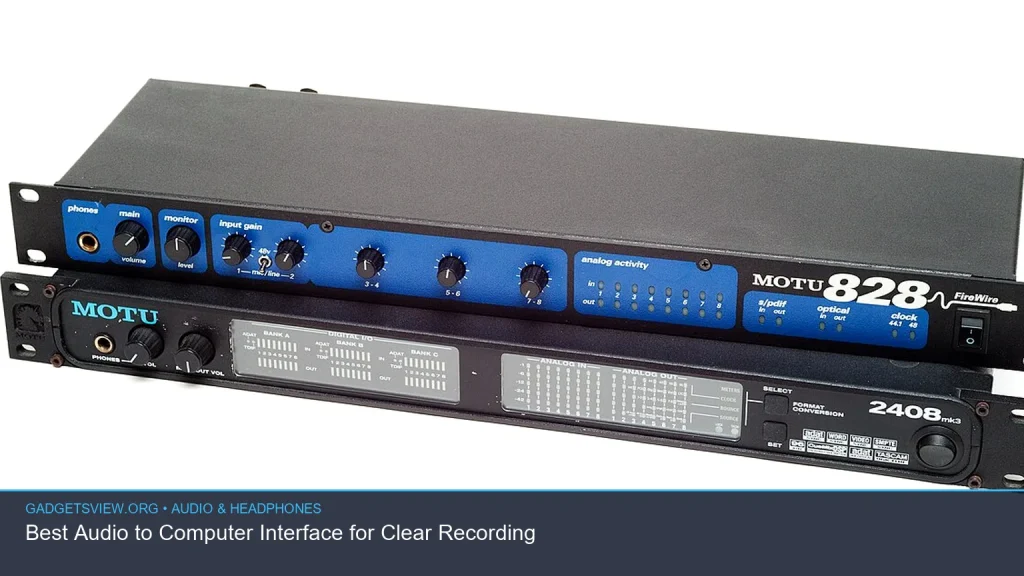
If you want clean, reliable recordings, the right audio to computer interface matters more than almost anything else in your setup. It converts your mic, guitar, or line-level signal into a digital file your computer can use, while helping reduce noise, latency, and guesswork. In this guide, you’ll learn what makes a good interface, how to choose between a USB audio interface for PC or Mac, and which features matter most for vocals, instruments, podcasts, and home studios. The goal is simple: help you pick the best audio interface for your needs without overbuying.
📖 Table of Contents
📌 Key Takeaways
- An audio to computer interface is the bridge between your analog gear and recording software.
- The best choice depends on your use case: vocals, podcasting, guitar, streaming, or a full home studio.
- Look for clean preamps, low-latency monitoring, the right input count, and solid software support.
- If you use a Mac or PC, make sure the interface is well supported on your operating system before buying.
What an Audio to Computer Interface Does
An audio to computer interface takes sound from a microphone, instrument, or mixer and sends it to your computer in a form recording software can read. It also sends sound back out to your headphones or speakers so you can monitor playback while you record. That is why a good interface often sounds better and feels more responsive than a basic computer headphone jack.
For most creators, this is the center of a practical recording setup. If you need an audio interface for PC or an audio interface for Mac, the core job is the same: accurate conversion, stable connection, and low noise. A good audio interface should make the rest of your workflow easier, not harder.
How to Choose the Best Audio Interface for Your Setup
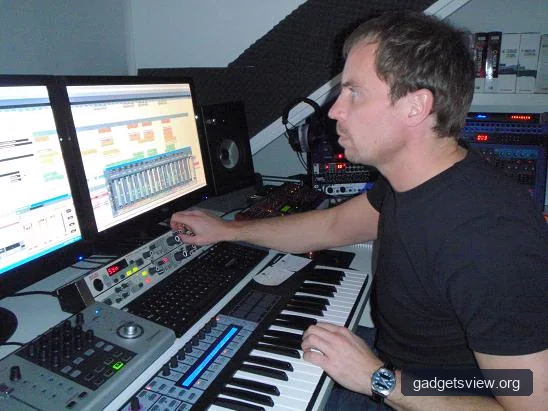
The best audio interface is the one that fits your inputs, your software, and your recording habits. Start by matching the interface to what you record now, not what you may buy years from now. That keeps the setup simple and helps you spend money where it matters.
| What to Check | Why It Matters | Best For |
|---|---|---|
| Input count | Tells you how many mics or instruments you can record at once | Solo creators, duos, bands, podcasters |
| Mic preamps | Affects clarity, noise, and gain for vocals and speech | Podcasting, voiceover, singing |
| Direct monitoring | Lets you hear yourself with less delay | Live vocal tracking, guitar, streaming |
| Driver/software support | Helps the interface work smoothly on your computer | PC and Mac users |
Think about the type of source you record most often. A microphone-only setup needs different features than a guitar audio interface, where instrument inputs and monitoring matter more. If you record two people at once, you need more than a single input, even if the rest of the unit looks impressive.
Selection Criteria That Matter Most
- Connectivity: USB is the most common choice, so a usb audio interface is often the easiest path for home studios.
- Compatibility: Check that the model supports your computer and recording software before you buy.
- Low-latency monitoring: This helps avoid distracting delay when you sing or play.
- Included software: Some users want an audio interface that comes with a DAW or bundle tools.
- Portability: Small units are better for travel, streaming, and desk setups.
USB Audio Interface vs. Other Options
For most buyers, a usb audio interface is the best place to start. It is simple to connect, widely supported, and easy to move from one setup to another. That makes it a strong choice for a beginner, a creator with a small studio, or someone upgrading from a laptop mic.
More advanced setups may include interfaces with extra connectivity or features aimed at larger studios. Still, for a commercial buyer comparing the top audio interfaces, USB models often win because they strike the best balance between cost, ease of use, and sound quality.
| Option | Strengths | Limitations | Who Should Choose It |
|---|---|---|---|
| USB audio interface | Easy setup, broad compatibility, ideal for home recording | May not fit large multi-input studios | Most beginners and mid-level creators |
| Interface with bundled DAW | Useful for users who need software to start quickly | Bundled software may not suit every workflow | New users, students, creators building a first setup |
| Guitar-focused interface | Instrument inputs and monitoring for direct recording | May be less useful for multi-mic vocal sessions | Musicians recording guitar or bass at home |
| Higher-input studio interface | Better for multiple sources at once | Can be more complex and more expensive | Bands, small studios, advanced podcasters |
When a Great Audio Interface Is Worth Paying More For
A great audio interface usually earns its keep through cleaner gain, better monitoring, and more stable software support. That does not mean the most expensive option is always the right one. It means the interface should remove friction from recording and give you room to grow.
If you record vocals often, better preamps can help reduce hiss and make quiet voices easier to capture. If you record instruments, a stronger instrument input can make a guitar audio interface feel more responsive and natural. In both cases, the value comes from fewer problems during recording, not from flashy extras.
Common Strengths to Look For
- Clear input gain without obvious noise
- Reliable headphone output for monitoring
- Direct monitoring for low-delay sessions
- Simple controls that are easy to reach on a desk
- Good support resources, drivers, and setup guides
Common Limitations to Watch For
- Too few inputs for your current or future needs
- Poor software support on your operating system
- Weak bundled tools if you want an audio interface that comes with a DAW
- Confusing control layouts for beginners
- Features you will never use
Who Should Choose What: Simple Verdict
If you are shopping for a good audio interface, start with your main use case. That is the fastest way to avoid buyer’s remorse and choose the best sound interface for your setup.
- Choose a basic USB interface if you record one mic, voiceovers, or casual music at home.
- Choose a guitar-focused unit if you mainly plug in an instrument and want easy monitoring.
- Choose a bundled DAW option if you are starting from zero and want software included.
- Choose a multi-input interface if you record guests, duet vocals, or multiple sources at once.
For many buyers, a simple usb audio interface is the smartest commercial pick. For others, especially those searching in Spanish for an interfaz de audio, the best choice is simply the model that matches the gear they already own and the software they already use.
Setup Tips for Cleaner Recording
Once you buy an interface, the setup matters just as much as the hardware. A solid interface can still sound poor if the gain is set badly or the recording chain is cluttered. Use a clean signal path and keep your settings simple at first.
- Install the latest drivers or control software from the manufacturer when needed.
- Connect the microphone or instrument to the correct input type.
- Set input gain so the signal is strong but not clipping.
- Use direct monitoring if latency becomes distracting.
- Test recording levels before a long session.
If you use an audio interface for Mac or PC, confirm that your recording app sees the device as both input and output. This helps avoid the common mistake of hearing playback from one device while recording into another.
FAQ
What is the difference between an audio interface and a sound card?
An audio interface is a dedicated external device made for recording and monitoring audio. A sound card is usually built into a computer and is meant for general playback and basic audio tasks. For cleaner recordings, the external interface is usually the better choice.
Do I need an audio interface if I only record voice?
Yes, if you want better control over gain, monitoring, and sound quality. Even a simple setup can benefit from an audio interface for PC or Mac, especially if you use a USB microphone alternative such as an XLR mic.
What should I look for in a best audio interface for beginners?
Look for easy setup, one or two clean inputs, direct monitoring, and stable software support. If it includes a DAW or starter software, that can be helpful too, especially for first-time users who want everything in one package.
Is a guitar audio interface different from a vocal interface?
Some interfaces are designed with instrument input and amp-style recording in mind, which can make them better for guitar or bass. Others are more general purpose. The right choice depends on what you record most often.
How do I know if an interface will work with my computer?
Check the manufacturer’s compatibility notes for your operating system and connection type. This is especially important if you need an audio interface for Mac or want to use a specific DAW. When in doubt, verify current support before buying.
Conclusion
The best audio to computer interface is the one that matches your workflow, your computer, and your recording goals. For most users, a reliable USB model with clean inputs and easy monitoring is the smartest place to start. If you need bundled software, instrument support, or more inputs, narrow your search around those needs first. Review current compatibility, compare the features that matter, and choose the interface that will make recording simpler from day one.