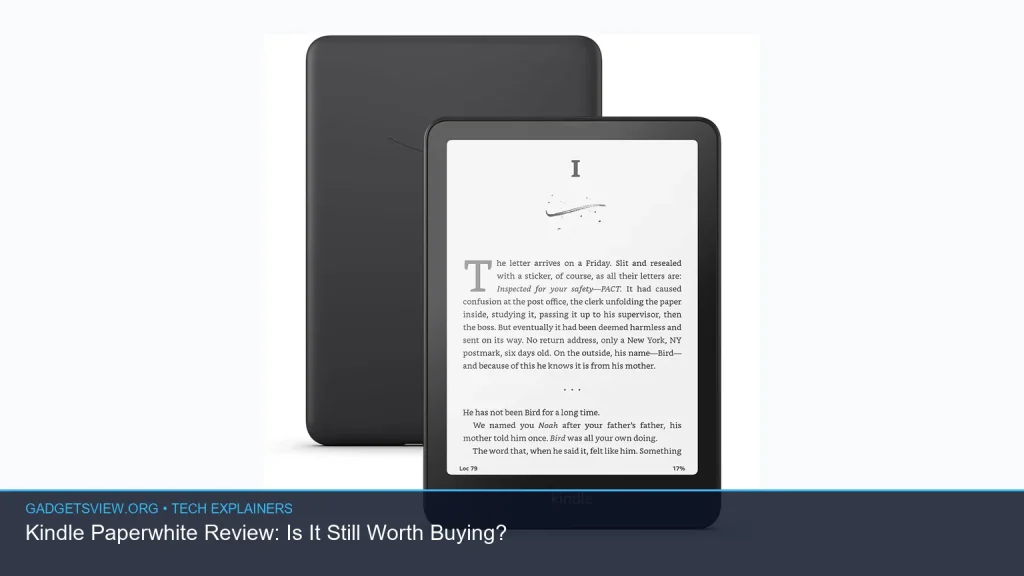
If you’re asking whether the Kindle Paperwhite is still worth buying, the short answer is: for many readers, yes. In this Kindle Paperwhite review, the device still stands out as a simple, eye-friendly e-reader that makes reading easy and distraction-free. But it is not the best choice for everyone. If you read a lot, want a focused device, and like the Kindle ecosystem, it remains a strong pick. If you mainly want apps, color, or broad library flexibility, another option may fit better.
📖 Table of Contents
- What the Kindle Paperwhite Does Best
- Kindle Paperwhite Review: Is It Still Worth Buying?
- Paperwhite vs Kindle: Which One Should You Choose?
- Strengths and Limitations to Know Before You Buy
- Can You Read Manga on Kindle?
- Library, Borrowing, and Subscription Options
- Should You Buy a Used Kindle Paperwhite?
- Final Verdict: Who Should Buy the Kindle Paperwhite?
- FAQ
📌 Key Takeaways
- The Kindle Paperwhite is still one of the best simple e-readers for people who read often.
- It makes the most sense if you want a clean reading experience, long battery life, and access to Amazon’s ebook ecosystem.
- If you need color, note-heavy features, or broader app support, a tablet or another e-reader may be better.
- The best choice depends on whether you want the Paperwhite for books, borrowing, manga, or as a used device.
What the Kindle Paperwhite Does Best
The biggest reason people keep buying the Paperwhite is simple: it focuses on reading. There are no social feeds, no video distractions, and no cluttered app menus competing for your attention. That makes it appealing for commuters, students, and anyone who wants a device that feels closer to a book than a mini tablet.
Another major strength is comfort. E-readers are designed for long reading sessions, and the Paperwhite line is known for a display that is easy on the eyes compared with a backlit phone or tablet screen. If you read at night, in bed, or outdoors, that kind of experience can matter more than raw features.
Battery life is also part of the appeal. While exact performance depends on brightness, wireless use, and reading habits, the Paperwhite category is built for long gaps between charges. For many readers, that means one less device to worry about every day.
Kindle Paperwhite Review: Is It Still Worth Buying?

For a lot of readers, yes, the Kindle Paperwhite is still worth buying. It remains a strong value if your main goal is to read ebooks in a comfortable, portable way. It is especially useful if you already buy from Amazon, use Kindle libraries, or want a device that is easy to carry anywhere.
The real question is whether it fits your habits. If you read several books a year and want a dedicated reading device, the Paperwhite is a sensible buy. If you only read occasionally, or you want one device for reading, streaming, browsing, and apps, a tablet may make more sense.
So, is a kindle worth it? For heavy readers, usually yes. For casual readers, it depends on how much you value the paper-like reading feel and the convenience of an e-ink screen.
Paperwhite vs Kindle: Which One Should You Choose?
When people search for paperwhite vs kindle, they are often comparing the Paperwhite with the basic Kindle model. In general, the difference comes down to comfort and features versus simplicity and price sensitivity. Since Amazon updates models over time, it is smart to verify the exact current lineup before you buy.
| Best for | Kindle Paperwhite | Basic Kindle |
|---|---|---|
| Reading comfort | Usually the stronger choice for a more premium reading feel | Better if you want the simplest option |
| Portability | Compact and travel-friendly | Also portable, often with fewer extras |
| Feature set | Typically more refined | Usually more basic |
| Best buyer | Frequent readers who want a better screen experience | New Kindle buyers who want the lowest-friction entry point |
Who should choose what? Pick the Paperwhite if you read often and want a more comfortable, polished experience. Pick the basic Kindle if you just want an entry-level e-reader and do not mind fewer extras. If you are comparing models, the best move is to check the current Amazon specs before deciding.
Strengths and Limitations to Know Before You Buy

The Paperwhite’s strengths are easy to understand. It offers a focused reading experience, a display that works well for long sessions, and access to a large ebook library. For many people, those three things cover nearly everything they need from an e-reader.
It also has real practical value for travel. A Kindle is lighter and less distracting than most tablets, and it can hold many books at once. If you switch between novels, nonfiction, and samples, that convenience adds up fast.
Where it falls short
The biggest limitation is that it is still an e-reader, not a full tablet. It is not built for color-rich content, heavy web use, or app-heavy tasks. If you want to do more than read, the Paperwhite may feel too narrow.
Another limitation is format flexibility. Amazon’s ecosystem is strong, but not every reading source is equally smooth across every device. Before buying, it is wise to confirm how your preferred library services and file types work with the current Kindle software.
Can You Read Manga on Kindle?
Yes, you can you read manga on Kindle is a fair question, and the answer is generally yes, but with caveats. Manga can work well on an e-ink screen, especially if the display is large enough and the artwork is clear. On smaller screens, however, dialogue bubbles and fine details may feel cramped.
If manga is a major part of your reading, check how the specific Kindle model handles page size, zooming, and panel layout. Some readers enjoy manga on Kindle because it is simple and portable. Others prefer a larger tablet or dedicated color device for a more natural comic-book feel.
Library, Borrowing, and Subscription Options
One reason people consider the Paperwhite is access to books beyond direct purchases. Depending on where you live and which services you use, Kindle can work with borrowing and subscription options that make reading more affordable and flexible. The details can change, so it is best to confirm current support before relying on a service.
If you are comparing hoopla kindle options, check your local library’s borrowing rules and supported devices. Library services sometimes change their Kindle compatibility, and the process can depend on region, account setup, and the book itself. It is worth verifying the current steps before you buy the device for that purpose alone.
The same goes for prime reading vs kindle unlimited. Prime Reading is usually tied to a broader Prime membership and offers a smaller rotating selection. Kindle Unlimited is a separate subscription service with a much larger catalog. If you read often and browse widely, Kindle Unlimited may be more useful, but if you only want occasional extra titles, Prime Reading may be enough.
Should You Buy a Used Kindle Paperwhite?
A used kindle paperwhite can be a smart buy if you want to save money and are comfortable checking the device carefully. E-readers can last a long time, so a used unit may still offer plenty of life. That said, condition matters more than with many other gadgets because battery health and screen condition directly affect the reading experience.
Before buying used, inspect the screen for scratches, dead spots, or discoloration. Also check whether the battery holds a charge, whether buttons and touch input respond properly, and whether the device is linked to a previous owner’s account. If possible, make sure it can still connect to your Wi-Fi and accept updates.
| Used Kindle Paperwhite checklist | What to verify |
|---|---|
| Screen condition | Look for cracks, deep scratches, or uneven lighting |
| Battery health | Confirm it lasts through normal reading sessions |
| Account status | Ensure it is deregistered and ready for a new owner |
| Connectivity | Check Wi-Fi and sync functions |
Final Verdict: Who Should Buy the Kindle Paperwhite?
The Kindle Paperwhite is still worth buying if you want a dedicated reading device that is easy to use, comfortable to hold, and focused on books. It is a strong fit for frequent readers, commuters, students, and anyone who wants a clean break from phone distractions.
It is less compelling if you want color, apps, or a device that handles many entertainment tasks. In that case, a tablet or another e-reader category may suit you better. The right choice comes down to how you read and what you expect the device to do.
Best overall: readers who want a dependable, distraction-free Kindle experience. Best alternative: buyers who want more than an e-reader can offer.
FAQ
Is a Kindle worth it if I only read occasionally?
It can be, but only if you value the e-ink reading feel and want a dedicated device. If you read very little, a phone, tablet, or library app may be enough.
Can you read manga on Kindle without trouble?
Yes, but the experience depends on the screen size and the title. Manga is readable, yet fine details can feel small on compact e-readers. Many people prefer a larger screen for comic-style content.
What is the difference between Prime Reading and Kindle Unlimited?
Prime Reading is a smaller perk tied to Prime membership, while Kindle Unlimited is a separate subscription with a much larger catalog. If you read a lot and want more choice, Kindle Unlimited usually offers more value.
Does hoopla work with Kindle?
Sometimes, but compatibility depends on the service, your library, and the specific title. Because borrowing rules can change, check your local library and current hoopla Kindle support before counting on it.
Should I buy a used Kindle Paperwhite?
Yes, if you can verify screen condition, battery health, and account status. A used unit can be a good value, but only if it still works smoothly and is easy to set up for your own account.
If you want a simple, comfortable way to read more books, the Kindle Paperwhite is still a solid choice. Before buying, compare it with the basic Kindle, check current library and subscription support, and decide whether a new or used model fits your needs best. That small bit of research can help you pick the right reader the first time.