If you are trying to understand whether a dual extruder 3d printer is worth it, the short answer is yes for many users, but not for everyone. These printers can print two materials or two colors in one job, which opens up support, design, and production options that single-nozzle machines cannot match. In this guide, you will learn what dual extrusion does, where it shines, where it gets tricky, and how to choose the right setup for your goals.
📖 Table of Contents
- What a Dual Extruder 3D Printer Actually Does
- When Dual Extrusion Makes Sense and When It Does Not
- Types of Dual Extruder Systems to Know
- Materials, Filaments, and Printer Enclosures
- How to Get Better Results with Dual Extrusion
- Common Problems and How to Think Through Them
- Who Should Choose a Dual Extruder Printer
- FAQ
- Conclusion
📌 Key Takeaways
- A dual extruder 3d printer can print two materials or colors in one job, which is useful for support, prototypes, and functional parts.
- It is not always better than a single-extruder machine. More parts, more setup, and more calibration can mean more maintenance.
- Dual extrusion is especially helpful for multi color 3d printer projects, soluble supports, and prints that mix rigid and flexible materials.
- The best choice depends on your use case: hobby printing, production work, engineering materials, or large-format builds.
What a Dual Extruder 3D Printer Actually Does
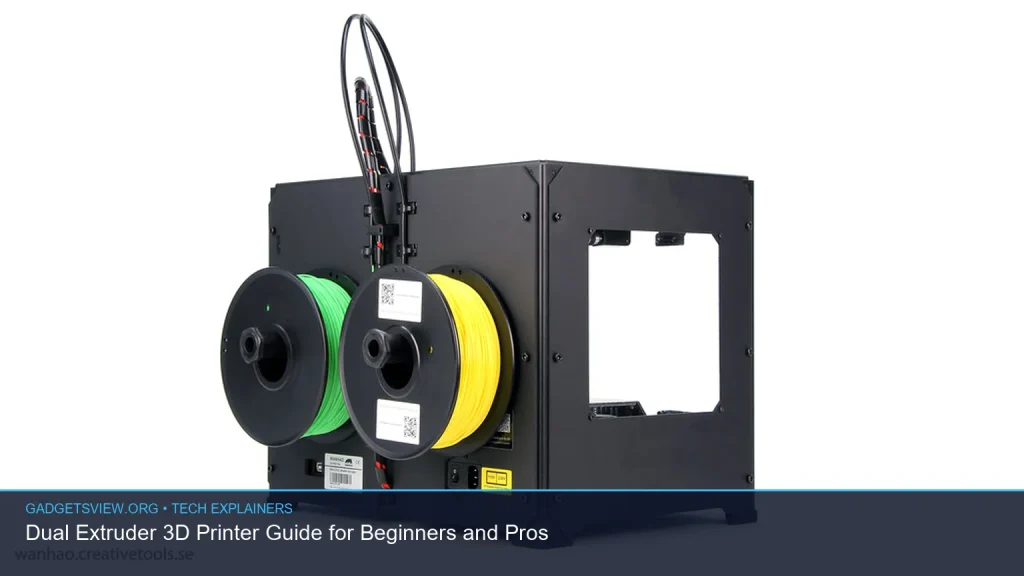
A dual extruder 3d printer has two extrusion paths instead of one. That means it can switch between two filaments during a single print. In practice, this can mean two colors, a main material plus a support material, or two materials with different traits.
This setup is different from a basic single-nozzle printer because it can add design freedom and improve print quality in complex jobs. For example, you can print a rigid body with removable or soluble supports, or create a part with a soft grip and hard frame in one build.
Common dual-extrusion use cases
- Multi-color prints: Labels, logos, models, and visual prototypes.
- Support materials: Cleaner overhangs and easier removal.
- Mixed-material parts: Combine strength, flexibility, or surface finish.
- Production workflow: Reduce post-processing on repeat jobs.
When Dual Extrusion Makes Sense and When It Does Not
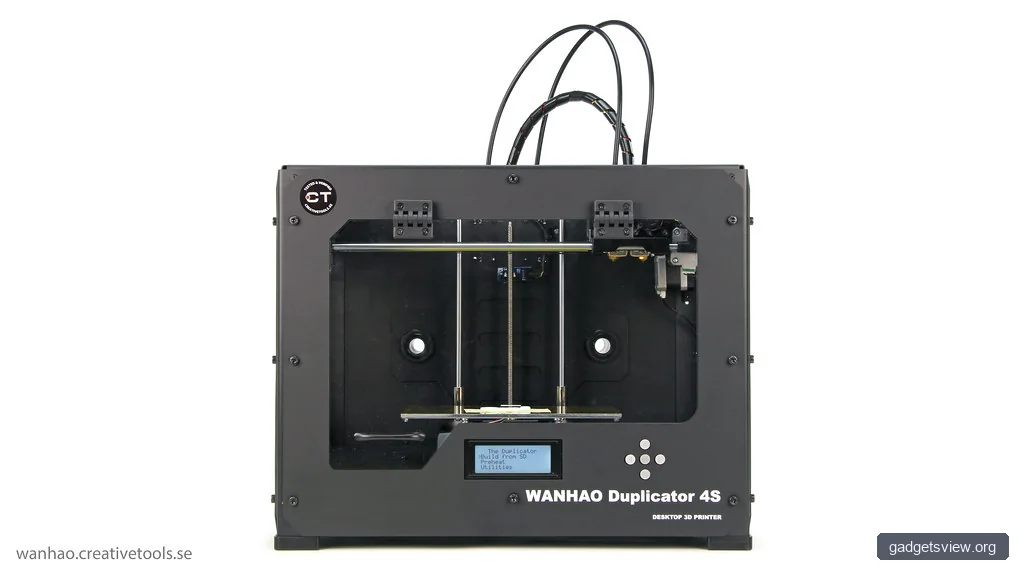
Dual extrusion is useful, but only when the project benefits from it. If you mostly print simple brackets, toys, or calibration cubes, a single-extruder machine may be easier and cheaper to run. If you often need supports, color changes, or complex assemblies, the extra nozzle can be a real advantage.
The decision also depends on your patience for setup. Dual systems need better calibration because two nozzles must align well. If they do not, you may see blobs, stringing, or rough edges.
| Use Case | Best Fit | Why It Works |
|---|---|---|
| Simple hobby prints | Single extruder | Less tuning, less waste, easier learning curve |
| Multi color designs | Dual extruder | Prints two colors in one job |
| Complex overhangs | Dual extruder | Can use support material for cleaner removal |
| Engineering materials | Depends on printer design | Needs stable temperature control and material compatibility |
Types of Dual Extruder Systems to Know
Not all dual-extruder systems work the same way. Some printers use two separate nozzles on one carriage. Others use a single nozzle with a tool-changing or mixing setup. Each design affects speed, precision, and cleanup.
For beginners, the most important thing is to understand the tradeoff between simplicity and flexibility. The more advanced the system, the more it may improve output while also adding setup steps.
Common configurations
- Two nozzles on one print head: Simple to understand, but can need careful alignment.
- Independent dual extrusion: Each tool can operate separately, which may reduce idle issues.
- Mixing or blending systems: Better for color blending, not ideal for every material type.
This is also where terms like multi color 3d printer and full color 3d printer can get confusing. A multi color printer usually swaps between a few filaments. A true full color 3d printer is a different class of machine and is not the same thing as a standard dual-extruder setup.
Materials, Filaments, and Printer Enclosures
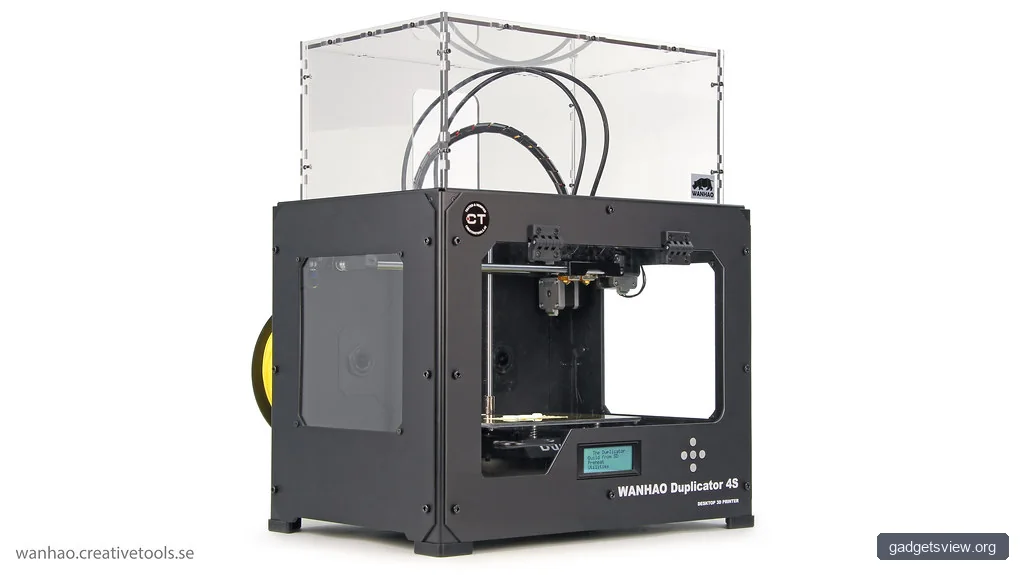
Material choice matters as much as the printer itself. A dual extruder machine can help you combine materials, but each filament has its own temperature needs and print behavior. Some materials are easy for beginners, while others need a more controlled environment.
For example, an enclosed 3d printer helps keep temperature stable. That matters more when you print demanding materials such as polycarbonate 3d printer filament or peek 3d printer filament, which often need higher heat and careful control. These are advanced materials, so check the printer’s verified specs before assuming compatibility.
| Material Type | Typical Use | What to Watch For |
|---|---|---|
| Flexible 3d printer filament | Grips, seals, soft parts | Needs tuned feed path and slower printing |
| Carbon fiber 3d printer filament | Strong, stiff parts | May require hardened nozzles |
| Polycarbonate 3d printer filament | Functional engineering parts | Often benefits from enclosure and heat control |
| PEEK 3d printer filament | High-performance industrial parts | Requires advanced hardware and verified support |
| Metal 3d printer filament | Metal-filled visual or weighted parts | Not the same as true metal additive manufacturing |
If you are comparing resin vs filament 3d printer systems, think about the end goal. Resin printers can capture fine detail and smooth surfaces, while filament printers are often easier to use, more affordable to run, and better for larger functional parts. Dual extrusion is a filament-printer advantage, not a standard resin feature.
How to Get Better Results with Dual Extrusion
Dual extrusion works best when you follow a careful setup process. The main goals are nozzle alignment, clean material switching, and smart slicing settings. If you rush calibration, the printer may waste material or leave messy transitions.
- Level the bed carefully. Uneven first layers cause more trouble when two nozzles are involved.
- Calibrate nozzle offsets. Both nozzles must line up so they print the same geometry.
- Choose compatible materials. Not every filament pair prints well together.
- Set purge and wipe settings. This helps reduce contamination between colors or materials.
- Test with small models first. Start with a simple two-color print before moving to complex parts.
Be careful when mixing materials that need very different temperatures. A high-heat material and a low-heat material may force compromise settings that hurt both. Also, some filament combinations bond poorly, so always test before using them in a real project.
Common Problems and How to Think Through Them
Most dual-extruder issues come from alignment, ooze, or temperature mismatch. The good news is that many are predictable once you know what to look for. A methodical approach usually solves the problem faster than random tuning.
| Problem | Likely Cause | First Fix to Try |
|---|---|---|
| Color bleed | Poor purge or wipe settings | Increase purge volume and check transition settings |
| Rough surface near support areas | Support interface too aggressive or too soft | Tune support spacing and interface layers |
| Nozzle collisions | Offset error or warped first layer | Recalibrate offsets and recheck bed leveling |
| Stringing between tools | Ooze during idle time | Adjust retraction, temperature, or tool-change path |
If your goal is a cleaner support finish, dual extrusion can be a major win. If your goal is speed only, remember that tool changes and purges can add time and waste. That tradeoff is part of the decision.
Who Should Choose a Dual Extruder Printer
A dual extruder 3d printer is a strong fit for users who want more than basic single-material printing. It is especially appealing for makers who need visual variety, engineers who prototype assemblies, and advanced hobbyists who want cleaner support removal or mixed-material parts.
If you are shopping for a large format 3d printer, dual extrusion can also be useful for bigger models, but only if the printer is stable enough to handle the added complexity. Bigger builds often magnify issues like ooze, warp, and calibration drift, so enclosure and temperature control can matter even more.
Selection criteria to use before buying
- Material goals: Do you need PLA only, or advanced filaments too?
- Project type: Are you making prototypes, props, tools, or functional parts?
- Maintenance tolerance: Are you comfortable calibrating two tools?
- Space and environment: Would an enclosed machine help with stability?
- Output expectations: Do you need color effects, support cleanup, or material mixing?
For many users, the best answer is a dual extruder only if the workflow clearly benefits from it. Otherwise, a good single-extruder printer may be simpler and more reliable. That is especially true for beginners who are still learning slicing, bed leveling, and filament handling.
FAQ
Is a dual extruder 3d printer good for beginners?
Yes, but only if the beginner has a clear reason to use dual extrusion. If you mainly want to learn the basics, a single-extruder printer is easier to manage. A dual system becomes more useful once you want two colors, support material, or mixed-material prints.
What is the difference between a multi color 3d printer and a full color 3d printer?
A multi color 3d printer usually switches between a few filaments during printing. A full color 3d printer is a more specialized system that can produce much richer color output. Standard dual-extruder printers are usually multi color tools, not true full color machines.
Can a dual extruder printer print flexible and rigid parts together?
Yes, in some cases. This is one of the more useful dual-extrusion features. It can work well for grips, hinges, or soft inserts, but material compatibility and print settings must be tested carefully.
Do I need an enclosed 3d printer for advanced filaments?
Often, yes. An enclosure can help with temperature stability and reduce warping. This matters more for materials like polycarbonate and PEEK, but you should always check the printer’s verified material support before buying or printing.
What are some things to make with a 3d printer if I have dual extrusion?
Good options include two-color figurines, labeled organizers, mechanical parts with soluble supports, custom phone stands, cable clips, cosplay pieces, and prototype housings. Dual extrusion is especially helpful when the design benefits from contrast, support cleanup, or mixed material behavior.
Conclusion
A dual extruder 3d printer can be a smart upgrade if you want more creative control, cleaner supports, or mixed-material printing. It is not the simplest option, but it can save time and expand what you can make once you know how to use it well.
If you are deciding what to buy or how to upgrade, start with your real projects first. Then match the printer to the materials, enclosure needs, and print style that fit those projects best.
Featured image: Photo: Creative Tools / CC BY 2.0 via flickr