Choosing the right interactive robot toys turns screen time into hands-on learning. These devices teach kids computer science basics, math concepts, and engineering problem-solving through play. Instead of memorizing abstract lines of code, children see their logic work in real life as a physical bot turns, blinks, or drives. Whether you need a simple screen-free companion for a preschooler or an advanced kit for a middle schooler, the ideal pick matches your child’s developmental stage and curiosity. This guide breaks down the primary categories, key features, and practical selection criteria to help you find the right educational robot for your home.
📖 Table of Contents
- Why Interactive Robot Toys Make STEM and Coding Click
- Core Types of Educational Childrens Robots
- How to Choose the Best Robot Toys by Age and Skill
- Key Features in a Smart Robot for Kids
- Comparing Educational Robot Toy Categories
- Screen-Free vs. App-Enabled: Which Path Is Better?
- Safety, Privacy, and Long-Term Value
- Frequently Asked Questions
- Final Verdict: Starting Your Child’s Robotics Journey
📌 Key Takeaways
- Interactive robotics teaches fundamental coding logic, including sequencing, loops, and sensor-based conditionals, through tactile play.
- Screen-free designs suit early learners, while older kids benefit from visual block-based programming and modular hardware.
- Matching the robot’s complexity to the child’s motor skills and reading level prevents early frustration and abandonment.
- Always check device compatibility, data privacy policies, and battery styles before purchasing a connected smart toy.
Why Interactive Robot Toys Make STEM and Coding Click
Coding can feel abstract when taught only on a computer monitor. When a child types a command and sees a digital avatar move, the feedback is flat. Interactive robot toys change this dynamic by putting code into the physical world. A child quickly understands why an extra step matters when their bot runs into a wall.
Robotics naturally combines science, technology, engineering, and math (STEM). Children practice sequencing by setting a path across a bedroom floor. They explore conditional logic by programming sensors to detect obstacles or follow light. Because mistakes result in visible physical feedback, kids learn debugging through experimentation rather than test scores.
Beyond technical skills, working with a responsive robo toy builds resilience. When a program fails, children do not see a red error message. Instead, they see a puzzle waiting to be solved. This encourages critical thinking, spatial reasoning, and creative problem-solving that extend far beyond programming languages.
Core Types of Educational Childrens Robots
Not all educational bots follow the same design. Understanding the common archetypes helps you select an option that matches your space, budget, and learning goals. Most childrens robots fall into three functional groups:
1. Screen-Free Grid and Path Followers
These models do not require a tablet, smartphone, or computer. Children program them using physical push-buttons on the unit, colored marker lines, or physical sequence tiles. They introduce toddlers and early elementary students to basic algorithms, counting, and directional logic without adding digital screen time.
2. Pre-Assembled App-Connected Rovers
These units arrive fully assembled and connect via Bluetooth to a tablet or computer. Kids program them using drag-and-drop visual blocks, such as Scratch or Blockly. As skills grow, many of these units allow older users to inspect or write text code like Python or JavaScript.
3. Modular Build-and-Code Construction Kits
These sets require children to assemble the mechanical frame before writing code. They combine structural snap-together bricks, servos, motors, and central microcontrollers. They teach mechanical concepts like gear ratios alongside digital coding, making them ideal for young makers who enjoy hands-on engineering.
How to Choose the Best Robot Toys by Age and Skill
Age appropriateness is the most critical factor when selecting an educational bot. If a kit is too simple, a child loses interest within days. If it is too demanding, frustration sets in and the toy sits on a shelf. To choose the best robot toys, align the toy with your child’s reading ability and fine motor control.
Preschool to Kindergarten (Ages 3 to 5)
Young children need immediate cause-and-effect feedback. Choose units with large, durable buttons right on the chassis or those that trace thick marker paths. At this stage, focus on basic directional concepts like forward, backward, left, and right. Avoid small parts and complex multi-step mobile apps.
Early Elementary (Ages 6 to 8)
Children in early elementary can read simple instructions and understand logical sequences. Look for toys that introduce icon-based drag-and-drop coding on a companion app. These toys introduce basic loops and sound triggers, letting kids create customized routines and simple obstacle courses.
Upper Elementary and Tweens (Ages 9 to 12)
When shopping for robot toys for 10 year olds, look for versatile hardware that supports deeper challenge. Kids at this level understand variables, branches, and sensor inputs like ultrasonic distance measuring. Choose modular kits that allow custom mechanical designs, or bots that transition smoothly from visual blocks to real text code.
Key Features in a Smart Robot for Kids

Selecting a high-quality smart robot for kids requires looking beyond flashing lights and pre-programmed dance moves. Many novelty items offer brief entertainment but zero educational depth. Look for features that support extended play and real computational growth.
- Rich Sensor Suites: Look for collision bumpers, infrared floor sensors, light detectors, and gyroscopes. Sensors teach kids how machines perceive and react to the physical environment.
- Progressive Coding Environments: The best software environments scale with your child. They start with picture blocks, transition to text-supported blocks, and eventually open into standard programming languages.
- Durable Enclosures: Floor-roaming toys will inevitably fall down stairs or hit furniture. Choose thick polycarbonate shells and robust motor gearboxes over brittle plastics.
- Open-Ended Expansion: Toys that work with standard construction bricks, craft materials, or common hardware give kids freedom to invent new projects long after completing the manual.
Striking the right balance means finding cool robot toys that capture a child’s imagination while still demanding thoughtful input. If the toy does everything on its own at the push of a single button, learning stops.
Comparing Educational Robot Toy Categories
Evaluating options across categories makes it easier to pick the right platform for your home or classroom. The table below outlines how common interactive platforms compare across core attributes.
| Category | Input Method | Strengths | Limitations | Best For |
|---|---|---|---|---|
| Screen-Free Coders | Physical buttons, color sensors, or punch tiles | Zero screen time; sturdy; instant setup | Limited program length; basic logic only | Ages 3 to 6; early sequencing |
| App-Enabled Rovers | Visual block software via Bluetooth | Fast feedback; rich sensor integration; guided app lessons | Fixed form factor; requires a compatible tablet | Ages 6 to 9; software logic fundamentals |
| Modular Maker Kits | Visual blocks, Python, or C++ environments | Teaches mechanics and gearing; limitless designs | Small parts; assembly requires patience and dexterity | Ages 9 to 13; hands-on engineering |
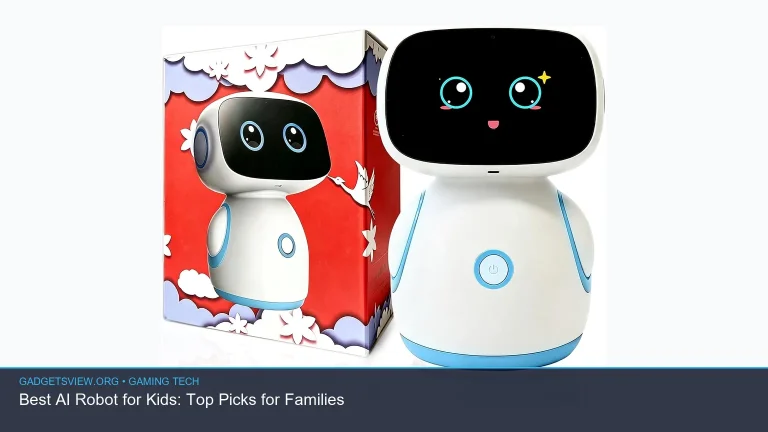
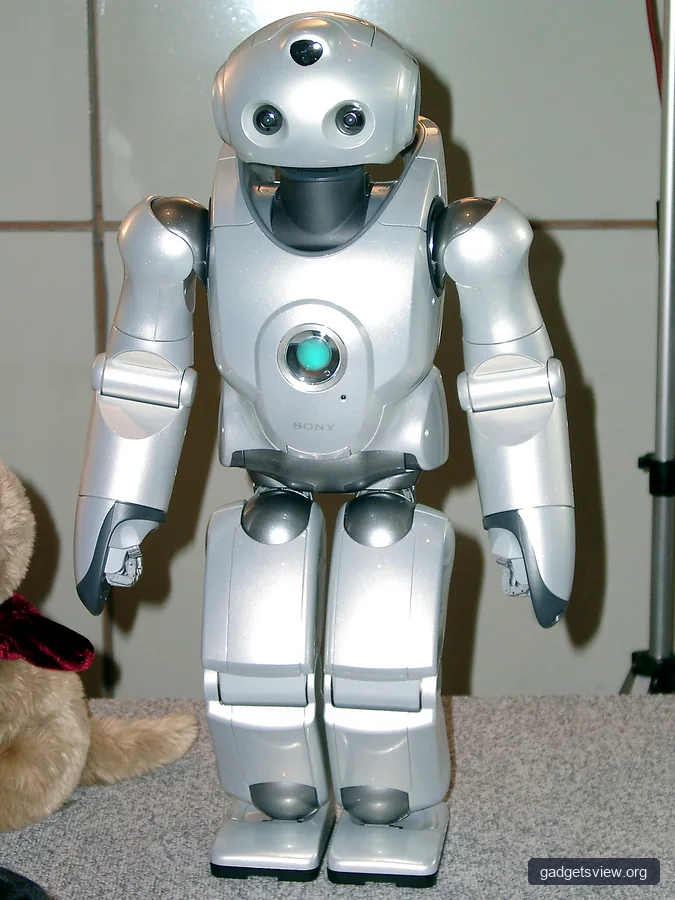
| Humanoid / Companion Bots | Voice, gestures, or app-based scripting | High emotional engagement; speech recognition practice | Higher cost; often leans more toward play than coding | Storytelling, social play, and basic robotics |
When sorting through robot toy robots on the market, your choice comes down to learning priorities. If your goal is strictly computational thinking without device distractions, screen-free models are ideal. If your child wants to build mechanical arms or wheeled crawlers from scratch, choose modular kits. If quick software experiments are the goal, pre-assembled rovers provide the smoothest on-ramp.
Screen-Free vs. App-Enabled: Which Path Is Better?
Many parents worry about adding more tablet time to their child’s routine. Fortunately, the market now offers robust options on both sides of the screen debate. Understanding how each approach functions helps you make an intentional choice.
Screen-free models rely on physical inputs. A child pushes directional arrows on top of the bot to tell it how to navigate a maze. Other designs read physical code blocks laid out on a table or follow colored ink tracks drawn on regular paper. This method keeps the learning tactile and limits eye fatigue, making it perfect for shared family play in living rooms.
App-enabled models unlock deeper logic. Tablets let children build multi-stage sequences using nested loops, real-time math operators, and sensor event triggers. An app can show a live readout of the robot’s speedometer or infrared distance values. For older students, this bridge is necessary to prepare for real-world programming languages.
Safety, Privacy, and Long-Term Value
Connected tech toys require a few practical checks before you bring them home. Because smart toys often include microphones, cameras, or wireless radios, reviewing device safety and family data privacy is just as important as inspecting build quality.
- Data Privacy: Verify whether the companion app requires an online user account. Review the manufacturer’s privacy disclosures to confirm that audio or image inputs are processed locally on the toy rather than uploaded to remote cloud servers.
- Battery Types: Check whether the unit uses standard alkaline cells or an internal rechargeable lithium-ion pack. Robots with internal batteries save money over time, but verify the charge port style and estimated runtime.
- Device OS Compatibility: Always check the app store requirements for connected robots before buying. Verify whether your household tablet or computer operating system supports the companion app version.
- Choking Hazards: Check small-part warnings on modular kits if you have younger children or pets in your home. Ensure motors and pinch points remain enclosed during regular operation.
Frequently Asked Questions
What age is appropriate to start using robot toys?
Children as young as three can safely enjoy screen-free robots with large directional buttons or color-tracking features. These toys teach early directional orientation and basic sequence planning. Digital app-based block programming is generally best introduced around ages six or seven.
Do educational robot toys require Wi-Fi to function?
Most interactive robots do not require an active Wi-Fi connection for daily use. Many connect directly to a phone or tablet using Bluetooth Low Energy (BLE), while screen-free models operate independently. An internet connection is usually only needed to download app updates or firmware patches.
Can a robot toy help my child transition to real programming languages?
Yes. Many modern platforms use a visual block editor that allows students to view the underlying code side-by-side. As kids outgrow visual blocks, advanced platforms let them toggle directly into text-based Python or JavaScript syntax using the same hardware sensors and motors.
How do I keep my child engaged with a coding robot after the first week?
Set open-ended challenges rather than relying solely on built-in app tutorials. Build mazes out of cardboard boxes, design clean-up challenges using masking tape on the floor, or attach markers to draw geometric shapes. Giving the robot a physical task in your home keeps play creative and fresh.
Final Verdict: Starting Your Child’s Robotics Journey
Educational robot toys bridge the gap between abstract computer science and fun, physical play. Finding the right match comes down to your child’s age, motor skills, and your household preference regarding screen time. For preschoolers and early elementary kids, screen-free directional toys build a strong foundation without digital overload. For older elementary students and tweens, modular build-and-code kits provide the computational depth and mechanical creativity needed for lasting engagement.
Take time to assess your child’s current interests, check app compatibility with your existing devices, and select an open-ended platform that grows alongside their skills. With the right robotics platform on your floor, learning to code becomes a natural, exciting part of playtime.
Featured image: Photo: Kodomo Studio / CC BY 2.0 via flickr